सुलभता पैटर्न · ओवरले
नॉन-मोडल डायलॉग
show() पेज को निष्क्रिय किए बिना डायलॉग खोलता है, इसलिए लोग मदद पढ़ सकते हैं और बगल वाले फ़ॉर्म में टाइप करते रह सकते हैं। पैनल खुलने पर फ़ोकस उसके अंदर जाता है और बंद होने पर लौट आता है; जब तक यह खुला है, F6 या दो बटनों की जोड़ी दोनों के बीच आना-जाना कराती है।
- डब्ल्यूसीएजी मानदंड
- 6
- कीबोर्ड नियम
- 4
- जाँच का तरीक़ा
- axe, कीबोर्ड और इंस्पेक्टर
लाइव डेमो
आज़माएँ
इसे माउस, कीबोर्ड या स्क्रीन रीडर से इस्तेमाल करें। साथ का इंस्पेक्टर दिखाता है कि आपके इस्तेमाल के दौरान ब्राउज़र सहायक तकनीक को क्या बताता है: फ़ोकस, स्थिति में बदलाव और घोषणाएँ।
जावास्क्रिप्ट के बिना डेमो उतना ही काम करता है जितना उसका एचटीएमएल; इंस्पेक्टर के लिए जावास्क्रिप्ट चाहिए।
कीबोर्ड
जिन कुंजियों पर यह काम करता है
हर क्रिया पॉइंटर के बिना काम करती है।
| कुंजी | यह क्या करती है |
|---|---|
| EnterयाSpace | मदद पर, पैनल खोलता है और फ़ोकस उसके अंदर ले जाता है। पैनल खुला रहने तक यही बटन मदद पर जाएँ कहता है और फ़ोकस को वापस उसके अंदर ले जाता है। |
| F6याShiftF6 | पैनल खुला रहने तक फ़ोकस को पैनल और पेज के बीच ले जाता है, दोनों में ठीक वहीं जहाँ वह पिछली बार था। |
| TabयाShiftTab | पढ़ने के क्रम में पेज और पैनल से होकर गुज़रता है; पैनल फ़ोकस को कभी फँसाता नहीं। |
| Escape | फ़ोकस पैनल में हो तो उसे बंद करता है और फ़ोकस मदद बटन पर लौटा देता है। |
स्क्रीन रीडर
यह क्या घोषित करता है
मार्कअप की भूमिकाओं, नामों और स्थितियों से लिखा गया।
| कब | अपेक्षित घोषणा |
|---|---|
| फ़ोकस मदद बटन पर पहुँचता है | मदद, बटन, डायलॉग खोलता है |
| पैनल खुलता है | पते में मदद, डायलॉग। पते में मदद, हेडिंग लेवल 3 |
| पिन कोड फ़ील्ड में टाइप करने के बाद F6 या पेज पर लौटें | पिन कोड, एडिट टेक्स्ट, 400607 |
| पैनल खुला रहते हुए फ़ोकस पेज के बटन पर पहुँचता है | मदद पर जाएँ, बटन, डायलॉग खोलता है |
| सवाल भेजा जाता है | भेज दिया। हम एक दिन के अंदर ईमेल से जवाब देते हैं। |
| Escape पैनल बंद करता है | मदद, बटन, डायलॉग खोलता है |
ये अपेक्षित घोषणाएँ हैं, रिकॉर्डिंग नहीं। स्क्रीन रीडर और ब्राउज़र के हिसाब से शब्द और क्रम बदलते हैं।
कोड
कोड कॉपी करें
वही फ़ाइलें जिन पर यह डेमो चलता है। स्टाइल एक प्रीफ़िक्स के साथ परोसी जाती हैं जो इस साइट की अपनी स्टाइल को डेमो से दूर रखता है; आप जो कॉपी करते हैं वह मूल है।
<div class="ap-nmd" data-ap-nmd>
  <div class="ap-nmd__layout">
    <form class="ap-nmd__page" data-ap-nmd-page>
      <div class="ap-nmd__top">
        <h3 class="ap-nmd__name">Delivery address</h3>
        <button type="button" class="ap-btn ap-nmd__help" data-ap-nmd-open aria-haspopup="dialog">
          <svg class="ap-btn__icon" viewBox="0 0 24 24" aria-hidden="true" focusable="false"><circle cx="12" cy="12" r="9"/><path d="M9.6 9.3a2.5 2.5 0 1 1 3.3 2.4c-.6.3-.9.8-.9 1.4v.4"/><path d="M12 17h.01"/></svg>
          <span data-ap-nmd-label>Help</span>
        </button>
      </div>
      <div class="ap-field">
        <label class="ap-label" for="nmd-line1">Flat and building</label>
        <input class="ap-input" id="nmd-line1" name="line1" autocomplete="address-line1" value="B-1204, Silver Oak Residency" />
      </div>
      <div class="ap-nmd__pair">
        <div class="ap-field">
          <label class="ap-label" for="nmd-pin">PIN code</label>
          <input class="ap-input" id="nmd-pin" name="pin" inputmode="numeric" autocomplete="postal-code" value="400607" />
        </div>
        <div class="ap-field">
          <label class="ap-label" for="nmd-city">City</label>
          <input class="ap-input" id="nmd-city" name="city" autocomplete="address-level2" value="Thane" />
        </div>
      </div>
      <div class="ap-nmd__foot">
        <button type="submit" class="ap-btn ap-btn--primary">Save address</button>
        <p class="ap-nmd__saved" role="status"></p>
      </div>
    </form>

    <dialog class="ap-nmd__panel" aria-labelledby="nmd-name">
      <div class="ap-nmd__head">
        <span class="ap-nmd__badge" aria-hidden="true">
          <svg viewBox="0 0 24 24" focusable="false"><circle cx="12" cy="12" r="9"/><path d="M9.6 9.3a2.5 2.5 0 1 1 3.3 2.4c-.6.3-.9.8-.9 1.4v.4"/><path d="M12 17h.01"/></svg>
        </span>
        <h3 class="ap-nmd__pname" id="nmd-name" tabindex="-1" autofocus>Address help</h3>
        <button type="button" class="ap-nmd__close" data-ap-nmd-close aria-label="Close help">
          <svg viewBox="0 0 24 24" aria-hidden="true" focusable="false"><path d="M6 6l12 12M18 6 6 18"/></svg>
        </button>
      </div>
      <ul class="ap-nmd__tips">
        <li>Your PIN code is on any parcel sent to this address.</li>
        <li>Put the flat number first, so the rider finds the door.</li>
      </ul>
      <form class="ap-nmd__ask" data-ap-nmd-ask>
        <label class="ap-label" for="nmd-question">Ask a question</label>
        <div class="ap-nmd__row">
          <input class="ap-input" id="nmd-question" name="question" autocomplete="off" />
          <button type="submit" class="ap-btn ap-btn--primary">Send</button>
        </div>
        <p class="ap-nmd__status" role="status"></p>
      </form>
      <div class="ap-nmd__back">
        <button type="button" class="ap-btn ap-btn--ghost" data-ap-nmd-back>
          <svg class="ap-btn__icon" viewBox="0 0 24 24" aria-hidden="true" focusable="false"><path d="M19 12H5"/><path d="m11 18-6-6 6-6"/></svg>
          Back to page
        </button>
        <p class="ap-nmd__keys">or press <kbd>F6</kbd></p>
      </div>
    </dialog>
  </div>
</div>
/* Shared primitives: buttons and form fields used across the patterns.
   Uses the --ap-* design tokens. */

.ap-btn {
  display: inline-flex;
  align-items: center;
  justify-content: center;
  gap: 8px;
  min-height: 40px;
  padding: 0 16px;
  border: 1px solid var(--ap-border-strong);
  border-radius: var(--ap-radius-sm);
  background: var(--ap-surface);
  color: var(--ap-text);
  font: inherit;
  font-weight: 600;
  line-height: 1.2;
  text-decoration: none;
  white-space: nowrap;
  cursor: pointer;
  transition: background-color var(--ap-duration) var(--ap-ease), border-color var(--ap-duration) var(--ap-ease), box-shadow var(--ap-duration) var(--ap-ease);
}
.ap-btn:hover {
  background: var(--ap-surface-2);
}
.ap-btn:focus-visible {
  outline: 2px solid var(--ap-focus);
  outline-offset: 2px;
}
.ap-btn:disabled,
.ap-btn[aria-disabled="true"] {
  opacity: .55;
  cursor: not-allowed;
}
.ap-btn--primary {
  border-color: var(--ap-accent);
  background: var(--ap-accent);
  color: var(--ap-on-accent);
  box-shadow: var(--ap-shadow-sm);
}
.ap-btn--primary:hover {
  border-color: var(--ap-accent-hover);
  background: var(--ap-accent-hover);
}
.ap-btn--danger {
  border-color: var(--ap-danger);
  background: var(--ap-danger);
  color: var(--ap-surface);
}
.ap-btn--danger:hover {
  filter: brightness(1.08);
}
.ap-btn--ghost {
  border-color: transparent;
  background: transparent;
}
.ap-btn--ghost:hover {
  background: var(--ap-surface-2);
}
.ap-btn__icon {
  width: 18px;
  height: 18px;
  flex-shrink: 0;
  fill: none;
  stroke: currentColor;
  stroke-width: 2;
  stroke-linecap: round;
  stroke-linejoin: round;
}

.ap-field {
  display: grid;
  gap: 6px;
}
.ap-label {
  color: var(--ap-text);
  font-weight: 600;
  font-size: .9375rem;
}
.ap-hint {
  margin: 0;
  color: var(--ap-text-3);
  font-size: .875rem;
  line-height: 1.45;
}
.ap-error {
  display: flex;
  align-items: flex-start;
  gap: 6px;
  margin: 0;
  color: var(--ap-danger);
  font-size: .875rem;
  font-weight: 600;
  line-height: 1.45;
}
.ap-input {
  width: 100%;
  min-height: 44px;
  padding: 10px 12px;
  border: 1px solid var(--ap-border-strong);
  border-radius: var(--ap-radius-sm);
  background: var(--ap-surface);
  color: var(--ap-text);
  font: inherit;
  line-height: 1.4;
  transition: border-color var(--ap-duration) var(--ap-ease), box-shadow var(--ap-duration) var(--ap-ease);
}
.ap-input::placeholder {
  color: var(--ap-text-3);
}
.ap-input:hover {
  border-color: var(--ap-text-2);
}
.ap-input:focus-visible {
  outline: 2px solid var(--ap-focus);
  outline-offset: 1px;
  border-color: var(--ap-focus);
}
.ap-input[aria-invalid="true"] {
  border-color: var(--ap-danger);
  box-shadow: inset 4px 0 0 var(--ap-danger);
}
textarea.ap-input {
  resize: vertical;
  min-height: 88px;
}

@media (prefers-reduced-motion: reduce) {
  .ap-btn,
  .ap-input { transition: none; }
}

/* Non-modal dialog. Uses the --ap-* design tokens and the shared primitives. */
.ap-nmd {
  container-type: inline-size;
}
.ap-nmd__layout {
  display: grid;
  grid-template-columns: minmax(0, 420px);
  justify-content: center;
  align-items: start;
  gap: 16px;
}

/* The page the panel helps with */
.ap-nmd__page {
  display: grid;
  gap: 16px;
  padding: 20px 20px 22px;
  border: 1px solid var(--ap-border);
  border-radius: var(--ap-radius-lg);
  background: var(--ap-surface);
  box-shadow: var(--ap-shadow-sm);
}
.ap-nmd__top {
  display: flex;
  align-items: center;
  justify-content: space-between;
  gap: 8px;
}
.ap-nmd__name {
  margin: 0;
  font-size: 1.125rem;
  font-weight: 650;
  line-height: 1.3;
}
.ap-nmd__help {
  flex-shrink: 0;
  min-height: 36px;
  padding: 0 10px;
}
.ap-nmd__layout:has(> .ap-nmd__panel[open]) .ap-nmd__help {
  border-color: var(--ap-accent);
  background: var(--ap-accent-soft);
  color: var(--ap-accent-soft-text);
}
.ap-nmd__pair {
  display: grid;
  grid-template-columns: minmax(0, 1fr) minmax(0, 1.4fr);
  gap: 12px;
}
.ap-nmd__foot {
  display: flex;
  flex-wrap: wrap;
  align-items: center;
  gap: 8px 14px;
}
.ap-nmd__saved,
.ap-nmd__status {
  margin: 0;
  color: var(--ap-success);
  font-size: .875rem;
  font-weight: 600;
}
.ap-nmd__saved:empty,
.ap-nmd__status:empty {
  display: none;
}

/* The panel: a dialog opened with show(), in the flow beside the page */
.ap-nmd__panel {
  position: relative;
  inset: auto;
  width: auto;
  max-width: none;
  margin: 0;
  padding: 16px 18px 18px;
  border: 1px solid var(--ap-border);
  border-radius: var(--ap-radius-lg);
  background: var(--ap-surface);
  color: var(--ap-text);
  box-shadow: var(--ap-shadow-lg);
}
.ap-nmd__panel[open] {
  display: grid;
  gap: 12px;
  animation: ap-nmd-in 200ms var(--ap-ease);
}
.ap-nmd__head {
  display: flex;
  align-items: center;
  gap: 10px;
}
.ap-nmd__badge {
  display: grid;
  place-items: center;
  width: 32px;
  height: 32px;
  flex-shrink: 0;
  border-radius: var(--ap-radius-sm);
  background: var(--ap-accent-soft);
  color: var(--ap-accent-soft-text);
}
.ap-nmd__badge svg,
.ap-nmd__close svg {
  width: 18px;
  height: 18px;
  fill: none;
  stroke: currentColor;
  stroke-width: 2;
  stroke-linecap: round;
  stroke-linejoin: round;
}
.ap-nmd__pname {
  min-width: 0;
  margin: 0;
  margin-inline-end: auto;
  padding: 2px 4px;
  border-radius: calc(var(--ap-radius-sm) - 2px);
  font-size: 1rem;
  font-weight: 650;
  line-height: 1.3;
}
/* Focus lands here on open and on F6, so it shows where you are. */
.ap-nmd__pname:focus-visible {
  outline: 2px solid var(--ap-focus);
  outline-offset: 2px;
}
.ap-nmd__close {
  display: grid;
  place-items: center;
  width: 36px;
  height: 36px;
  flex-shrink: 0;
  padding: 0;
  border: 0;
  border-radius: var(--ap-radius-sm);
  background: transparent;
  color: var(--ap-text-2);
  cursor: pointer;
}
.ap-nmd__close:hover {
  background: var(--ap-surface-2);
  color: var(--ap-text);
}
.ap-nmd__close:focus-visible {
  outline: 2px solid var(--ap-focus);
  outline-offset: 2px;
}
.ap-nmd__tips {
  display: grid;
  gap: 8px;
  margin: 0;
  padding: 0 0 0 18px;
  color: var(--ap-text-2);
  font-size: .9375rem;
  line-height: 1.5;
}
.ap-nmd__tips li::marker {
  color: var(--ap-accent-text);
}
.ap-nmd__ask {
  display: grid;
  gap: 6px;
  padding-top: 12px;
  border-top: 1px solid var(--ap-border);
}
.ap-nmd__row {
  display: flex;
  gap: 8px;
}
.ap-nmd__row .ap-input {
  flex: 1;
  min-width: 0;
}
.ap-nmd__back {
  display: flex;
  flex-wrap: wrap;
  align-items: center;
  gap: 4px 6px;
  margin: -2px 0 -4px -10px;
}
.ap-nmd__back .ap-btn {
  padding: 0 10px;
}
.ap-nmd__keys {
  margin: 0;
  color: var(--ap-text-3);
  font-size: .8125rem;
}
.ap-nmd__keys kbd {
  display: inline-block;
  min-width: 24px;
  margin-inline-end: 2px;
  padding: 1px 6px;
  border: 1px solid var(--ap-border-strong);
  border-radius: calc(var(--ap-radius-sm) - 2px);
  background: var(--ap-surface-2);
  color: var(--ap-text);
  font-family: var(--ap-mono);
  font-size: .75rem;
  text-align: center;
}

/* Wide enough for both: the panel stands beside the form, a little lower,
   so neither covers the other. Narrower, it follows the form. */
@container (min-width: 560px) {
  .ap-nmd__layout:has(> .ap-nmd__panel[open]) {
    grid-template-columns: minmax(0, 420px) minmax(0, 270px);
  }
  .ap-nmd__panel {
    margin-top: 20px;
  }
}

@keyframes ap-nmd-in {
  from { opacity: 0; transform: translateY(8px) scale(.98); }
}

@media (prefers-reduced-motion: reduce) {
  .ap-nmd__panel[open] { animation: none; }
}
/**
 * Non-modal dialog: a help panel opened with dialog.show(), so the page
 * beside it stays usable.
 *
 * Markup: [data-ap-nmd] holding the page (form[data-ap-nmd-page]) with a
 * Help button[data-ap-nmd-open], and a dialog[aria-labelledby] whose heading
 * has tabindex=-1 and autofocus, with a close button[data-ap-nmd-close], a
 * Back to page button[data-ap-nmd-back] and a form[data-ap-nmd-ask]. Each
 * form has a role=status paragraph for its outcome.
 */

export function init(root) {
  const page = root.querySelector("[data-ap-nmd-page]");
  const opener = root.querySelector("[data-ap-nmd-open]");
  const label = opener.querySelector("[data-ap-nmd-label]");
  const panel = root.querySelector("dialog");
  const start = panel.querySelector("[autofocus]") || panel;
  const ask = panel.querySelector("[data-ap-nmd-ask]");
  const question = ask.querySelector("input");
  const askStatus = ask.querySelector("[role=status]");
  const pageStatus = page.querySelector("[role=status]");
  // Where focus was last in each part, so moving between them lands there.
  let lastInPage = null;
  let lastInPanel = null;

  function toPanel() {
    (lastInPanel && panel.contains(lastInPanel) ? lastInPanel : start).focus();
  }
  function toPage() {
    (lastInPage && page.contains(lastInPage) ? lastInPage : opener).focus();
  }

  function onOpenerClick() {
    if (panel.open) {
      toPanel();
      return;
    }
    lastInPanel = null;
    askStatus.textContent = "";
    panel.show();
    label.textContent = "Go to help";
    // show() focuses the autofocus heading; older engines need telling.
    if (document.activeElement !== start) start.focus();
  }

  function close() {
    const inside = panel.contains(document.activeElement);
    panel.close();
    if (inside) opener.focus();
  }

  function onClose() {
    label.textContent = "Help";
  }

  function onClick(event) {
    if (event.target.closest("[data-ap-nmd-close]")) close();
    else if (event.target.closest("[data-ap-nmd-back]")) toPage();
  }

  function onKeydown(event) {
    if (event.key === "F6" && panel.open) {
      event.preventDefault();
      if (panel.contains(document.activeElement)) toPage();
      else toPanel();
    } else if (event.key === "Escape" && panel.open && panel.contains(document.activeElement)) {
      event.preventDefault();
      close();
    }
  }

  function onFocusin(event) {
    if (panel.contains(event.target)) lastInPanel = event.target;
    else if (page.contains(event.target)) lastInPage = event.target;
  }

  // Emptied first, so the same message twice is announced twice.
  function say(region, text) {
    region.textContent = "";
    requestAnimationFrame(() => { region.textContent = text; });
  }

  function onAsk(event) {
    event.preventDefault();
    if (!question.value.trim()) {
      question.focus();
      say(askStatus, "Type your question first.");
      return;
    }
    question.value = "";
    say(askStatus, "Sent. We reply by email within a day.");
  }

  function onSave(event) {
    event.preventDefault();
    say(pageStatus, "Address saved.");
  }

  opener.addEventListener("click", onOpenerClick);
  panel.addEventListener("click", onClick);
  panel.addEventListener("close", onClose);
  root.addEventListener("keydown", onKeydown);
  root.addEventListener("focusin", onFocusin);
  ask.addEventListener("submit", onAsk);
  page.addEventListener("submit", onSave);

  return () => {
    if (panel.open) panel.close();
    opener.removeEventListener("click", onOpenerClick);
    panel.removeEventListener("click", onClick);
    panel.removeEventListener("close", onClose);
    root.removeEventListener("keydown", onKeydown);
    root.removeEventListener("focusin", onFocusin);
    ask.removeEventListener("submit", onAsk);
    page.removeEventListener("submit", onSave);
  };
}

for (const root of document.querySelectorAll("[data-ap-nmd]")) init(root);
/* Design tokens for the pattern components. Light by default, dark when the
   system asks for it; set data-theme="dark" on :root to force dark. */
:root {
    --ap-radius-sm: 8px;
    --ap-radius: 12px;
    --ap-radius-lg: 16px;
    --ap-radius-full: 999px;
    --ap-font: "Instrument Sans", ui-sans-serif, system-ui, -apple-system, "Segoe UI", Roboto, sans-serif;
    --ap-mono: "JetBrains Mono", ui-monospace, "Cascadia Mono", "SF Mono", Consolas, monospace;
    --ap-ease: cubic-bezier(.2, .8, .2, 1);
    --ap-duration: 180ms;
    --ap-target: 44px;
    --ap-bg: #F4F4F5;
    --ap-surface: #FFFFFF;
    --ap-surface-2: #F4F4F5;
    --ap-surface-3: #E4E4E7;
    --ap-border: #E4E4E7;
    --ap-border-strong: #76767F;
    --ap-text: #18181B;
    --ap-text-2: #3F3F46;
    --ap-text-3: #5E5E66;
    --ap-accent: #4F46E5;
    --ap-accent-hover: #4338CA;
    --ap-on-accent: #FFFFFF;
    --ap-accent-text: #4338CA;
    --ap-accent-soft: #EEF2FF;
    --ap-accent-soft-text: #3730A3;
    --ap-focus: #4F46E5;
    --ap-danger: #B91C1C;
    --ap-danger-soft: #FEF2F2;
    --ap-success: #15803D;
    --ap-success-soft: #F0FDF4;
    --ap-warning: #A15C07;
    --ap-warning-soft: #FEFCE8;
    --ap-info: #1D4ED8;
    --ap-info-soft: #EFF6FF;
    --ap-scrim: rgb(9 9 11 / .48);
    --ap-shadow-sm: 0 1px 2px rgb(9 9 11 / .06);
    --ap-shadow-md: 0 1px 2px rgb(9 9 11 / .05), 0 6px 16px -4px rgb(9 9 11 / .1);
    --ap-shadow-lg: 0 2px 6px rgb(9 9 11 / .06), 0 20px 40px -12px rgb(9 9 11 / .22);
    --ap-light-bg: #F4F4F5;
    --ap-light-surface: #FFFFFF;
    --ap-light-surface-2: #F4F4F5;
    --ap-light-surface-3: #E4E4E7;
    --ap-light-border: #E4E4E7;
    --ap-light-border-strong: #76767F;
    --ap-light-text: #18181B;
    --ap-light-text-2: #3F3F46;
    --ap-light-text-3: #5E5E66;
    --ap-light-accent: #4F46E5;
    --ap-light-accent-hover: #4338CA;
    --ap-light-on-accent: #FFFFFF;
    --ap-light-accent-text: #4338CA;
    --ap-light-accent-soft: #EEF2FF;
    --ap-light-accent-soft-text: #3730A3;
    --ap-light-focus: #4F46E5;
    --ap-light-danger: #B91C1C;
    --ap-light-danger-soft: #FEF2F2;
    --ap-light-success: #15803D;
    --ap-light-success-soft: #F0FDF4;
    --ap-light-warning: #A15C07;
    --ap-light-warning-soft: #FEFCE8;
    --ap-light-info: #1D4ED8;
    --ap-light-info-soft: #EFF6FF;
    --ap-light-scrim: rgb(9 9 11 / .48);
    --ap-light-shadow-sm: 0 1px 2px rgb(9 9 11 / .06);
    --ap-light-shadow-md: 0 1px 2px rgb(9 9 11 / .05), 0 6px 16px -4px rgb(9 9 11 / .1);
    --ap-light-shadow-lg: 0 2px 6px rgb(9 9 11 / .06), 0 20px 40px -12px rgb(9 9 11 / .22);
    --ap-dark-bg: #09090B;
    --ap-dark-surface: #18181B;
    --ap-dark-surface-2: #27272A;
    --ap-dark-surface-3: #3F3F46;
    --ap-dark-border: #2E2E33;
    --ap-dark-border-strong: #8E8E97;
    --ap-dark-text: #FAFAFA;
    --ap-dark-text-2: #D4D4D8;
    --ap-dark-text-3: #A1A1AA;
    --ap-dark-accent: #818CF8;
    --ap-dark-accent-hover: #A5B4FC;
    --ap-dark-on-accent: #0C0A1F;
    --ap-dark-accent-text: #A5B4FC;
    --ap-dark-accent-soft: #1E1B4B;
    --ap-dark-accent-soft-text: #C7D2FE;
    --ap-dark-focus: #A5B4FC;
    --ap-dark-danger: #F87171;
    --ap-dark-danger-soft: #2A1215;
    --ap-dark-success: #4ADE80;
    --ap-dark-success-soft: #0F2A1A;
    --ap-dark-warning: #FACC15;
    --ap-dark-warning-soft: #2A2410;
    --ap-dark-info: #60A5FA;
    --ap-dark-info-soft: #0F1D33;
    --ap-dark-scrim: rgb(0 0 0 / .62);
    --ap-dark-shadow-sm: 0 1px 2px rgb(0 0 0 / .4);
    --ap-dark-shadow-md: 0 1px 2px rgb(0 0 0 / .4), 0 8px 20px -6px rgb(0 0 0 / .5);
    --ap-dark-shadow-lg: 0 2px 8px rgb(0 0 0 / .45), 0 24px 48px -12px rgb(0 0 0 / .7);
}
@media (prefers-color-scheme: dark) {
  :root:not([data-theme="light"]) {
      --ap-bg: #09090B;
      --ap-surface: #18181B;
      --ap-surface-2: #27272A;
      --ap-surface-3: #3F3F46;
      --ap-border: #2E2E33;
      --ap-border-strong: #8E8E97;
      --ap-text: #FAFAFA;
      --ap-text-2: #D4D4D8;
      --ap-text-3: #A1A1AA;
      --ap-accent: #818CF8;
      --ap-accent-hover: #A5B4FC;
      --ap-on-accent: #0C0A1F;
      --ap-accent-text: #A5B4FC;
      --ap-accent-soft: #1E1B4B;
      --ap-accent-soft-text: #C7D2FE;
      --ap-focus: #A5B4FC;
      --ap-danger: #F87171;
      --ap-danger-soft: #2A1215;
      --ap-success: #4ADE80;
      --ap-success-soft: #0F2A1A;
      --ap-warning: #FACC15;
      --ap-warning-soft: #2A2410;
      --ap-info: #60A5FA;
      --ap-info-soft: #0F1D33;
      --ap-scrim: rgb(0 0 0 / .62);
      --ap-shadow-sm: 0 1px 2px rgb(0 0 0 / .4);
      --ap-shadow-md: 0 1px 2px rgb(0 0 0 / .4), 0 8px 20px -6px rgb(0 0 0 / .5);
      --ap-shadow-lg: 0 2px 8px rgb(0 0 0 / .45), 0 24px 48px -12px rgb(0 0 0 / .7);
  }
}
:root[data-theme="dark"] {
    --ap-bg: #09090B;
    --ap-surface: #18181B;
    --ap-surface-2: #27272A;
    --ap-surface-3: #3F3F46;
    --ap-border: #2E2E33;
    --ap-border-strong: #8E8E97;
    --ap-text: #FAFAFA;
    --ap-text-2: #D4D4D8;
    --ap-text-3: #A1A1AA;
    --ap-accent: #818CF8;
    --ap-accent-hover: #A5B4FC;
    --ap-on-accent: #0C0A1F;
    --ap-accent-text: #A5B4FC;
    --ap-accent-soft: #1E1B4B;
    --ap-accent-soft-text: #C7D2FE;
    --ap-focus: #A5B4FC;
    --ap-danger: #F87171;
    --ap-danger-soft: #2A1215;
    --ap-success: #4ADE80;
    --ap-success-soft: #0F2A1A;
    --ap-warning: #FACC15;
    --ap-warning-soft: #2A2410;
    --ap-info: #60A5FA;
    --ap-info-soft: #0F1D33;
    --ap-scrim: rgb(0 0 0 / .62);
    --ap-shadow-sm: 0 1px 2px rgb(0 0 0 / .4);
    --ap-shadow-md: 0 1px 2px rgb(0 0 0 / .4), 0 8px 20px -6px rgb(0 0 0 / .5);
    --ap-shadow-lg: 0 2px 8px rgb(0 0 0 / .45), 0 24px 48px -12px rgb(0 0 0 / .7);
}
डब्ल्यूसीएजी 2.2
यह किन मानदंडों को पूरा करता है
वे सफलता मानदंड जिनका यह पैटर्न ध्यान रखता है, और कैसे।
-
2.1.1 कीबोर्ड
स्तर A
खोलना, बंद करना और पैनल व पेज के बीच आना-जाना, सब कीबोर्ड से होता है, और हर काम के लिए कुंजियों के साथ बटन भी हैं।
-
2.1.2 कोई कीबोर्ड ट्रैप नहीं
स्तर A
पैनल मोडल नहीं है, इसलिए Tab उससे बाहर निकलकर पेज के बाकी हिस्से में वैसे ही जाता है जैसे किसी और सामग्री से जाता।
-
2.4.3 फ़ोकस क्रम
स्तर A
खुलने पर फ़ोकस पैनल में जाता है, बंद होने पर मदद बटन पर लौटता है, और F6 हर हिस्से में ठीक उसी कंट्रोल पर लौटाता है जिसे छोड़ा गया था।
-
2.4.11 फ़ोकस अवरुद्ध नहीं (न्यूनतम)
स्तर AA
चौड़ी स्क्रीन पर पैनल फ़ॉर्म के बगल में और पतली स्क्रीन पर उसके नीचे रहता है, इसलिए फ़ोकस वाली फ़ील्ड को कभी नहीं ढकता।
-
4.1.2 नाम, भूमिका, मान
स्तर A
dialog एलिमेंट role=dialog देता है, उसकी हेडिंग उसे नाम देती है, और मदद बटन बताता है कि वह डायलॉग खोलता है।
-
4.1.3 स्टेटस मैसेज
स्तर AA
पता सहेजने और सवाल भेजने की पुष्टि स्टेटस मैसेज में होती है, जो फ़ोकस हिलाए बिना बोले जाते हैं।
उपयोग
इसे कब इस्तेमाल करें
इसे अपनाएँ
- मदद, नोट्स या टूल, जिन्हें लोग पेज पर काम करते-करते देखते रहते हैं।
- ऐसे पैनल जो काम के साथ खुले रह सकते हैं, जैसे चैट विंडो या ढूँढ़ें-और-बदलें बार।
कुछ और इस्तेमाल करें
- ऐसा काम जिसे आगे बढ़ने से पहले पूरा करना या हटाना ज़रूरी है: मोडल डायलॉग इस्तेमाल करें।
- ऐसा सवाल जिसका जवाब अभी देना ज़रूरी है, जैसे हटाने की पुष्टि: अलर्ट डायलॉग इस्तेमाल करें।
- एक बटन से जुड़ा छोटा पैनल जो बाहर क्लिक करते ही बंद हो जाता है: पॉपओवर इस्तेमाल करें।
आम विफलताएँ
आमतौर पर यह कहाँ गलत होता है
अनजाने में मोडल
मदद पैनल को showModal() से खोलने पर वही फ़ॉर्म पहुँच से बाहर हो जाता है जिसमें वह मदद कर रहा है। show() पेज को चालू रखता है।
जो पैनल मोडल नहीं है, उस पर aria-modal
aria-modal=true स्क्रीन रीडर से पेज छिपाने को कहता है, जबकि Tab फिर भी वहाँ जाता है। इसे न लगाएँ; dialog एलिमेंट इसे सिर्फ़ showModal() के लिए लगाता है।
फ़ोकस पेज पर छूट गया
अगर फ़ोकस बटन पर ही रह जाए, तो स्क्रीन रीडर उपयोगकर्ता नहीं जान पाते कि पैनल खुला है, और कीबोर्ड उपयोगकर्ताओं को उस तक पहुँचने के लिए पूरे पेज में Tab करना पड़ता है।
लौटने का कोई तेज़ रास्ता नहीं
पैनल खुला हो तो सिर्फ़ Tab से उसके और पेज के बीच आने-जाने में दर्जनों बार दबाना पड़ सकता है। F6 और पेज पर लौटें बटन से एक ही बार।
जिसकी मदद करे, उसी को ढक देना
फ़ॉर्म के ऊपर तैरता पैनल वही फ़ील्ड छिपा देता है जिसे लोग भर रहे हैं। यहाँ यह फ़ॉर्म के बगल में, या पतली स्क्रीन पर उसके नीचे रहता है।
नोट्स
इसे बनाना
- show() डायलॉग को बिना निष्क्रियता या बैकड्रॉप के खोलता है; एलिमेंट का रोल फिर भी dialog रहता है, और उसकी हेडिंग की ओर इशारा करता aria-labelledby उसे नाम देता है।
- पैनल की हेडिंग पर tabindex=-1 और autofocus है, इसलिए show() पर ब्राउज़र फ़ोकस वहीं रखता है: पढ़ना पैनल के नाम से शुरू होता है, सुझाव छोड़कर पहली फ़ील्ड पर नहीं कूदता।
- नॉन-मोडल डायलॉग में Escape पहले से नहीं बना होता। स्क्रिप्ट Escape पर तभी बंद करती है जब फ़ोकस पैनल के अंदर हो, इसलिए पेज की अपनी फ़ील्ड के लिए यह कुंजी बची रहती है।
- ब्राउज़र F6 से एड्रेस बार तक पहुँचते हैं, इसलिए स्क्रिप्ट इसे तभी लेती है जब पैनल खुला हो और फ़ोकस डेमो में हो। जो यह कुंजी नहीं जानते, उनके लिए पेज पर लौटें और मदद पर जाएँ बटन यही काम करते हैं।
स्रोत: एचटीएमएल: dialog एलिमेंट · WAI-एआरआईए ऑथरिंग प्रैक्टिसेज़: कीबोर्ड इंटरफ़ेस बनाना
लाइट और डार्क थीम में, डेस्कटॉप और फ़ोन की चौड़ाई पर axe से और कीबोर्ड से जाँचा गया। अभी हर स्क्रीन रीडर और ब्राउज़र जोड़ी के साथ नहीं परखा गया। सुधार बताएँ
संबंधित
इसके साथ जाने वाले पैटर्न
-
मोडल डायलॉग
पेज के ऊपर खुलने वाली एक विंडो, जो बंद होने तक फ़ोकस अपने पास रखती है, नेटिव dialog एलिमेंट पर बनी।
-
ड्रॉअर
स्क्रीन के किनारे से सरककर आने वाला पैनल, कार्ट, फ़िल्टर या सेटिंग्स के लिए, मोडल डायलॉग पर बना।
-
पॉपओवर
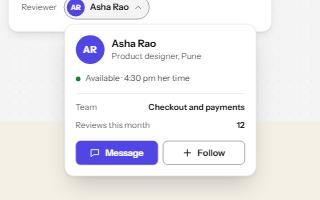
अपने बटन से जुड़ा एक कार्ड, जो popover एट्रिब्यूट से खुलता है और Escape या बाहर क्लिक करने पर बंद होता है।
-
कीबोर्ड शॉर्टकट
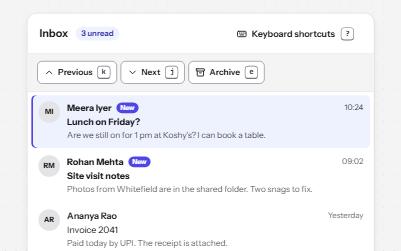
एक-कुंजी वाले शॉर्टकट जो चालू किए जाने तक बंद रहते हैं, जिनकी कुंजियाँ बदली जा सकती हैं, जो सिर्फ़ अपनी सूची में काम करते हैं और किसी दिखने वाले बटन को दोहराते हैं।