सुलभता पैटर्न · ओवरले
ड्रॉअर
ड्रॉअर एक मोडल डायलॉग है जो किनारे से आता है: फ़ोकस, Escape और पीछे के पेज के वही नियम, बस आकार अलग। बीच का हिस्सा स्क्रॉल होता है जबकि हेडर और फ़ुटर अपनी जगह रहते हैं, इसलिए क्लोज़ बटन और मुख्य क्रिया हमेशा पहुँच में रहते हैं।
- डब्ल्यूसीएजी मानदंड
- 7
- कीबोर्ड नियम
- 5
- जाँच का तरीक़ा
- axe, कीबोर्ड और इंस्पेक्टर
लाइव डेमो
आज़माएँ
इसे माउस, कीबोर्ड या स्क्रीन रीडर से इस्तेमाल करें। साथ का इंस्पेक्टर दिखाता है कि आपके इस्तेमाल के दौरान ब्राउज़र सहायक तकनीक को क्या बताता है: फ़ोकस, स्थिति में बदलाव और घोषणाएँ।
जावास्क्रिप्ट के बिना डेमो उतना ही काम करता है जितना उसका एचटीएमएल; इंस्पेक्टर के लिए जावास्क्रिप्ट चाहिए।
कीबोर्ड
जिन कुंजियों पर यह काम करता है
हर क्रिया पॉइंटर के बिना काम करती है।
| कुंजी | यह क्या करती है |
|---|---|
| EnterयाSpace | कार्ट बटन पर, ड्रॉअर खोलता है और फ़ोकस उसके क्लोज़ बटन पर ले जाता है। |
| TabयाShiftTab | सिर्फ़ ड्रॉअर के कंट्रोल के बीच चलता है; पीछे के पेज तक नहीं पहुँचा जा सकता। |
| Arrow UpयाArrow Down | मात्रा वाले फ़ील्ड में, उसे एक-एक करके बदलता है; उप-योग भी साथ बदलता है। |
| Escape | ड्रॉअर बंद करता है और फ़ोकस कार्ट बटन पर लौटाता है। |
| EnterयाSpace | हटाएँ पर, आइटम निकाल देता है और फ़ोकस अगले आइटम के हटाएँ बटन पर ले जाता है, या कार्ट खाली होने पर ड्रॉअर की हेडिंग पर। |
स्क्रीन रीडर
यह क्या घोषित करता है
मार्कअप की भूमिकाओं, नामों और स्थितियों से लिखा गया।
| कब | अपेक्षित घोषणा |
|---|---|
| ड्रॉअर खुलता है | आपका कार्ट, डायलॉग। कार्ट बंद करें, बटन |
| फ़ोकस कार्ट बटन पर पहुँचता है | कार्ट 4 आइटम, बटन, डायलॉग खोलता है |
| कोई मात्रा बदलती है | उप-योग ₹7,360 |
| कोई आइटम हटाया जाता है | आइटम हटाया गया। उप-योग ₹3,580 |
| चेकआउट दबाया जाता है | चेकआउट शुरू हुआ (फ़ोकस वापस कार्ट बटन पर है) |
ये अपेक्षित घोषणाएँ हैं, रिकॉर्डिंग नहीं। स्क्रीन रीडर और ब्राउज़र के हिसाब से शब्द और क्रम बदलते हैं।
कोड
कोड कॉपी करें
वही फ़ाइलें जिन पर यह डेमो चलता है। स्टाइल एक प्रीफ़िक्स के साथ परोसी जाती हैं जो इस साइट की अपनी स्टाइल को डेमो से दूर रखता है; आप जो कॉपी करते हैं वह मूल है।
<div class="ap-drawer" data-ap-drawer>
  <div class="ap-drawer__bar">
    <p class="ap-drawer__brand">
      <svg class="ap-drawer__mark" viewBox="0 0 24 24" aria-hidden="true" focusable="false"><path d="M12 2.5 21.5 12 12 21.5 2.5 12Z"/><path d="M12 8l4 4-4 4-4-4Z"/></svg>
      <span class="ap-drawer__store"><span class="ap-drawer__store-name">Indigo Loom</span> <span class="ap-drawer__tag">Handmade in Jaipur</span></span>
    </p>
    <button type="button" class="ap-btn ap-drawer__open" data-ap-open aria-haspopup="dialog">
      <svg class="ap-btn__icon" viewBox="0 0 24 24" aria-hidden="true" focusable="false"><path d="M5.5 7.5h13l1 13h-15Z"/><path d="M9 10V6.5a3 3 0 0 1 6 0V10"/></svg>
      <span>Cart</span>
      <span class="ap-drawer__badge" data-ap-badge><span data-ap-count>4</span> <span class="ap-drawer__vh" data-ap-unit>items</span></span>
    </button>
  </div>
  <p class="ap-drawer__status" role="status" data-ap-status></p>

  <dialog class="ap-drawer__panel" aria-labelledby="drawer-name">
    <form class="ap-drawer__form" method="dialog">
      <div class="ap-drawer__top">
        <h2 class="ap-drawer__name" id="drawer-name" tabindex="-1">Your cart</h2>
        <button type="button" class="ap-drawer__close" data-ap-close aria-label="Close cart" autofocus>
          <svg viewBox="0 0 24 24" aria-hidden="true" focusable="false"><path d="M6 6l12 12M18 6 6 18"/></svg>
        </button>
      </div>

      <div class="ap-drawer__body">
        <ul class="ap-drawer__items" data-ap-items>
          <li class="ap-drawer__item" data-price="1890">
            <span class="ap-drawer__thumb ap-drawer__thumb--1" aria-hidden="true"><svg viewBox="0 0 24 24" focusable="false"><path d="M9 3.5 4 6.5l2 4 2-1V21h8V9.5l2 1 2-4-5-3a3 3 0 0 1-6 0Z"/></svg></span>
            <div class="ap-drawer__info">
              <p class="ap-drawer__item-name">Block-print cotton kurta</p>
              <p class="ap-drawer__meta">Indigo · Size M</p>
            </div>
            <p class="ap-drawer__price">₹<span data-ap-line>1,890</span></p>
            <div class="ap-drawer__row">
              <label class="ap-drawer__qty-label" for="drawer-qty-1">Quantity</label>
              <input class="ap-drawer__qty" id="drawer-qty-1" type="number" inputmode="numeric" min="1" max="10" value="1" />
              <button type="button" class="ap-drawer__remove" data-ap-remove aria-label="Remove Block-print cotton kurta">Remove</button>
            </div>
          </li>
          <li class="ap-drawer__item" data-price="2450">
            <span class="ap-drawer__thumb ap-drawer__thumb--2" aria-hidden="true"><svg viewBox="0 0 24 24" focusable="false"><path d="M4 6.5c2.7-2 5.3 2 8 0s5.3-2 8 0v11c-2.7-2-5.3 2-8 0s-5.3-2-8 0Z"/><path d="M8 9.5v6M16 9.5v6"/></svg></span>
            <div class="ap-drawer__info">
              <p class="ap-drawer__item-name">Chanderi silk dupatta</p>
              <p class="ap-drawer__meta">Rust · 2.25 m</p>
            </div>
            <p class="ap-drawer__price">₹<span data-ap-line>2,450</span></p>
            <div class="ap-drawer__row">
              <label class="ap-drawer__qty-label" for="drawer-qty-2">Quantity</label>
              <input class="ap-drawer__qty" id="drawer-qty-2" type="number" inputmode="numeric" min="1" max="10" value="1" />
              <button type="button" class="ap-drawer__remove" data-ap-remove aria-label="Remove Chanderi silk dupatta">Remove</button>
            </div>
          </li>
          <li class="ap-drawer__item" data-price="780">
            <span class="ap-drawer__thumb ap-drawer__thumb--3" aria-hidden="true"><svg viewBox="0 0 24 24" focusable="false"><path d="M12 3c2 2.6 2 4.8 0 7-2-2.2-2-4.4 0-7Z"/><path d="M3.5 13h17c0 4-3.8 7-8.5 7s-8.5-3-8.5-7Z"/></svg></span>
            <div class="ap-drawer__info">
              <p class="ap-drawer__item-name">Brass diya, set of two</p>
              <p class="ap-drawer__meta">Hand-polished</p>
            </div>
            <p class="ap-drawer__price">₹<span data-ap-line>780</span></p>
            <div class="ap-drawer__row">
              <label class="ap-drawer__qty-label" for="drawer-qty-3">Quantity</label>
              <input class="ap-drawer__qty" id="drawer-qty-3" type="number" inputmode="numeric" min="1" max="10" value="1" />
              <button type="button" class="ap-drawer__remove" data-ap-remove aria-label="Remove Brass diya, set of two">Remove</button>
            </div>
          </li>
          <li class="ap-drawer__item" data-price="350">
            <span class="ap-drawer__thumb ap-drawer__thumb--4" aria-hidden="true"><svg viewBox="0 0 24 24" focusable="false"><rect x="5" y="3" width="14" height="18" rx="2"/><path d="M9 3v18M12.5 8h3M12.5 11.5h3"/></svg></span>
            <div class="ap-drawer__info">
              <p class="ap-drawer__item-name">Handmade paper notebook</p>
              <p class="ap-drawer__meta">A5 · Dotted</p>
            </div>
            <p class="ap-drawer__price">₹<span data-ap-line>350</span></p>
            <div class="ap-drawer__row">
              <label class="ap-drawer__qty-label" for="drawer-qty-4">Quantity</label>
              <input class="ap-drawer__qty" id="drawer-qty-4" type="number" inputmode="numeric" min="1" max="10" value="1" />
              <button type="button" class="ap-drawer__remove" data-ap-remove aria-label="Remove Handmade paper notebook">Remove</button>
            </div>
          </li>
        </ul>
        <div class="ap-drawer__empty" data-ap-cart-empty hidden>
          <svg viewBox="0 0 24 24" aria-hidden="true" focusable="false"><path d="M5.5 7.5h13l1 13h-15Z"/><path d="M9 10V6.5a3 3 0 0 1 6 0V10"/></svg>
          <p>Your cart is empty.</p>
        </div>
        <p class="ap-drawer__perk">
          <svg viewBox="0 0 24 24" aria-hidden="true" focusable="false"><path d="M4 12a8 8 0 1 0 2.4-5.7"/><path d="M4 4v4.5h4.5"/></svg>
          Free returns within 30 days.
        </p>
        <p class="ap-drawer__vh" role="status" data-ap-live></p>
      </div>

      <div class="ap-drawer__foot">
        <p class="ap-drawer__sum" aria-live="polite" aria-atomic="true"><span>Subtotal</span> <span class="ap-drawer__amount">₹<span data-ap-subtotal>5,470</span></span></p>
        <p class="ap-drawer__fine">Delivery and taxes are worked out at checkout.</p>
        <div class="ap-drawer__actions">
          <button type="button" class="ap-btn" data-ap-close>Keep shopping</button>
          <button type="submit" class="ap-btn ap-btn--primary" value="checkout" data-ap-checkout>
            Checkout
            <svg class="ap-btn__icon" viewBox="0 0 24 24" aria-hidden="true" focusable="false"><path d="M5 12h14M13 6l6 6-6 6"/></svg>
          </button>
        </div>
      </div>
    </form>
  </dialog>
</div>
/* Shared primitives: buttons and form fields used across the patterns.
   Uses the --ap-* design tokens. */

.ap-btn {
  display: inline-flex;
  align-items: center;
  justify-content: center;
  gap: 8px;
  min-height: 40px;
  padding: 0 16px;
  border: 1px solid var(--ap-border-strong);
  border-radius: var(--ap-radius-sm);
  background: var(--ap-surface);
  color: var(--ap-text);
  font: inherit;
  font-weight: 600;
  line-height: 1.2;
  text-decoration: none;
  white-space: nowrap;
  cursor: pointer;
  transition: background-color var(--ap-duration) var(--ap-ease), border-color var(--ap-duration) var(--ap-ease), box-shadow var(--ap-duration) var(--ap-ease);
}
.ap-btn:hover {
  background: var(--ap-surface-2);
}
.ap-btn:focus-visible {
  outline: 2px solid var(--ap-focus);
  outline-offset: 2px;
}
.ap-btn:disabled,
.ap-btn[aria-disabled="true"] {
  opacity: .55;
  cursor: not-allowed;
}
.ap-btn--primary {
  border-color: var(--ap-accent);
  background: var(--ap-accent);
  color: var(--ap-on-accent);
  box-shadow: var(--ap-shadow-sm);
}
.ap-btn--primary:hover {
  border-color: var(--ap-accent-hover);
  background: var(--ap-accent-hover);
}
.ap-btn--danger {
  border-color: var(--ap-danger);
  background: var(--ap-danger);
  color: var(--ap-surface);
}
.ap-btn--danger:hover {
  filter: brightness(1.08);
}
.ap-btn--ghost {
  border-color: transparent;
  background: transparent;
}
.ap-btn--ghost:hover {
  background: var(--ap-surface-2);
}
.ap-btn__icon {
  width: 18px;
  height: 18px;
  flex-shrink: 0;
  fill: none;
  stroke: currentColor;
  stroke-width: 2;
  stroke-linecap: round;
  stroke-linejoin: round;
}

.ap-field {
  display: grid;
  gap: 6px;
}
.ap-label {
  color: var(--ap-text);
  font-weight: 600;
  font-size: .9375rem;
}
.ap-hint {
  margin: 0;
  color: var(--ap-text-3);
  font-size: .875rem;
  line-height: 1.45;
}
.ap-error {
  display: flex;
  align-items: flex-start;
  gap: 6px;
  margin: 0;
  color: var(--ap-danger);
  font-size: .875rem;
  font-weight: 600;
  line-height: 1.45;
}
.ap-input {
  width: 100%;
  min-height: 44px;
  padding: 10px 12px;
  border: 1px solid var(--ap-border-strong);
  border-radius: var(--ap-radius-sm);
  background: var(--ap-surface);
  color: var(--ap-text);
  font: inherit;
  line-height: 1.4;
  transition: border-color var(--ap-duration) var(--ap-ease), box-shadow var(--ap-duration) var(--ap-ease);
}
.ap-input::placeholder {
  color: var(--ap-text-3);
}
.ap-input:hover {
  border-color: var(--ap-text-2);
}
.ap-input:focus-visible {
  outline: 2px solid var(--ap-focus);
  outline-offset: 1px;
  border-color: var(--ap-focus);
}
.ap-input[aria-invalid="true"] {
  border-color: var(--ap-danger);
  box-shadow: inset 4px 0 0 var(--ap-danger);
}
textarea.ap-input {
  resize: vertical;
  min-height: 88px;
}

@media (prefers-reduced-motion: reduce) {
  .ap-btn,
  .ap-input { transition: none; }
}

/* Drawer. Uses the --ap-* design tokens and the shared primitives. */
.ap-drawer {
  display: grid;
  justify-items: center;
  gap: 14px;
}
.ap-drawer [hidden] {
  display: none;
}
.ap-drawer__vh {
  position: absolute;
  width: 1px;
  height: 1px;
  margin: -1px;
  padding: 0;
  border: 0;
  overflow: hidden;
  clip-path: inset(50%);
  white-space: nowrap;
}

/* The shop header the trigger lives in */
.ap-drawer__bar {
  display: flex;
  align-items: center;
  justify-content: space-between;
  gap: 16px;
  width: min(100%, 600px);
  padding: 12px 12px 12px 20px;
  border: 1px solid var(--ap-border);
  border-radius: var(--ap-radius-lg);
  background: var(--ap-surface);
  box-shadow: var(--ap-shadow-md);
}
.ap-drawer__brand {
  display: flex;
  align-items: center;
  gap: 10px;
  margin: 0;
  font-size: 1.0625rem;
  font-weight: 700;
  letter-spacing: -.01em;
}
.ap-drawer__store {
  display: grid;
  line-height: 1.25;
}
.ap-drawer__tag {
  color: var(--ap-text-3);
  font-size: .8125rem;
  font-weight: 500;
  letter-spacing: 0;
}
.ap-drawer__mark {
  flex-shrink: 0;
  width: 26px;
  height: 26px;
  fill: none;
  stroke: var(--ap-accent-text);
  stroke-width: 2;
  stroke-linejoin: round;
}
.ap-drawer__open {
  min-height: var(--ap-target);
  padding: 0 12px 0 14px;
}
.ap-drawer__badge {
  display: inline-grid;
  place-items: center;
  min-width: 22px;
  height: 22px;
  padding: 0 6px;
  border-radius: var(--ap-radius-full);
  background: var(--ap-accent);
  color: var(--ap-on-accent);
  font-size: .75rem;
  font-weight: 700;
  font-variant-numeric: tabular-nums;
}
.ap-drawer__status {
  min-height: 1.5em;
  margin: 0;
  color: var(--ap-success);
  font-weight: 600;
}

/* The drawer: a modal dialog pinned to the inline-end edge */
.ap-drawer__panel {
  --ap-drawer-from: 100%;
  position: fixed;
  inset-block: 0;
  inset-inline: auto 0;
  width: min(100%, 420px);
  max-width: 100%;
  height: auto;
  max-height: none;
  margin: 0;
  padding: 0;
  border: 0;
  border-inline-start: 1px solid var(--ap-border);
  background: var(--ap-surface);
  color: var(--ap-text);
  box-shadow: var(--ap-shadow-lg);
  overflow: hidden;
  translate: 0 0;
  transition: translate 260ms var(--ap-ease), overlay 260ms allow-discrete, display 260ms allow-discrete;
}
.ap-drawer__panel:dir(rtl) {
  --ap-drawer-from: -100%;
}
.ap-drawer[data-start] .ap-drawer__panel {
  --ap-drawer-from: -100%;
  inset-inline: 0 auto;
  border-inline-start: 0;
  border-inline-end: 1px solid var(--ap-border);
}
.ap-drawer[data-start] .ap-drawer__panel:dir(rtl) {
  --ap-drawer-from: 100%;
}
.ap-drawer__panel:not([open]) {
  translate: var(--ap-drawer-from) 0;
}
@starting-style {
  .ap-drawer__panel[open] {
    translate: var(--ap-drawer-from) 0;
  }
}
.ap-drawer__panel::backdrop {
  background: var(--ap-scrim);
  transition: opacity 260ms, overlay 260ms allow-discrete, display 260ms allow-discrete;
}
@starting-style {
  .ap-drawer__panel[open]::backdrop { opacity: 0; }
}

/* Header, scrolling body, footer */
.ap-drawer__form {
  display: grid;
  grid-template-rows: auto minmax(0, 1fr) auto;
  height: 100%;
}
.ap-drawer__top {
  display: flex;
  align-items: center;
  justify-content: space-between;
  gap: 12px;
  padding: 14px 14px 14px 24px;
  border-bottom: 1px solid var(--ap-border);
}
.ap-drawer__name {
  margin: 0;
  font-size: 1.1875rem;
  font-weight: 650;
  line-height: 1.3;
}
.ap-drawer__name:focus {
  outline: none;
}
.ap-drawer__close {
  display: grid;
  place-items: center;
  width: var(--ap-target);
  height: var(--ap-target);
  flex-shrink: 0;
  padding: 0;
  border: 0;
  border-radius: var(--ap-radius-sm);
  background: transparent;
  color: var(--ap-text-2);
  cursor: pointer;
}
.ap-drawer__close:hover {
  background: var(--ap-surface-2);
  color: var(--ap-text);
}
.ap-drawer__close:focus-visible {
  outline: 2px solid var(--ap-focus);
  outline-offset: -2px;
}
.ap-drawer__close svg {
  width: 20px;
  height: 20px;
  fill: none;
  stroke: currentColor;
  stroke-width: 2;
  stroke-linecap: round;
}

.ap-drawer__body {
  overflow-y: auto;
  overscroll-behavior: contain;
  padding: 4px 24px 24px;
}
.ap-drawer__items {
  margin: 0;
  padding: 0;
  list-style: none;
}
.ap-drawer__item {
  display: grid;
  grid-template-columns: 68px minmax(0, 1fr) auto;
  grid-template-rows: auto 1fr;
  gap: 10px 14px;
  padding: 18px 0;
  border-bottom: 1px solid var(--ap-border);
}
.ap-drawer__thumb {
  grid-row: 1 / 3;
  display: grid;
  place-items: center;
  width: 68px;
  height: 80px;
  border-radius: var(--ap-radius);
  background: var(--ap-accent-soft);
  color: var(--ap-accent-soft-text);
}
.ap-drawer__thumb--2 { background: var(--ap-warning-soft); color: var(--ap-warning); }
.ap-drawer__thumb--3 { background: var(--ap-success-soft); color: var(--ap-success); }
.ap-drawer__thumb--4 { background: var(--ap-info-soft); color: var(--ap-info); }
.ap-drawer__thumb svg {
  width: 30px;
  height: 30px;
  fill: none;
  stroke: currentColor;
  stroke-width: 1.6;
  stroke-linecap: round;
  stroke-linejoin: round;
}
.ap-drawer__info {
  min-width: 0;
}
.ap-drawer__item-name {
  margin: 0;
  font-weight: 600;
  line-height: 1.35;
}
.ap-drawer__meta {
  margin: 2px 0 0;
  color: var(--ap-text-3);
  font-size: .875rem;
}
.ap-drawer__row {
  grid-column: 2 / 4;
  display: flex;
  flex-wrap: wrap;
  align-items: center;
  gap: 8px 12px;
}
.ap-drawer__qty-label {
  color: var(--ap-text-3);
  font-size: .8125rem;
  font-weight: 600;
}
.ap-drawer__qty {
  width: 64px;
  min-height: 36px;
  padding: 0 4px 0 10px;
  border: 1px solid var(--ap-border-strong);
  border-radius: var(--ap-radius-sm);
  background: var(--ap-surface);
  color: var(--ap-text);
  font: inherit;
  font-size: .9375rem;
  font-variant-numeric: tabular-nums;
}
.ap-drawer__qty:focus-visible {
  outline: 2px solid var(--ap-focus);
  outline-offset: 1px;
}
.ap-drawer__remove {
  min-height: 32px;
  padding: 0 4px;
  border: 0;
  border-radius: 6px;
  background: transparent;
  color: var(--ap-text-2);
  font: inherit;
  font-size: .875rem;
  text-decoration: underline;
  text-underline-offset: 3px;
  cursor: pointer;
}
.ap-drawer__remove:hover {
  color: var(--ap-danger);
}
.ap-drawer__remove:focus-visible {
  outline: 2px solid var(--ap-focus);
  outline-offset: 1px;
}
.ap-drawer__price {
  margin: 0;
  font-weight: 650;
  white-space: nowrap;
  font-variant-numeric: tabular-nums;
}

.ap-drawer__empty {
  display: grid;
  justify-items: center;
  gap: 10px;
  padding: 48px 0 32px;
  color: var(--ap-text-3);
  text-align: center;
}
.ap-drawer__empty svg {
  width: 40px;
  height: 40px;
  fill: none;
  stroke: currentColor;
  stroke-width: 1.5;
  stroke-linejoin: round;
}
.ap-drawer__empty p {
  margin: 0;
  font-weight: 600;
}
.ap-drawer__perk {
  display: flex;
  align-items: center;
  gap: 10px;
  margin: 20px 0 0;
  padding: 12px 14px;
  border-radius: var(--ap-radius);
  background: var(--ap-surface-2);
  color: var(--ap-text-2);
  font-size: .875rem;
}
.ap-drawer__perk svg {
  width: 18px;
  height: 18px;
  flex-shrink: 0;
  fill: none;
  stroke: currentColor;
  stroke-width: 2;
  stroke-linecap: round;
  stroke-linejoin: round;
}

.ap-drawer__foot {
  padding: 16px 24px 20px;
  border-top: 1px solid var(--ap-border);
  background: var(--ap-surface);
}
.ap-drawer__sum {
  display: flex;
  align-items: baseline;
  justify-content: space-between;
  gap: 12px;
  margin: 0;
  font-size: 1.0625rem;
  font-weight: 650;
}
.ap-drawer__amount {
  font-variant-numeric: tabular-nums;
}
.ap-drawer__fine {
  margin: 2px 0 16px;
  color: var(--ap-text-3);
  font-size: .875rem;
}
.ap-drawer__actions {
  display: grid;
  grid-template-columns: repeat(2, minmax(0, 1fr));
  gap: 10px;
}
.ap-drawer__actions .ap-btn {
  min-height: var(--ap-target);
}

@media (prefers-reduced-motion: reduce) {
  .ap-drawer__panel,
  .ap-drawer__panel::backdrop { transition: none; }
}
/**
 * Drawer: a side sheet on the native dialog element, here a shopping cart.
 *
 * Markup: [data-ap-drawer] holding a trigger button[data-ap-open] with a
 * [data-ap-count] badge, a dialog[aria-labelledby] whose form[method=dialog]
 * has a header (h2[tabindex=-1] and a close button[data-ap-close][autofocus]),
 * a scrolling body of li[data-price] lines, each with a quantity field and a
 * button[data-ap-remove], and a footer; plus a role=status
 * paragraph[data-ap-status] for the outcome. Clicking the shaded area closes
 * it. Add data-start to the root to open it from the start side instead.
 */

export function init(root) {
  const opener = root.querySelector("[data-ap-open]");
  const dialog = root.querySelector("dialog");
  const status = root.querySelector("[data-ap-status]");
  const live = dialog.querySelector("[data-ap-live]");
  const list = dialog.querySelector("[data-ap-items]");
  const empty = dialog.querySelector("[data-ap-cart-empty]");
  const heading = dialog.querySelector("h2");
  const checkout = dialog.querySelector("[data-ap-checkout]");
  const subtotal = dialog.querySelector("[data-ap-subtotal]");
  const badge = opener.querySelector("[data-ap-badge]");
  const html = document.documentElement;
  const money = new Intl.NumberFormat("en-IN");
  let saved = null;

  // Write only what changed, so live regions announce real changes only.
  const put = (el, text) => { if (el.textContent !== text) el.textContent = text; };

  function lockPage() {
    saved = [html.style.overflow, html.style.scrollbarGutter];
    // Keep the scrollbar's space so the page behind does not jump sideways.
    if (window.innerWidth > html.clientWidth) html.style.scrollbarGutter = "stable";
    html.style.overflow = "hidden";
  }
  function unlockPage() {
    if (!saved) return;
    [html.style.overflow, html.style.scrollbarGutter] = saved;
    saved = null;
  }

  // A quantity is a whole number from 1 to 10. While someone is typing it is
  // read leniently; when they leave the field it is written back tidied.
  function quantity(input, tidy) {
    const n = Math.min(10, Math.max(1, Math.round(Number(input.value)) || 1));
    if (tidy && input.value !== String(n)) input.value = String(n);
    return n;
  }

  function update(event) {
    let sum = 0;
    let count = 0;
    for (const li of list.children) {
      const qty = quantity(li.querySelector("input"), event?.type === "change");
      const line = qty * Number(li.dataset.price);
      put(li.querySelector("[data-ap-line]"), money.format(line));
      sum += line;
      count += qty;
    }
    put(subtotal, money.format(sum));
    put(badge.querySelector("[data-ap-count]"), String(count));
    put(badge.querySelector("[data-ap-unit]"), count === 1 ? "item" : "items");
    badge.hidden = count === 0;
    empty.hidden = count > 0;
    checkout.disabled = count === 0;
  }

  function removeItem(button) {
    const li = button.closest("li");
    const at = [...list.children].indexOf(li);
    li.remove();
    // The focused button is gone: move to the next line, the previous one,
    // or the heading when nothing is left.
    const next = list.children[at] || list.children[at - 1];
    (next ? next.querySelector("[data-ap-remove]") : heading).focus();
    // Empty the message first so the same words are announced again, then
    // say what happened before the new subtotal.
    live.textContent = "";
    requestAnimationFrame(() => {
      live.textContent = "Item removed";
      update();
    });
  }

  function open() {
    lockPage();
    status.textContent = "";
    dialog.returnValue = "";
    dialog.showModal();
  }

  function onClick(event) {
    const remove = event.target.closest("[data-ap-remove]");
    if (remove) removeItem(remove);
    // A click on the dialog element itself, not its content, is the backdrop.
    else if (event.target.closest("[data-ap-close]") || event.target === dialog) dialog.close();
  }

  function onClose() {
    unlockPage();
    if (dialog.returnValue === "checkout") status.textContent = "Checkout started";
    dialog.returnValue = "";
    live.textContent = "";
    // Browsers do this for modal dialogs; older engines need telling.
    opener.focus();
  }

  opener.addEventListener("click", open);
  dialog.addEventListener("click", onClick);
  dialog.addEventListener("input", update);
  dialog.addEventListener("change", update);
  dialog.addEventListener("close", onClose);

  return () => {
    dialog.removeEventListener("close", onClose);
    if (dialog.open) dialog.close();
    unlockPage();
    opener.removeEventListener("click", open);
    dialog.removeEventListener("click", onClick);
    dialog.removeEventListener("input", update);
    dialog.removeEventListener("change", update);
  };
}

for (const root of document.querySelectorAll("[data-ap-drawer]")) init(root);
/* Design tokens for the pattern components. Light by default, dark when the
   system asks for it; set data-theme="dark" on :root to force dark. */
:root {
    --ap-radius-sm: 8px;
    --ap-radius: 12px;
    --ap-radius-lg: 16px;
    --ap-radius-full: 999px;
    --ap-font: "Instrument Sans", ui-sans-serif, system-ui, -apple-system, "Segoe UI", Roboto, sans-serif;
    --ap-mono: "JetBrains Mono", ui-monospace, "Cascadia Mono", "SF Mono", Consolas, monospace;
    --ap-ease: cubic-bezier(.2, .8, .2, 1);
    --ap-duration: 180ms;
    --ap-target: 44px;
    --ap-bg: #F4F4F5;
    --ap-surface: #FFFFFF;
    --ap-surface-2: #F4F4F5;
    --ap-surface-3: #E4E4E7;
    --ap-border: #E4E4E7;
    --ap-border-strong: #76767F;
    --ap-text: #18181B;
    --ap-text-2: #3F3F46;
    --ap-text-3: #5E5E66;
    --ap-accent: #4F46E5;
    --ap-accent-hover: #4338CA;
    --ap-on-accent: #FFFFFF;
    --ap-accent-text: #4338CA;
    --ap-accent-soft: #EEF2FF;
    --ap-accent-soft-text: #3730A3;
    --ap-focus: #4F46E5;
    --ap-danger: #B91C1C;
    --ap-danger-soft: #FEF2F2;
    --ap-success: #15803D;
    --ap-success-soft: #F0FDF4;
    --ap-warning: #A15C07;
    --ap-warning-soft: #FEFCE8;
    --ap-info: #1D4ED8;
    --ap-info-soft: #EFF6FF;
    --ap-scrim: rgb(9 9 11 / .48);
    --ap-shadow-sm: 0 1px 2px rgb(9 9 11 / .06);
    --ap-shadow-md: 0 1px 2px rgb(9 9 11 / .05), 0 6px 16px -4px rgb(9 9 11 / .1);
    --ap-shadow-lg: 0 2px 6px rgb(9 9 11 / .06), 0 20px 40px -12px rgb(9 9 11 / .22);
    --ap-light-bg: #F4F4F5;
    --ap-light-surface: #FFFFFF;
    --ap-light-surface-2: #F4F4F5;
    --ap-light-surface-3: #E4E4E7;
    --ap-light-border: #E4E4E7;
    --ap-light-border-strong: #76767F;
    --ap-light-text: #18181B;
    --ap-light-text-2: #3F3F46;
    --ap-light-text-3: #5E5E66;
    --ap-light-accent: #4F46E5;
    --ap-light-accent-hover: #4338CA;
    --ap-light-on-accent: #FFFFFF;
    --ap-light-accent-text: #4338CA;
    --ap-light-accent-soft: #EEF2FF;
    --ap-light-accent-soft-text: #3730A3;
    --ap-light-focus: #4F46E5;
    --ap-light-danger: #B91C1C;
    --ap-light-danger-soft: #FEF2F2;
    --ap-light-success: #15803D;
    --ap-light-success-soft: #F0FDF4;
    --ap-light-warning: #A15C07;
    --ap-light-warning-soft: #FEFCE8;
    --ap-light-info: #1D4ED8;
    --ap-light-info-soft: #EFF6FF;
    --ap-light-scrim: rgb(9 9 11 / .48);
    --ap-light-shadow-sm: 0 1px 2px rgb(9 9 11 / .06);
    --ap-light-shadow-md: 0 1px 2px rgb(9 9 11 / .05), 0 6px 16px -4px rgb(9 9 11 / .1);
    --ap-light-shadow-lg: 0 2px 6px rgb(9 9 11 / .06), 0 20px 40px -12px rgb(9 9 11 / .22);
    --ap-dark-bg: #09090B;
    --ap-dark-surface: #18181B;
    --ap-dark-surface-2: #27272A;
    --ap-dark-surface-3: #3F3F46;
    --ap-dark-border: #2E2E33;
    --ap-dark-border-strong: #8E8E97;
    --ap-dark-text: #FAFAFA;
    --ap-dark-text-2: #D4D4D8;
    --ap-dark-text-3: #A1A1AA;
    --ap-dark-accent: #818CF8;
    --ap-dark-accent-hover: #A5B4FC;
    --ap-dark-on-accent: #0C0A1F;
    --ap-dark-accent-text: #A5B4FC;
    --ap-dark-accent-soft: #1E1B4B;
    --ap-dark-accent-soft-text: #C7D2FE;
    --ap-dark-focus: #A5B4FC;
    --ap-dark-danger: #F87171;
    --ap-dark-danger-soft: #2A1215;
    --ap-dark-success: #4ADE80;
    --ap-dark-success-soft: #0F2A1A;
    --ap-dark-warning: #FACC15;
    --ap-dark-warning-soft: #2A2410;
    --ap-dark-info: #60A5FA;
    --ap-dark-info-soft: #0F1D33;
    --ap-dark-scrim: rgb(0 0 0 / .62);
    --ap-dark-shadow-sm: 0 1px 2px rgb(0 0 0 / .4);
    --ap-dark-shadow-md: 0 1px 2px rgb(0 0 0 / .4), 0 8px 20px -6px rgb(0 0 0 / .5);
    --ap-dark-shadow-lg: 0 2px 8px rgb(0 0 0 / .45), 0 24px 48px -12px rgb(0 0 0 / .7);
}
@media (prefers-color-scheme: dark) {
  :root:not([data-theme="light"]) {
      --ap-bg: #09090B;
      --ap-surface: #18181B;
      --ap-surface-2: #27272A;
      --ap-surface-3: #3F3F46;
      --ap-border: #2E2E33;
      --ap-border-strong: #8E8E97;
      --ap-text: #FAFAFA;
      --ap-text-2: #D4D4D8;
      --ap-text-3: #A1A1AA;
      --ap-accent: #818CF8;
      --ap-accent-hover: #A5B4FC;
      --ap-on-accent: #0C0A1F;
      --ap-accent-text: #A5B4FC;
      --ap-accent-soft: #1E1B4B;
      --ap-accent-soft-text: #C7D2FE;
      --ap-focus: #A5B4FC;
      --ap-danger: #F87171;
      --ap-danger-soft: #2A1215;
      --ap-success: #4ADE80;
      --ap-success-soft: #0F2A1A;
      --ap-warning: #FACC15;
      --ap-warning-soft: #2A2410;
      --ap-info: #60A5FA;
      --ap-info-soft: #0F1D33;
      --ap-scrim: rgb(0 0 0 / .62);
      --ap-shadow-sm: 0 1px 2px rgb(0 0 0 / .4);
      --ap-shadow-md: 0 1px 2px rgb(0 0 0 / .4), 0 8px 20px -6px rgb(0 0 0 / .5);
      --ap-shadow-lg: 0 2px 8px rgb(0 0 0 / .45), 0 24px 48px -12px rgb(0 0 0 / .7);
  }
}
:root[data-theme="dark"] {
    --ap-bg: #09090B;
    --ap-surface: #18181B;
    --ap-surface-2: #27272A;
    --ap-surface-3: #3F3F46;
    --ap-border: #2E2E33;
    --ap-border-strong: #8E8E97;
    --ap-text: #FAFAFA;
    --ap-text-2: #D4D4D8;
    --ap-text-3: #A1A1AA;
    --ap-accent: #818CF8;
    --ap-accent-hover: #A5B4FC;
    --ap-on-accent: #0C0A1F;
    --ap-accent-text: #A5B4FC;
    --ap-accent-soft: #1E1B4B;
    --ap-accent-soft-text: #C7D2FE;
    --ap-focus: #A5B4FC;
    --ap-danger: #F87171;
    --ap-danger-soft: #2A1215;
    --ap-success: #4ADE80;
    --ap-success-soft: #0F2A1A;
    --ap-warning: #FACC15;
    --ap-warning-soft: #2A2410;
    --ap-info: #60A5FA;
    --ap-info-soft: #0F1D33;
    --ap-scrim: rgb(0 0 0 / .62);
    --ap-shadow-sm: 0 1px 2px rgb(0 0 0 / .4);
    --ap-shadow-md: 0 1px 2px rgb(0 0 0 / .4), 0 8px 20px -6px rgb(0 0 0 / .5);
    --ap-shadow-lg: 0 2px 8px rgb(0 0 0 / .45), 0 24px 48px -12px rgb(0 0 0 / .7);
}
डब्ल्यूसीएजी 2.2
यह किन मानदंडों को पूरा करता है
वे सफलता मानदंड जिनका यह पैटर्न ध्यान रखता है, और कैसे।
-
1.3.1 जानकारी और संबंध
स्तर A
ड्रॉअर को नाम उसकी हेडिंग से मिलता है, और हर मात्रा का असली लेबल है, इसलिए संरचना सिर्फ़ दिखती नहीं, सहायक तकनीक को बताई भी जाती है।
-
2.1.2 कोई कीबोर्ड ट्रैप नहीं
स्तर A
ड्रॉअर खुला रहने तक फ़ोकस उसी में रहता है, और Escape, क्लोज़ बटन और खरीदारी जारी रखें हमेशा बाहर निकलने देते हैं।
-
2.4.3 फ़ोकस क्रम
स्तर A
खुलने पर फ़ोकस ड्रॉअर में जाता है, बंद होने पर कार्ट बटन पर लौटता है, और कोई आइटम हटने पर पास के किसी उचित कंट्रोल पर जाता है।
-
2.4.11 फ़ोकस अवरुद्ध नहीं (न्यूनतम)
स्तर AA
हेडर और फ़ुटर अपनी तय पंक्तियों में रहते हैं और सिर्फ़ बीच का हिस्सा स्क्रॉल होता है, इसलिए कोई चिपका हुआ हिस्सा फ़ोकस वाले कंट्रोल को नहीं ढकता।
-
1.4.10 रीफ़्लो
स्तर AA
ड्रॉअर कभी स्क्रीन से चौड़ा नहीं होता; फ़ोन पर वह सामग्री को दबाने के बजाय पूरी चौड़ाई ले लेता है।
-
4.1.2 नाम, भूमिका, मान
स्तर A
dialog एलिमेंट भूमिका और मोडल स्थिति देता है, और कार्ट बटन के नाम में यह भी शामिल है कि उसमें कितने आइटम हैं।
-
4.1.3 स्टेटस मैसेज
स्तर AA
आइटम हटाना और उप-योग का बदलना ड्रॉअर के अंदर के लाइव रीजन से घोषित होते हैं, फ़ोकस हिलाए बिना।
उपयोग
इसे कब इस्तेमाल करें
इसे अपनाएँ
- मौजूदा पेज से जुड़ा कोई सहायक काम, जैसे कार्ट, फ़िल्टर या किसी पंक्ति का ब्योरा।
- इतनी लंबी सामग्री कि उसे अपना स्क्रॉल चाहिए, और ऐसी क्रियाएँ जो हमेशा नज़र में रहनी चाहिए।
कुछ और इस्तेमाल करें
- फ़ोन पर साइट का मुख्य नेविगेशन: मोबाइल नेविगेशन पैटर्न इस्तेमाल करें, जो इसी के लिए बना है।
- छोटा सवाल या पुष्टि: बीच में खुलने वाला मोडल या अलर्ट डायलॉग जल्दी पढ़ा जाता है।
- ऐसा कुछ जिसे लोग पेज पर काम करते हुए खुला रखना चाहें: नॉन-मोडल पैनल इस्तेमाल करें।
आम विफलताएँ
आमतौर पर यह कहाँ गलत होता है
सरकने वाला div जो डायलॉग नहीं है
transform से स्क्रीन पर लाया गया पैनल पीछे के पेज को पूरी तरह पहुँच में छोड़ देता है, इसलिए Tab और स्क्रीन रीडर उसके नीचे से बाहर भटक जाते हैं।
छिपा हुआ, फिर भी फ़ोकस होने लायक
स्क्रीन से बाहर रखा गया बंद ड्रॉअर, जिसके कंट्रोल अब भी Tab क्रम में हों, कीबोर्ड उपयोगकर्ताओं से अनदेखी चीज़ों में Tab करवाता है। बंद dialog रेंडर ही नहीं होता।
फ़ुटर फ़ोकस वाले कंट्रोल को ढक देता है
सूची के ऊपर रखा position: fixed फ़ुटर अपने नीचे फ़ोकस वाली हर चीज़ छिपा देता है। यहाँ फ़ुटर अपनी अलग पंक्ति है और सिर्फ़ बीच का हिस्सा स्क्रॉल होता है।
आइटम हटाने के बाद फ़ोकस खो जाना
फ़ोकस वाले एलिमेंट को हटाने से फ़ोकस पेज पर गिर जाता है। स्क्रिप्ट उसे अगले आइटम के हटाएँ बटन पर, या हेडिंग पर ले जाती है।
नीचे पेज स्क्रॉल होता रहता है
ड्रॉअर के पीछे पेज का स्क्रॉल होना भ्रम पैदा करता है, और टच स्क्रीन पर अक्सर गलत चीज़ स्क्रॉल हो जाती है। ड्रॉअर खुला रहने तक पेज रुका रहता है।
ऐसी हलचल जिसे बंद करने का कोई तरीका नहीं
लंबी सरकती हलचल मितली पैदा कर सकती है। यह छोटी है, और सिस्टम के कम मोशन माँगने पर बंद हो जाती है।
नोट्स
इसे बनाना
- इसे showModal() से खोलें: टॉप लेयर, निष्क्रिय पेज और Escape ब्राउज़र से मिलते हैं, बिल्कुल बीच में खुलने वाले डायलॉग की तरह।
- इसे लॉजिकल प्रॉपर्टीज़ (inset-inline-end) से रखें, ताकि दाएँ से बाएँ लिखी जाने वाली भाषा में यह बिना अतिरिक्त कोड के बाईं ओर से आए।
- छाया वाले हिस्से पर क्लिक करने से ड्रॉअर बंद हो जाता है, क्योंकि कार्ट बंद करने से कुछ नहीं खोता। बिना सहेजे फ़ॉर्म वाले ड्रॉअर में यह न रखें।
- खुला रहने तक html एलिमेंट पर overflow: hidden लगाकर पेज रोकें, और स्क्रॉलबार की जगह (scrollbar-gutter) बनाए रखें ताकि पेज खिसके नहीं।
स्रोत: WAI-एआरआईए ऑथरिंग प्रैक्टिसेज़: डायलॉग (मोडल) · एचटीएमएल: dialog एलिमेंट
लाइट और डार्क थीम में, डेस्कटॉप और फ़ोन की चौड़ाई पर axe से और कीबोर्ड से जाँचा गया। अभी हर स्क्रीन रीडर और ब्राउज़र जोड़ी के साथ नहीं परखा गया। सुधार बताएँ
संबंधित
इसके साथ जाने वाले पैटर्न
-
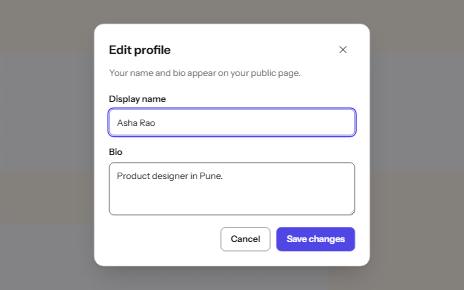
मोडल डायलॉग
पेज के ऊपर खुलने वाली एक विंडो, जो बंद होने तक फ़ोकस अपने पास रखती है, नेटिव dialog एलिमेंट पर बनी।
-
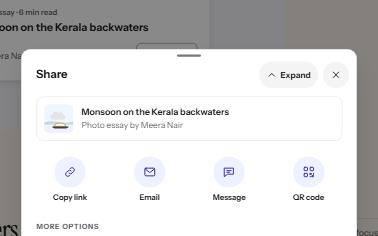
बॉटम शीट
निचले किनारे से ऊपर उठने वाला पैनल, कुछ विकल्पों के लिए, क्लोज़ बटन और हर जेस्चर के लिए एक बटन के साथ।
-
मोबाइल नेविगेशन ड्रॉअर
एक मेन्यू बटन जो साइट का नेविगेशन पूरी ऊँचाई वाले ड्रॉअर में खोलता है, जिसमें अंदर-अंदर सेक्शन हैं और फ़ोकस अंदर ही रहता है।
-
खोज फ़िल्टर
उत्पाद फ़िल्टर पैनल: गिनती वाले समूहबद्ध चेकबॉक्स, कीमत की सीमा, क्रम, हटाए जा सकने वाले चिप और घोषित होने वाली नतीजों की गिनती।