सुलभता पैटर्न · मीडिया
वीडियो प्लेयर
हर कंट्रोल नाम वाला असली बटन या स्लाइडर है, इसलिए प्लेयर कीबोर्ड और स्क्रीन रीडर से चलता है, और जब तक कोई "चलाएँ" न दबाए, कुछ नहीं चलता। कैप्शन और ट्रांसक्रिप्ट पेज की एक ही क्यू सूची से आते हैं, और सीक स्लाइडर अकेली संख्या की जगह "1 minute 5 seconds of 1 minute 20 seconds" कहता है।
- डब्ल्यूसीएजी मानदंड
- 7
- कीबोर्ड नियम
- 6
- जाँच का तरीक़ा
- axe, कीबोर्ड और इंस्पेक्टर
लाइव डेमो
आज़माएँ
इसे माउस, कीबोर्ड या स्क्रीन रीडर से इस्तेमाल करें। साथ का इंस्पेक्टर दिखाता है कि आपके इस्तेमाल के दौरान ब्राउज़र सहायक तकनीक को क्या बताता है: फ़ोकस, स्थिति में बदलाव और घोषणाएँ।
उत्तरायण: अहमदाबाद में पतंगों का एक दिन
प्लेयर पर फ़ोकस रहते कुंजियाँ: K चलाएँ या रोकें, M म्यूट, C कैप्शन, F फ़ुल स्क्रीन।
ट्रांसक्रिप्ट
वर्णित वीडियो: भोर से रात तक अहमदाबाद के पुराने शहर की छतें। शीर्षक में लिखा है "Uttarayan: Kites over Ahmedabad, 14 January"। छतों से चटक रंगों की पतंगें उठती हैं; 0:33 पर एक नारंगी पतंग कटकर बह जाती है। शाम ढलते ज़्यादातर पतंगें उतर आती हैं, और चमकती कंदीलों की एक कतार रात के आसमान में चढ़ती है।
- 0:00 [छतों पर हवा]
- 0:05 अहमदाबाद में 14 जनवरी: उत्तरायण पौ फटते ही शुरू हो जाता है।
- 0:11 परिवार अपनी पतंगें लेकर पुराने शहर की छतों पर चढ़ जाते हैं।
- 0:17 [संगीत: एक हल्की, तार छेड़ती धुन]
- 0:23 दिन चढ़ते-चढ़ते आसमान काग़ज़ की पतंगों से भर जाता है।
- 0:29 खेल यह है कि अपनी डोर से दूसरे की डोर काटी जाए।
- 0:33 [पास की छत से शोर] काई पो छे!
- 0:37 इसका मतलब है "मैंने काट दी", और यह पूरे दिन सुनाई देता है।
- 0:45 सब कुछ हवा तय करती है: वह थमती है तो पतंगें नीचे आ जाती हैं।
- 0:53 [हवा तेज़ होती है; पतंगें फिर चढ़ती हैं]
- 1:00 सूर्यास्त पर पुराने शहर का आसमान नारंगी हो जाता है।
- 1:07 अँधेरा होने पर पतंग की डोर पर तुक्कल नाम की काग़ज़ की कंदीलें चढ़ती हैं।
- 1:14 [संगीत धीमा होकर थम जाता है]
जावास्क्रिप्ट के बिना डेमो उतना ही काम करता है जितना उसका एचटीएमएल; इंस्पेक्टर के लिए जावास्क्रिप्ट चाहिए।
कीबोर्ड
जिन कुंजियों पर यह काम करता है
हर क्रिया पॉइंटर के बिना काम करती है।
| कुंजी | यह क्या करती है |
|---|---|
| SpaceयाK | चलाता या रोकता है: चलाएँ बटन, सीक स्लाइडर या आवाज़ पर Space; प्लेयर में कहीं भी K। |
| Arrow RightयाArrow Left | सीक स्लाइडर पर, 5 सेकंड आगे या पीछे। आवाज़ के स्लाइडर पर, तेज़ या धीमी। |
| Page UpयाPage Down | सीक स्लाइडर पर, 15 सेकंड आगे या पीछे। |
| HomeयाEnd | सीक स्लाइडर पर, वीडियो की शुरुआत या अंत। |
| MयाCयाF | प्लेयर में कहीं भी: आवाज़ बंद या चालू, कैप्शन चालू या बंद, फ़ुल स्क्रीन चालू या बंद। |
| EnterयाArrow Down | गति बटन पर, मौजूदा गति पर मेन्यू खोलता है; ऐरो कुंजियाँ चलती हैं, Enter चुनता है, Escape बंद करता है। |
स्क्रीन रीडर
यह क्या घोषित करता है
मार्कअप की भूमिकाओं, नामों और स्थितियों से लिखा गया।
| कब | अपेक्षित घोषणा |
|---|---|
| Tab प्लेयर में पहुँचता है | उत्तरायण: अहमदाबाद में पतंगों का एक दिन, समूह। प्लेयर पर फ़ोकस रहते कुंजियाँ: K चलाएँ या रोकें… चलाएँ, बटन |
| Tab सीक स्लाइडर तक पहुँचता है | सीक, स्लाइडर, 1 मिनट 20 सेकंड में से 0 सेकंड |
| सीक स्लाइडर पर दायाँ ऐरो | 5 सेकंड |
| फ़ोकस आवाज़ के स्लाइडर पर रहते हुए K | चल रहा है |
| प्लेयर में कहीं भी M | आवाज़ बंद |
| फ़ोकस कैप्शन बटन पर पहुँचता है | कैप्शन, टॉगल बटन, दबा हुआ |
| गति मेन्यू खुलता है | 1×, मेन्यू आइटम रेडियो, चुना हुआ, 6 में से 3 |
| वीडियो अंत तक पहुँचता है | वीडियो ख़त्म हो गया |
ये अपेक्षित घोषणाएँ हैं, रिकॉर्डिंग नहीं। स्क्रीन रीडर और ब्राउज़र के हिसाब से शब्द और क्रम बदलते हैं।
कोड
कोड कॉपी करें
वही फ़ाइलें जिन पर यह डेमो चलता है। स्टाइल एक प्रीफ़िक्स के साथ परोसी जाती हैं जो इस साइट की अपनी स्टाइल को डेमो से दूर रखता है; आप जो कॉपी करते हैं वह मूल है।
<div class="ap-video" data-ap-video-player>
  <div class="ap-video__player" role="group" aria-labelledby="vp-name" aria-describedby="vp-keys" data-vp-player>
    <div class="ap-video__screen" data-vp-screen>
      <video class="ap-video__media" playsinline preload="none" aria-labelledby="vp-name" data-vp-video></video>
      <canvas class="ap-video__media" width="640" height="360" role="img" aria-labelledby="vp-name" hidden data-vp-canvas></canvas>
      <span class="ap-video__hint" aria-hidden="true"><svg viewBox="0 0 24 24" focusable="false"><path d="M8 5.5v13l11-6.5z"/></svg></span>
      <p class="ap-video__cc" aria-hidden="true" hidden data-vp-cc><span></span></p>
    </div>

    <div class="ap-video__bar">
      <div class="ap-video__seekrow">
        <div class="ap-video__seek" role="slider" tabindex="0" aria-label="Seek" aria-valuemin="0" aria-valuemax="80" aria-valuenow="0" aria-valuetext="0 seconds of 1 minute 20 seconds" data-vp-seek>
          <span class="ap-video__rail"><span class="ap-video__fill"></span></span>
          <span class="ap-video__knob"></span>
        </div>
        <span class="ap-video__time" aria-hidden="true" translate="no"><span data-vp-now>0:00</span> / 1:20</span>
      </div>

      <div class="ap-video__row">
        <button type="button" class="ap-video__btn ap-video__btn--play" aria-label="Play" aria-keyshortcuts="K" data-vp-play>
          <svg class="ap-video__i-play" viewBox="0 0 24 24" aria-hidden="true" focusable="false"><path d="M8 5.5v13l11-6.5z"/></svg>
          <svg class="ap-video__i-pause" viewBox="0 0 24 24" aria-hidden="true" focusable="false"><path d="M8 5h3v14H8zM13 5h3v14h-3z"/></svg>
        </button>
        <div class="ap-video__sound">
          <button type="button" class="ap-video__btn ap-video__btn--mute" aria-pressed="false" aria-label="Mute" aria-keyshortcuts="M" data-vp-mute>
            <svg viewBox="0 0 24 24" aria-hidden="true" focusable="false"><path class="ap-video__speaker" d="M11 5 6.5 9H3v6h3.5L11 19z"/><path class="ap-video__waves" d="M15.5 8.5a5 5 0 0 1 0 7M18.5 5.5a9 9 0 0 1 0 13"/><path class="ap-video__cross" d="m16 9.5 5 5m0-5-5 5"/></svg>
          </button>
          <input class="ap-video__volume" type="range" min="0" max="100" step="5" value="80" aria-label="Volume level" aria-valuetext="80%" data-vp-volume />
        </div>
        <span class="ap-video__spacer"></span>
        <button type="button" class="ap-video__btn ap-video__btn--cc" aria-pressed="true" aria-label="Captions" aria-keyshortcuts="C" data-vp-cc-btn>
          <svg viewBox="0 0 24 24" aria-hidden="true" focusable="false"><rect x="3" y="5.5" width="18" height="13" rx="2.5"/><path d="M10.5 10.2a2.2 2.2 0 1 0 0 3.6M17 10.2a2.2 2.2 0 1 0 0 3.6"/></svg>
        </button>
        <div class="ap-video__speed">
          <button type="button" class="ap-video__btn ap-video__btn--speed" id="vp-speed-btn" aria-haspopup="menu" aria-expanded="false" aria-controls="vp-speed-menu" data-vp-speed><span class="ap-video__vh">Speed</span> <span data-vp-rate translate="no">1×</span></button>
          <div class="ap-video__menu" id="vp-speed-menu" role="menu" aria-labelledby="vp-speed-btn" hidden data-vp-menu>
            <button type="button" class="ap-video__item" role="menuitemradio" tabindex="-1" aria-checked="false" data-rate="0.5"><svg class="ap-video__tick" viewBox="0 0 24 24" aria-hidden="true" focusable="false"><path d="m5 12 5 5L20 7"/></svg><span translate="no">0.5×</span></button>
            <button type="button" class="ap-video__item" role="menuitemradio" tabindex="-1" aria-checked="false" data-rate="0.75"><svg class="ap-video__tick" viewBox="0 0 24 24" aria-hidden="true" focusable="false"><path d="m5 12 5 5L20 7"/></svg><span translate="no">0.75×</span></button>
            <button type="button" class="ap-video__item" role="menuitemradio" tabindex="-1" aria-checked="true" data-rate="1"><svg class="ap-video__tick" viewBox="0 0 24 24" aria-hidden="true" focusable="false"><path d="m5 12 5 5L20 7"/></svg><span translate="no">1×</span></button>
            <button type="button" class="ap-video__item" role="menuitemradio" tabindex="-1" aria-checked="false" data-rate="1.25"><svg class="ap-video__tick" viewBox="0 0 24 24" aria-hidden="true" focusable="false"><path d="m5 12 5 5L20 7"/></svg><span translate="no">1.25×</span></button>
            <button type="button" class="ap-video__item" role="menuitemradio" tabindex="-1" aria-checked="false" data-rate="1.5"><svg class="ap-video__tick" viewBox="0 0 24 24" aria-hidden="true" focusable="false"><path d="m5 12 5 5L20 7"/></svg><span translate="no">1.5×</span></button>
            <button type="button" class="ap-video__item" role="menuitemradio" tabindex="-1" aria-checked="false" data-rate="2"><svg class="ap-video__tick" viewBox="0 0 24 24" aria-hidden="true" focusable="false"><path d="m5 12 5 5L20 7"/></svg><span translate="no">2×</span></button>
          </div>
        </div>
        <button type="button" class="ap-video__btn ap-video__btn--fs" aria-label="Full screen" aria-keyshortcuts="F" data-vp-fs>
          <svg class="ap-video__i-enter" viewBox="0 0 24 24" aria-hidden="true" focusable="false"><path d="M4 9V4h5M20 9V4h-5M4 15v5h5M20 15v5h-5"/></svg>
          <svg class="ap-video__i-exit" viewBox="0 0 24 24" aria-hidden="true" focusable="false"><path d="M9 4v5H4M15 4v5h5M9 20v-5H4M15 20v-5h5"/></svg>
        </button>
      </div>
    </div>
  </div>

  <div class="ap-video__info">
    <h3 class="ap-video__name" id="vp-name">Uttarayan: a day of kites in Ahmedabad</h3>
    <p class="ap-video__meta">1 minute 20 seconds, with captions and a transcript. A demo clip drawn in your browser; its music starts only when you press Play.</p>
    <p class="ap-video__keys" id="vp-keys">Keys while the player has focus: <kbd>K</kbd> play or pause, <kbd>M</kbd> mute, <kbd>C</kbd> captions, <kbd>F</kbd> full screen.</p>
  </div>

  <details class="ap-video__transcript">
    <summary class="ap-video__toggle">
      <svg class="ap-video__chev" viewBox="0 0 24 24" aria-hidden="true" focusable="false"><path d="m9 6 6 6-6 6"/></svg>
      Transcript
    </summary>
    <div class="ap-video__tx">
      <p class="ap-video__described">Described video: the rooftops of Ahmedabad's old city from dawn to after dark. The title reads "Uttarayan: Kites over Ahmedabad, 14 January". Kites in bright colors rise from the terraces; at 0:33 an orange kite is cut loose and drifts away. At dusk most kites come down, and a line of glowing lanterns climbs into the night.</p>
      <ol class="ap-video__cues" data-vp-cues>
        <li data-start="0.5" data-end="4.5"><span class="ap-video__t" translate="no">0:00</span> <span data-vp-line>[Wind over the rooftops]</span></li>
        <li data-start="5" data-end="10.5"><span class="ap-video__t" translate="no">0:05</span> <span data-vp-line>14 January in Ahmedabad: Uttarayan starts at first light.</span></li>
        <li data-start="11" data-end="16.5"><span class="ap-video__t" translate="no">0:11</span> <span data-vp-line>Families climb onto the terraces of the old city with their kites.</span></li>
        <li data-start="17" data-end="22.5"><span class="ap-video__t" translate="no">0:17</span> <span data-vp-line>[Music: a light, plucked tune]</span></li>
        <li data-start="23" data-end="28.5"><span class="ap-video__t" translate="no">0:23</span> <span data-vp-line>By mid-morning, the sky is full of paper kites.</span></li>
        <li data-start="29" data-end="32.5"><span class="ap-video__t" translate="no">0:29</span> <span data-vp-line>The game is to cut a rival's string with your own.</span></li>
        <li data-start="33" data-end="37"><span class="ap-video__t" translate="no">0:33</span> <span data-vp-line>[Shouting from a nearby roof] Kai po che!</span></li>
        <li data-start="37.5" data-end="43.5"><span class="ap-video__t" translate="no">0:37</span> <span data-vp-line>It means "I have cut it", and you hear it all day.</span></li>
        <li data-start="45" data-end="51.5"><span class="ap-video__t" translate="no">0:45</span> <span data-vp-line>The wind decides everything: when it drops, the kites sink.</span></li>
        <li data-start="53" data-end="58.5"><span class="ap-video__t" translate="no">0:53</span> <span data-vp-line>[The wind picks up; the kites climb again]</span></li>
        <li data-start="60" data-end="66"><span class="ap-video__t" translate="no">1:00</span> <span data-vp-line>At sunset, the sky over the old city turns orange.</span></li>
        <li data-start="67" data-end="73"><span class="ap-video__t" translate="no">1:07</span> <span data-vp-line>After dark, paper lanterns called tukkal rise on the kite strings.</span></li>
        <li data-start="74" data-end="79.5"><span class="ap-video__t" translate="no">1:14</span> <span data-vp-line>[The music fades]</span></li>
      </ol>
    </div>
  </details>

  <p class="ap-video__vh" role="status" data-vp-status></p>
</div>
/* Shared primitives: buttons and form fields used across the patterns.
   Uses the --ap-* design tokens. */

.ap-btn {
  display: inline-flex;
  align-items: center;
  justify-content: center;
  gap: 8px;
  min-height: 40px;
  padding: 0 16px;
  border: 1px solid var(--ap-border-strong);
  border-radius: var(--ap-radius-sm);
  background: var(--ap-surface);
  color: var(--ap-text);
  font: inherit;
  font-weight: 600;
  line-height: 1.2;
  text-decoration: none;
  white-space: nowrap;
  cursor: pointer;
  transition: background-color var(--ap-duration) var(--ap-ease), border-color var(--ap-duration) var(--ap-ease), box-shadow var(--ap-duration) var(--ap-ease);
}
.ap-btn:hover {
  background: var(--ap-surface-2);
}
.ap-btn:focus-visible {
  outline: 2px solid var(--ap-focus);
  outline-offset: 2px;
}
.ap-btn:disabled,
.ap-btn[aria-disabled="true"] {
  opacity: .55;
  cursor: not-allowed;
}
.ap-btn--primary {
  border-color: var(--ap-accent);
  background: var(--ap-accent);
  color: var(--ap-on-accent);
  box-shadow: var(--ap-shadow-sm);
}
.ap-btn--primary:hover {
  border-color: var(--ap-accent-hover);
  background: var(--ap-accent-hover);
}
.ap-btn--danger {
  border-color: var(--ap-danger);
  background: var(--ap-danger);
  color: var(--ap-surface);
}
.ap-btn--danger:hover {
  filter: brightness(1.08);
}
.ap-btn--ghost {
  border-color: transparent;
  background: transparent;
}
.ap-btn--ghost:hover {
  background: var(--ap-surface-2);
}
.ap-btn__icon {
  width: 18px;
  height: 18px;
  flex-shrink: 0;
  fill: none;
  stroke: currentColor;
  stroke-width: 2;
  stroke-linecap: round;
  stroke-linejoin: round;
}

.ap-field {
  display: grid;
  gap: 6px;
}
.ap-label {
  color: var(--ap-text);
  font-weight: 600;
  font-size: .9375rem;
}
.ap-hint {
  margin: 0;
  color: var(--ap-text-3);
  font-size: .875rem;
  line-height: 1.45;
}
.ap-error {
  display: flex;
  align-items: flex-start;
  gap: 6px;
  margin: 0;
  color: var(--ap-danger);
  font-size: .875rem;
  font-weight: 600;
  line-height: 1.45;
}
.ap-input {
  width: 100%;
  min-height: 44px;
  padding: 10px 12px;
  border: 1px solid var(--ap-border-strong);
  border-radius: var(--ap-radius-sm);
  background: var(--ap-surface);
  color: var(--ap-text);
  font: inherit;
  line-height: 1.4;
  transition: border-color var(--ap-duration) var(--ap-ease), box-shadow var(--ap-duration) var(--ap-ease);
}
.ap-input::placeholder {
  color: var(--ap-text-3);
}
.ap-input:hover {
  border-color: var(--ap-text-2);
}
.ap-input:focus-visible {
  outline: 2px solid var(--ap-focus);
  outline-offset: 1px;
  border-color: var(--ap-focus);
}
.ap-input[aria-invalid="true"] {
  border-color: var(--ap-danger);
  box-shadow: inset 4px 0 0 var(--ap-danger);
}
textarea.ap-input {
  resize: vertical;
  min-height: 88px;
}

@media (prefers-reduced-motion: reduce) {
  .ap-btn,
  .ap-input { transition: none; }
}

/* Video player. Uses the --ap-* design tokens and the shared primitives. */
.ap-video {
  /* Caption text and its box: light on dark in both themes. light-dark()
     follows color-scheme; where nothing sets it, the pair simply inverts. */
  --vp-ink: light-dark(var(--ap-surface), var(--ap-text));
  --vp-ground: light-dark(var(--ap-text), var(--ap-bg));
  position: relative;
  display: grid;
  gap: 16px;
  width: min(100%, 720px);
  margin-inline: auto;
  color: var(--ap-text);
  font-family: var(--ap-font);
}

/* ── The player: screen above, controls below, never hidden ── */
.ap-video__player {
  container-type: inline-size;
  display: grid;
  border: 1px solid var(--ap-border);
  border-radius: var(--ap-radius-lg);
  background: var(--ap-surface);
  box-shadow: var(--ap-shadow-md);
}
.ap-video__screen {
  position: relative;
  aspect-ratio: 16 / 9;
  border-radius: calc(var(--ap-radius-lg) - 1px) calc(var(--ap-radius-lg) - 1px) 0 0;
  background: var(--vp-ground);
  overflow: hidden;
  cursor: pointer;
}
.ap-video__media {
  position: absolute;
  inset: 0;
  display: block;
  width: 100%;
  height: 100%;
  object-fit: contain;
}
.ap-video__media[hidden] {
  display: none;
}

/* A large play sign while paused; the screen itself takes the click. */
.ap-video__hint {
  position: absolute;
  top: 50%;
  left: 50%;
  display: grid;
  place-items: center;
  width: 64px;
  height: 64px;
  margin: -32px 0 0 -32px;
  border-radius: var(--ap-radius-full);
  background: var(--vp-ground);
  color: var(--vp-ink);
  box-shadow: var(--ap-shadow-lg);
  opacity: .9;
  pointer-events: none;
  transition: opacity var(--ap-duration) var(--ap-ease), transform var(--ap-duration) var(--ap-ease);
}
.ap-video__hint svg {
  width: 30px;
  height: 30px;
  margin-left: 3px;
  fill: currentColor;
}
.ap-video__screen:hover .ap-video__hint {
  transform: scale(1.06);
}
.ap-video.is-playing .ap-video__hint {
  opacity: 0;
  transform: scale(.9);
}

/* Captions: real text over the picture, sized to the player */
.ap-video__cc {
  position: absolute;
  right: 6%;
  bottom: 6%;
  left: 6%;
  margin: 0;
  text-align: center;
  pointer-events: none;
}
.ap-video__cc[hidden] {
  display: none;
}
.ap-video__cc span {
  padding: .12em .5em;
  border-radius: 4px;
  background: var(--vp-ground);
  color: var(--vp-ink);
  font-size: clamp(.875rem, 3.3cqi, 1.75rem);
  font-weight: 500;
  line-height: 1.6;
  -webkit-box-decoration-break: clone;
  box-decoration-break: clone;
}

/* ── The controls ── */
.ap-video__bar {
  display: grid;
  gap: 4px;
  padding: 8px 12px 10px;
}
.ap-video__seekrow {
  display: flex;
  align-items: center;
  gap: 14px;
  padding-inline: 4px;
}
.ap-video__seek {
  position: relative;
  flex: 1;
  height: 28px;
  border-radius: 6px;
  cursor: pointer;
  touch-action: none;
}
.ap-video__seek:focus-visible {
  outline: 2px solid var(--ap-focus);
  outline-offset: 2px;
}
.ap-video__rail {
  position: absolute;
  top: 50%;
  right: 0;
  left: 0;
  height: 6px;
  margin-top: -3px;
  border-radius: var(--ap-radius-full);
  background: var(--ap-surface-3);
  box-shadow: inset 0 0 0 1px var(--ap-border-strong);
  overflow: hidden;
}
.ap-video__fill {
  display: block;
  width: calc(var(--vp-progress, 0) * 100%);
  height: 100%;
  background: var(--ap-accent);
}
.ap-video__knob {
  position: absolute;
  top: 50%;
  left: calc(var(--vp-progress, 0) * 100%);
  width: 16px;
  height: 16px;
  margin: -8px 0 0 -8px;
  border: 3px solid var(--ap-accent);
  border-radius: var(--ap-radius-full);
  background: var(--ap-surface);
  box-shadow: var(--ap-shadow-sm);
  transition: transform var(--ap-duration) var(--ap-ease);
}
.ap-video__seek:hover .ap-video__knob,
.ap-video__seek:focus-visible .ap-video__knob {
  transform: scale(1.2);
}
.ap-video__time {
  color: var(--ap-text-2);
  font-size: .8125rem;
  font-variant-numeric: tabular-nums;
  white-space: nowrap;
}

.ap-video__row {
  display: flex;
  align-items: center;
  gap: 4px;
}
.ap-video__spacer {
  flex: 1;
}
.ap-video__btn {
  display: inline-grid;
  place-items: center;
  width: 40px;
  height: 40px;
  padding: 0;
  border: 0;
  border-radius: var(--ap-radius-sm);
  background: transparent;
  color: var(--ap-text);
  font: inherit;
  cursor: pointer;
  transition: background-color var(--ap-duration) var(--ap-ease), color var(--ap-duration) var(--ap-ease);
}
.ap-video__btn[hidden] {
  display: none;
}
.ap-video__btn:hover {
  background: var(--ap-surface-2);
}
.ap-video__btn:focus-visible {
  outline: 2px solid var(--ap-focus);
  outline-offset: 2px;
}
.ap-video__btn svg {
  grid-area: 1 / 1;
  width: 22px;
  height: 22px;
  fill: none;
  stroke: currentColor;
  stroke-width: 2;
  stroke-linecap: round;
  stroke-linejoin: round;
}

.ap-video__btn--play {
  width: 44px;
  height: 44px;
  margin-right: 4px;
  border-radius: var(--ap-radius-full);
  background: var(--ap-accent);
  color: var(--ap-on-accent);
  box-shadow: var(--ap-shadow-sm);
}
.ap-video__btn--play:hover {
  background: var(--ap-accent-hover);
}
.ap-video__btn--play svg {
  fill: currentColor;
  stroke: none;
}
.ap-video__i-play { margin-left: 2px; }
.ap-video__i-pause,
.ap-video.is-playing .ap-video__i-play { visibility: hidden; }
.ap-video.is-playing .ap-video__i-pause { visibility: visible; }

.ap-video__sound {
  display: flex;
  align-items: center;
  gap: 2px;
}
.ap-video__cross { display: none; }
.ap-video__btn--mute[aria-pressed="true"] .ap-video__waves { display: none; }
.ap-video__btn--mute[aria-pressed="true"] .ap-video__cross { display: inline; }
.ap-video__btn--mute[aria-pressed="true"] {
  color: var(--ap-danger);
}

/* Volume: a native range input, restyled */
.ap-video__volume {
  width: 84px;
  height: 28px;
  margin: 0 6px 0 2px;
  background: transparent;
  cursor: pointer;
  -webkit-appearance: none;
  appearance: none;
}
.ap-video__volume:focus-visible {
  outline: 2px solid var(--ap-focus);
  outline-offset: 2px;
  border-radius: 4px;
}
.ap-video__volume::-webkit-slider-runnable-track {
  height: 6px;
  border-radius: var(--ap-radius-full);
  background: linear-gradient(to right, var(--ap-text-2) 0 calc(var(--vp-level, .8) * 100%), var(--ap-surface-3) 0);
  box-shadow: inset 0 0 0 1px var(--ap-border-strong);
}
.ap-video__volume::-webkit-slider-thumb {
  width: 16px;
  height: 16px;
  margin-top: -5px;
  border: 3px solid var(--ap-text-2);
  border-radius: var(--ap-radius-full);
  background: var(--ap-surface);
  -webkit-appearance: none;
  appearance: none;
}
.ap-video__volume::-moz-range-track {
  height: 6px;
  border-radius: var(--ap-radius-full);
  background: var(--ap-surface-3);
  box-shadow: inset 0 0 0 1px var(--ap-border-strong);
}
.ap-video__volume::-moz-range-progress {
  height: 6px;
  border-radius: var(--ap-radius-full);
  background: var(--ap-text-2);
}
.ap-video__volume::-moz-range-thumb {
  box-sizing: border-box;
  width: 16px;
  height: 16px;
  border: 3px solid var(--ap-text-2);
  border-radius: var(--ap-radius-full);
  background: var(--ap-surface);
}

/* Captions on: a filled button with a bar under it, not only a color */
.ap-video__btn--cc[aria-pressed="true"] {
  background: var(--ap-accent-soft);
  color: var(--ap-accent-soft-text);
  box-shadow: inset 0 -3px 0 var(--ap-accent);
}

/* Speed: a menu button */
.ap-video__speed {
  position: relative;
}
.ap-video__btn--speed {
  width: auto;
  min-width: 52px;
  padding: 0 10px;
  font-size: .9375rem;
  font-weight: 650;
  font-variant-numeric: tabular-nums;
}
.ap-video__btn--speed[aria-expanded="true"] {
  background: var(--ap-surface-2);
}
.ap-video__menu {
  position: absolute;
  right: 0;
  bottom: calc(100% + 8px);
  z-index: 3;
  display: grid;
  min-width: 132px;
  padding: 6px;
  border: 1px solid var(--ap-border);
  border-radius: var(--ap-radius);
  background: var(--ap-surface);
  box-shadow: var(--ap-shadow-lg);
}
.ap-video__menu[hidden] {
  display: none;
}
.ap-video__menu:not([hidden]) {
  animation: ap-video-in var(--ap-duration) var(--ap-ease);
}
.ap-video__item {
  display: flex;
  align-items: center;
  gap: 8px;
  min-height: 36px;
  padding: 0 12px 0 8px;
  border: 0;
  border-radius: 6px;
  background: transparent;
  color: var(--ap-text);
  font: inherit;
  font-variant-numeric: tabular-nums;
  text-align: start;
  cursor: pointer;
}
.ap-video__item:hover {
  background: var(--ap-surface-2);
}
.ap-video__item:focus-visible {
  outline: 2px solid var(--ap-focus);
  outline-offset: -2px;
  background: var(--ap-surface-2);
}
.ap-video__tick {
  width: 16px;
  height: 16px;
  fill: none;
  stroke: currentColor;
  stroke-width: 2.5;
  stroke-linecap: round;
  stroke-linejoin: round;
  visibility: hidden;
}
.ap-video__item[aria-checked="true"] {
  color: var(--ap-accent-text);
  font-weight: 650;
}
.ap-video__item[aria-checked="true"] .ap-video__tick {
  visibility: visible;
}

.ap-video__i-exit,
.ap-video.is-full .ap-video__i-enter { visibility: hidden; }
.ap-video.is-full .ap-video__i-exit { visibility: visible; }

/* Full screen: the whole player, so captions and controls come along */
.ap-video__player:fullscreen {
  grid-template-rows: minmax(0, 1fr) auto;
  border: 0;
  border-radius: 0;
  background: var(--vp-ground);
}
.ap-video__player:fullscreen .ap-video__screen {
  aspect-ratio: auto;
  border-radius: 0;
}
.ap-video__player:fullscreen .ap-video__bar {
  background: var(--ap-surface);
}

/* ── Title, keys and transcript ── */
.ap-video__info {
  display: grid;
  gap: 6px;
}
.ap-video__info p {
  margin: 0;
}
.ap-video__name {
  margin: 0;
  font-size: 1.1875rem;
  font-weight: 650;
  line-height: 1.3;
}
.ap-video__meta {
  color: var(--ap-text-2);
  font-size: .9375rem;
  line-height: 1.5;
}
.ap-video__keys {
  color: var(--ap-text-3);
  font-size: .875rem;
  line-height: 1.8;
}
.ap-video__keys kbd {
  display: inline-grid;
  place-items: center;
  min-width: 22px;
  height: 22px;
  padding: 0 5px;
  border: 1px solid var(--ap-border-strong);
  border-bottom-width: 2px;
  border-radius: 5px;
  background: var(--ap-surface);
  color: var(--ap-text);
  font-family: var(--ap-mono);
  font-size: .75rem;
  font-weight: 600;
  line-height: 1;
}

.ap-video__transcript {
  border: 1px solid var(--ap-border);
  border-radius: var(--ap-radius);
  background: var(--ap-surface);
}
.ap-video__toggle {
  display: flex;
  align-items: center;
  gap: 8px;
  min-height: var(--ap-target);
  padding: 10px 14px;
  border-radius: calc(var(--ap-radius) - 1px);
  font-weight: 650;
  list-style: none;
  cursor: pointer;
}
.ap-video__toggle::-webkit-details-marker {
  display: none;
}
.ap-video__toggle:hover {
  background: var(--ap-surface-2);
}
.ap-video__toggle:focus-visible {
  outline: 2px solid var(--ap-focus);
  outline-offset: 2px;
}
.ap-video__chev {
  flex-shrink: 0;
  width: 18px;
  height: 18px;
  fill: none;
  stroke: currentColor;
  stroke-width: 2.25;
  stroke-linecap: round;
  stroke-linejoin: round;
  transition: transform var(--ap-duration) var(--ap-ease);
}
.ap-video__transcript[open] .ap-video__chev {
  transform: rotate(90deg);
}
.ap-video__tx {
  display: grid;
  gap: 12px;
  padding: 2px 16px 16px;
}
.ap-video__described {
  margin: 0;
  padding: 12px 14px;
  border-radius: var(--ap-radius-sm);
  background: var(--ap-surface-2);
  color: var(--ap-text-2);
  font-size: .9375rem;
  line-height: 1.55;
}
.ap-video__cues {
  display: grid;
  gap: 6px;
  margin: 0;
  padding: 0;
  list-style: none;
}
.ap-video__cues li {
  display: grid;
  grid-template-columns: 3.25rem minmax(0, 1fr);
  gap: 8px;
  color: var(--ap-text);
  line-height: 1.5;
}
.ap-video__t {
  color: var(--ap-text-3);
  font-size: .875rem;
  font-variant-numeric: tabular-nums;
  line-height: 1.7;
}

.ap-video__vh {
  position: absolute;
  width: 1px;
  height: 1px;
  margin: -1px;
  padding: 0;
  overflow: hidden;
  clip-path: inset(50%);
  white-space: nowrap;
}

/* A narrow player: the volume slider gives way, the mute button stays */
@container (max-width: 420px) {
  .ap-video__hint { width: 44px; height: 44px; margin: -22px 0 0 -22px; }
  .ap-video__hint svg { width: 22px; height: 22px; }
  .ap-video__volume { width: 64px; }
  .ap-video__bar { padding-inline: 8px; }
  .ap-video__btn { width: 38px; }
  .ap-video__btn--speed { min-width: 46px; padding: 0 6px; }
}

@keyframes ap-video-in {
  from { opacity: 0; transform: translateY(4px); }
}

@media (prefers-reduced-motion: reduce) {
  .ap-video__hint,
  .ap-video__knob,
  .ap-video__btn,
  .ap-video__chev { transition: none; }
  .ap-video__menu:not([hidden]) { animation: none; }
}
/**
 * Video player: custom controls around a video element, with captions drawn
 * from a cue list, a transcript, keyboard shortcuts and no autoplay.
 *
 * Markup: [data-ap-video-player] holding a role=group [data-vp-player] with
 * the screen ([data-vp-screen]: video[data-vp-video], the caption box
 * [data-vp-cc]) and the controls: the seek slider [data-vp-seek]
 * (role=slider), and buttons for play [data-vp-play], mute [data-vp-mute],
 * captions [data-vp-cc-btn], speed [data-vp-speed] with its menu
 * [data-vp-menu] of menuitemradio items, and full screen [data-vp-fs], plus
 * a volume range [data-vp-volume]. The transcript list [data-vp-cues] holds
 * the cues (li[data-start][data-end]) for both the captions and a WebVTT
 * track. A role=status [data-vp-status] reports changes made by shortcut.
 *
 * The player only talks to `media` through the properties and events of an
 * HTMLMediaElement. This demo has no video file, so CanvasClip (at the end)
 * draws one on a canvas and plays it into the video element; with a real
 * file, use `const media = video` and delete CanvasClip.
 */

const STEP = 5; // seconds per arrow key on the seek slider
const PAGE = 15; // seconds per Page Up / Page Down

const clock = (s) => `${Math.floor(s / 60)}:${String(Math.floor(s % 60)).padStart(2, "0")}`;
function spoken(s) {
  const m = Math.floor(s / 60);
  const sec = Math.floor(s % 60);
  const parts = [];
  if (m) parts.push(`${m} ${m === 1 ? "minute" : "minutes"}`);
  if (sec || !m) parts.push(`${sec} ${sec === 1 ? "second" : "seconds"}`);
  return parts.join(" ");
}
const vttTime = (s) => `${String(Math.floor(s / 3600)).padStart(2, "0")}:${String(Math.floor((s % 3600) / 60)).padStart(2, "0")}:${(s % 60).toFixed(3).padStart(6, "0")}`;

export function init(root) {
  const ac = new AbortController();
  const on = (target, type, fn, opts = {}) => target.addEventListener(type, fn, { ...opts, signal: ac.signal });
  const $ = (sel) => root.querySelector(sel);

  const player = $("[data-vp-player]");
  const screen = $("[data-vp-screen]");
  const video = $("[data-vp-video]");
  const seek = $("[data-vp-seek]");
  const nowText = $("[data-vp-now]");
  const playBtn = $("[data-vp-play]");
  const muteBtn = $("[data-vp-mute]");
  const volume = $("[data-vp-volume]");
  const ccBtn = $("[data-vp-cc-btn]");
  const ccBox = $("[data-vp-cc]");
  const ccText = ccBox.querySelector("span");
  const speedBtn = $("[data-vp-speed]");
  const rateText = speedBtn.querySelector("[data-vp-rate]");
  const menu = $("[data-vp-menu]");
  const items = [...menu.querySelectorAll("[role=menuitemradio]")];
  const fsBtn = $("[data-vp-fs]");
  const status = $("[data-vp-status]");

  const media = new CanvasClip($("[data-vp-canvas]"), video);

  /* ── Cues: the transcript is the cue list ── */
  const cues = [...root.querySelectorAll("[data-vp-cues] li")].map((li) => ({
    start: Number(li.dataset.start),
    end: Number(li.dataset.end),
    line: li.querySelector("[data-vp-line]") || li,
  }));
  // The same cues as a real text track. The browser does not draw it
  // (mode "hidden"); the player draws captions itself, above the controls.
  let trackUrl = "";
  try {
    const vtt = "WEBVTT\n\n" + cues.map((c, i) => `${i + 1}\n${vttTime(c.start)} --> ${vttTime(c.end)}\n${c.line.textContent.trim()}\n`).join("\n");
    trackUrl = URL.createObjectURL(new Blob([vtt], { type: "text/vtt" }));
    const track = document.createElement("track");
    Object.assign(track, { kind: "captions", srclang: "en", label: "English", src: trackUrl });
    video.append(track);
    track.track.mode = "hidden";
  } catch { /* captions still come from the cue list */ }

  let shownCue = null;
  function paintCaptions(t) {
    const on = ccBtn.getAttribute("aria-pressed") === "true";
    const cue = on ? cues.find((c) => t >= c.start && t < c.end) || null : null;
    if (cue === shownCue) return;
    shownCue = cue;
    ccText.textContent = cue ? cue.line.textContent.trim() : "";
    ccBox.hidden = !cue;
  }

  /* ── Time: the picture moves every frame, the slider's value is told on request ── */
  function paintTime() {
    const t = media.currentTime;
    seek.style.setProperty("--vp-progress", String(media.duration ? t / media.duration : 0));
    nowText.textContent = clock(t);
    paintCaptions(t);
  }

  // A focused slider announces every change of its value, so while the video
  // plays the value is set when the slider gains focus, when someone seeks,
  // and when playback stops; not every second over the soundtrack.
  function tellSeek(withTotal) {
    const t = Math.floor(media.currentTime);
    seek.setAttribute("aria-valuemax", String(Math.floor(media.duration)));
    seek.setAttribute("aria-valuenow", String(t));
    seek.setAttribute("aria-valuetext", withTotal ? `${spoken(t)} of ${spoken(media.duration)}` : spoken(t));
  }

  /* ── Media events → controls ── */
  function onPlayState() {
    const playing = !media.paused;
    root.classList.toggle("is-playing", playing);
    playBtn.setAttribute("aria-label", playing ? "Pause" : "Play");
    tellSeek(document.activeElement !== seek);
  }
  function onVolume() {
    muteBtn.setAttribute("aria-pressed", String(media.muted));
    volume.value = String(Math.round(media.volume * 100));
    volume.setAttribute("aria-valuetext", `${volume.value}%`);
    volume.style.setProperty("--vp-level", String(media.muted ? 0 : media.volume));
  }
  function onRate() {
    rateText.textContent = `${media.playbackRate}×`;
    for (const item of items) item.setAttribute("aria-checked", String(Number(item.dataset.rate) === media.playbackRate));
  }

  on(media, "play", onPlayState);
  on(media, "pause", onPlayState);
  on(media, "timeupdate", paintTime);
  on(media, "seeked", paintTime);
  on(media, "volumechange", onVolume);
  on(media, "ratechange", onRate);
  on(media, "ended", () => say("The video has ended"));

  /* ── Controls ── */
  let shortcut = false; // true while a key press, not a click, made the change
  function say(text) {
    status.textContent = "";
    requestAnimationFrame(() => { status.textContent = text; });
  }
  const togglePlay = () => {
    if (media.paused) media.play();
    else media.pause();
    if (shortcut) say(media.paused ? "Paused" : "Playing");
  };
  const toggleMute = () => {
    media.muted = !media.muted;
    if (shortcut) say(media.muted ? "Sound muted" : "Sound on");
  };
  const toggleCaptions = () => {
    const turnOn = ccBtn.getAttribute("aria-pressed") !== "true";
    ccBtn.setAttribute("aria-pressed", String(turnOn));
    shownCue = undefined;
    paintCaptions(media.currentTime);
    if (shortcut) say(turnOn ? "Captions on" : "Captions off");
  };
  const canFullscreen = typeof player.requestFullscreen === "function" && document.fullscreenEnabled !== false;
  fsBtn.hidden = !canFullscreen;
  const toggleFullscreen = () => {
    if (!canFullscreen) return;
    if (document.fullscreenElement === player) document.exitFullscreen();
    else player.requestFullscreen().catch(() => {});
  };
  on(document, "fullscreenchange", () => {
    const full = document.fullscreenElement === player;
    root.classList.toggle("is-full", full);
    fsBtn.setAttribute("aria-label", full ? "Exit full screen" : "Full screen");
  });

  on(playBtn, "click", togglePlay);
  on(screen, "click", togglePlay);
  on(muteBtn, "click", toggleMute);
  on(ccBtn, "click", toggleCaptions);
  on(fsBtn, "click", toggleFullscreen);
  on(volume, "input", () => {
    media.volume = Number(volume.value) / 100;
    if (media.muted && media.volume > 0) media.muted = false;
  });

  /* ── The seek slider ── */
  function seekTo(t, withTotal = false) {
    media.currentTime = Math.max(0, Math.min(media.duration, t));
    tellSeek(withTotal);
  }
  on(seek, "keydown", (event) => {
    const t = media.currentTime;
    const keys = {
      ArrowRight: t + STEP, ArrowUp: t + STEP, ArrowLeft: t - STEP, ArrowDown: t - STEP,
      PageUp: t + PAGE, PageDown: t - PAGE, Home: 0, End: media.duration,
    };
    if (event.key in keys) {
      event.preventDefault();
      seekTo(keys[event.key]);
    }
  });
  on(seek, "focus", () => tellSeek(true));
  on(seek, "blur", () => tellSeek(true));

  let dragging = false;
  const timeAt = (event) => {
    const box = seek.getBoundingClientRect();
    return ((event.clientX - box.left) / box.width) * media.duration;
  };
  on(seek, "pointerdown", (event) => {
    if (event.button !== 0) return;
    dragging = true;
    seek.setPointerCapture(event.pointerId);
    seekTo(timeAt(event));
  });
  on(seek, "pointermove", (event) => { if (dragging) media.currentTime = Math.max(0, Math.min(media.duration, timeAt(event))); });
  on(seek, "pointerup", () => {
    if (!dragging) return;
    dragging = false;
    tellSeek(false);
  });

  /* ── The speed menu: a menu button with radio items ── */
  const isOpen = () => !menu.hidden;
  function openMenu() {
    menu.hidden = false;
    speedBtn.setAttribute("aria-expanded", "true");
    (items.find((i) => i.getAttribute("aria-checked") === "true") || items[0]).focus();
  }
  function closeMenu(refocus) {
    if (!isOpen()) return;
    menu.hidden = true;
    speedBtn.setAttribute("aria-expanded", "false");
    if (refocus) speedBtn.focus();
  }
  function choose(item) {
    media.playbackRate = Number(item.dataset.rate);
    closeMenu(true);
  }
  on(speedBtn, "click", () => (isOpen() ? closeMenu(true) : openMenu()));
  on(speedBtn, "keydown", (event) => {
    if (event.key === "ArrowDown" || event.key === "ArrowUp") {
      event.preventDefault();
      openMenu();
    }
  });
  on(menu, "click", (event) => {
    const item = event.target.closest("[role=menuitemradio]");
    if (item) choose(item);
  });
  on(menu, "keydown", (event) => {
    const at = items.indexOf(document.activeElement);
    let next = null;
    if (event.key === "ArrowDown") next = items[(at + 1) % items.length];
    else if (event.key === "ArrowUp") next = items[(at - 1 + items.length) % items.length];
    else if (event.key === "Home") next = items[0];
    else if (event.key === "End") next = items[items.length - 1];
    else if (event.key === "Escape") {
      event.preventDefault();
      event.stopPropagation();
      closeMenu(true);
      return;
    } else if (event.key === "Tab") {
      closeMenu(false);
      return;
    }
    if (next) {
      event.preventDefault();
      next.focus();
    }
  });
  on(document, "pointerdown", (event) => {
    if (isOpen() && !menu.contains(event.target) && !speedBtn.contains(event.target)) closeMenu(false);
  });

  /* ── Shortcuts, only while focus is in the player (2.1.4) ── */
  on(player, "keydown", (event) => {
    if (event.ctrlKey || event.metaKey || event.altKey || event.defaultPrevented) return;
    if (menu.contains(event.target)) return;
    const key = event.key.toLowerCase();
    // Space plays or pauses where it has no job of its own: the slider and the volume.
    const spaceToPlay = key === " " && (event.target === seek || event.target === volume);
    const actions = { k: togglePlay, m: toggleMute, c: toggleCaptions, f: toggleFullscreen };
    const action = spaceToPlay ? togglePlay : actions[key];
    if (!action) return;
    event.preventDefault();
    // Focus may be anywhere in the player, so say what changed.
    shortcut = true;
    action();
    shortcut = false;
  });

  onPlayState();
  onVolume();
  onRate();
  paintTime();

  return () => {
    ac.abort();
    if (document.fullscreenElement === player) document.exitFullscreen().catch(() => {});
    media.destroy();
    for (const track of video.querySelectorAll("track")) track.remove();
    if (trackUrl) URL.revokeObjectURL(trackUrl);
  };
}

/* ════════════════════════════════════════════════════════════════════════
   The demo clip. Stands in for a video file: it has the properties and
   events of a media element, draws each frame on a canvas that the video
   element shows through captureStream(), and makes its soundtrack with the
   Web Audio API. Nothing here is needed with a real video.
   ════════════════════════════════════════════════════════════════════════ */

class CanvasClip extends EventTarget {
  duration = 80;
  #canvas;
  #g;
  #video;
  #stream = null;
  #frames = null;
  #sound = new Soundtrack();
  #time = 0;
  #paused = true;
  #rate = 1;
  #volume = 0.8;
  #muted = false;
  #from = 0;
  #fromAt = 0;
  #raf = 0;

  constructor(canvas, video) {
    super();
    this.#canvas = canvas;
    this.#g = canvas.getContext("2d");
    this.#video = video;
    drawScene(this.#g, 0);
    if (typeof canvas.captureStream !== "function") this.#useCanvas();
    else {
      try { video.poster = canvas.toDataURL("image/jpeg", 0.86); } catch { /* the first frame shows on play */ }
    }
  }

  #emit(type) { this.dispatchEvent(new Event(type)); }
  #draw(t) {
    drawScene(this.#g, t);
    this.#frames?.requestFrame?.();
  }
  #useCanvas() {
    this.#video.hidden = true;
    this.#canvas.hidden = false;
  }
  // The video element shows the canvas from the first play or seek on.
  #attach() {
    if (this.#stream || this.#canvas.hidden === false) return;
    try {
      // Frames are sent on request, after each drawing, so a seek while
      // paused shows at once.
      this.#stream = this.#canvas.captureStream(0);
      this.#frames = this.#stream.getVideoTracks()[0];
      this.#video.muted = true; // the soundtrack is Web Audio, not the stream
      this.#video.srcObject = this.#stream;
      this.#video.play().catch(() => this.#useCanvas());
    } catch {
      this.#useCanvas();
    }
  }

  get currentTime() {
    if (this.#paused) return this.#time;
    return Math.min(this.duration, this.#from + ((performance.now() - this.#fromAt) / 1000) * this.#rate);
  }
  set currentTime(value) {
    const t = Math.max(0, Math.min(this.duration, Number(value) || 0));
    this.#attach();
    this.#time = this.#from = t;
    this.#fromAt = performance.now();
    this.#draw(t);
    if (!this.#paused) this.#sound.restart(() => this.currentTime, this.#rate);
    this.#emit("seeked");
    this.#emit("timeupdate");
  }
  get paused() { return this.#paused; }
  get ended() { return this.#paused && this.#time >= this.duration; }

  play() {
    if (!this.#paused) return Promise.resolve();
    if (this.#time >= this.duration) this.#time = 0;
    this.#attach();
    this.#paused = false;
    this.#from = this.#time;
    this.#fromAt = performance.now();
    // Called from a click or key press, so the AudioContext may start.
    this.#sound.start(this.#time, this.#rate, this.#level());
    this.#raf = requestAnimationFrame(this.#tick);
    this.#emit("play");
    return Promise.resolve();
  }
  pause() {
    if (this.#paused) return;
    this.#time = this.currentTime;
    this.#paused = true;
    cancelAnimationFrame(this.#raf);
    this.#sound.stop();
    this.#emit("pause");
  }
  #tick = () => {
    const t = this.currentTime;
    this.#draw(t);
    this.#emit("timeupdate");
    if (t >= this.duration) {
      this.#time = this.duration;
      this.#paused = true;
      this.#sound.stop();
      this.#emit("pause");
      this.#emit("ended");
      return;
    }
    this.#raf = requestAnimationFrame(this.#tick);
  };

  get playbackRate() { return this.#rate; }
  set playbackRate(value) {
    const t = this.currentTime;
    this.#rate = Number(value) || 1;
    this.#from = t;
    this.#fromAt = performance.now();
    if (!this.#paused) this.#sound.restart(() => this.currentTime, this.#rate);
    this.#emit("ratechange");
  }
  #level() { return this.#muted ? 0 : this.#volume * this.#volume; }
  get volume() { return this.#volume; }
  set volume(value) {
    this.#volume = Math.max(0, Math.min(1, Number(value)));
    this.#sound.gain(this.#level());
    this.#emit("volumechange");
  }
  get muted() { return this.#muted; }
  set muted(value) {
    this.#muted = Boolean(value);
    this.#sound.gain(this.#level());
    this.#emit("volumechange");
  }

  destroy() {
    cancelAnimationFrame(this.#raf);
    this.#paused = true;
    this.#sound.close();
    if (this.#stream) for (const track of this.#stream.getTracks()) track.stop();
    this.#video.srcObject = null;
  }
}

/* ── The soundtrack: wind, a plucked tune, a whoosh and an evening chord ── */

const keyframes = (keys, t) => {
  if (t <= keys[0][0]) return keys[0][1];
  for (let i = 1; i < keys.length; i++) {
    if (t < keys[i][0]) {
      const [t0, a] = keys[i - 1];
      const [t1, b] = keys[i];
      const k = (t - t0) / (t1 - t0);
      return Array.isArray(a) ? a.map((v, j) => v + (b[j] - v) * k) : a + (b - a) * k;
    }
  }
  return keys[keys.length - 1][1];
};

const WIND = [[0, 0.8], [40, 1], [45, 0.75], [50, 0.35], [52.5, 0.35], [56, 1.25], [60, 1.2], [66, 0.9], [80, 0.8]];
const WIND_SOUND = [[0, 0.55], [15, 0.3], [44, 0.28], [50, 0.12], [53, 0.12], [55, 0.7], [61, 0.65], [66, 0.32], [80, 0.22]];

const SCORE = (() => {
  const notes = [];
  const scale = [293.66, 329.63, 369.99, 440, 493.88, 587.33, 659.25]; // D major pentatonic, D4 to E5
  const phrases = [
    [0, 2, 4, 2, 3, 4, 5, -1, 4, 3, 2, 3, 1, 0, -1, -1],
    [2, 3, 4, 5, 6, 5, 4, -1, 3, 4, 3, 2, 0, 1, 0, -1],
  ];
  const beat = 0.3125;
  for (const [from, to, level] of [[17, 35, 0.2], [53, 74, 0.15]]) {
    let i = 0;
    for (let t = from; t < to; t += beat, i++) {
      const phrase = phrases[Math.floor(i / 16) % 2];
      const n = phrase[i % 16];
      if (n >= 0) notes.push({ t, kind: "pluck", f: scale[n], dur: 0.7, level });
      if (i % 4 === 0) notes.push({ t, kind: "bass", f: i % 8 === 0 ? 73.42 : 110, dur: 1.2, level: level * 0.9 });
    }
  }
  notes.push({ t: 33, kind: "whoosh", dur: 0.9, level: 0.35 });
  notes.push({ t: 64, kind: "pad", f: [146.83, 185, 220, 293.66], dur: 15.5, level: 0.06 });
  return notes.sort((a, b) => a.t - b.t);
})();

class Soundtrack {
  #ctx = null;
  #master = null;
  #noise = null;
  #level = 0.64;
  #run = null; // { bus, wind, filter, source, ctx0, media0, rate, next, timer }
  #retry = 0;

  start(t, rate, level) {
    if (!this.#ctx) {
      const AudioCtx = window.AudioContext || window.webkitAudioContext;
      if (!AudioCtx) return;
      this.#ctx = new AudioCtx();
      this.#master = this.#ctx.createGain();
      this.#master.connect(this.#ctx.destination);
    }
    this.#ctx.resume?.();
    this.gain(level);
    this.#open(t, rate);
  }
  stop() {
    clearTimeout(this.#retry);
    this.#shut();
  }
  // Seeking or a new speed: start again from the new time once the change settles.
  restart(now, rate) {
    if (!this.#ctx) return;
    this.#shut();
    clearTimeout(this.#retry);
    this.#retry = setTimeout(() => this.#open(now(), rate), 120);
  }
  gain(level) {
    this.#level = level;
    if (this.#master) this.#master.gain.setTargetAtTime(level, this.#ctx.currentTime, 0.02);
  }
  close() {
    this.stop();
    this.#ctx?.close?.();
    this.#ctx = null;
  }

  #noiseBuffer() {
    if (this.#noise) return this.#noise;
    const ctx = this.#ctx;
    const buffer = ctx.createBuffer(1, ctx.sampleRate * 2, ctx.sampleRate);
    const data = buffer.getChannelData(0);
    for (let i = 0; i < data.length; i++) data[i] = Math.random() * 2 - 1;
    return (this.#noise = buffer);
  }

  #open(t, rate) {
    const ctx = this.#ctx;
    this.#shut();
    const bus = ctx.createGain();
    bus.gain.value = 0;
    bus.gain.setTargetAtTime(1, ctx.currentTime, 0.04);
    bus.connect(this.#master);
    const source = ctx.createBufferSource();
    source.buffer = this.#noiseBuffer();
    source.loop = true;
    const filter = ctx.createBiquadFilter();
    filter.type = "bandpass";
    filter.Q.value = 0.7;
    const wind = ctx.createGain();
    wind.gain.value = 0;
    source.connect(filter).connect(wind).connect(bus);
    source.start();
    const run = { bus, wind, filter, source, ctx0: ctx.currentTime + 0.05, media0: t, rate, next: 0, timer: 0 };
    run.next = SCORE.findIndex((n) => n.t >= t);
    if (run.next === -1) run.next = SCORE.length;
    // A long chord already sounding at this time joins part way through.
    for (const n of SCORE) if (n.kind === "pad" && n.t < t && n.t + n.dur > t) voice(ctx, bus, run.ctx0, { ...n, dur: n.t + n.dur - t }, rate);
    this.#run = run;
    run.timer = setInterval(() => this.#schedule(), 50);
    this.#schedule();
  }

  #schedule() {
    const ctx = this.#ctx;
    const run = this.#run;
    if (!run) return;
    const mediaNow = run.media0 + Math.max(0, ctx.currentTime - run.ctx0) * run.rate;
    const w = keyframes(WIND_SOUND, mediaNow + 0.2);
    run.wind.gain.setTargetAtTime(w * 0.5, ctx.currentTime, 0.3);
    run.filter.frequency.setTargetAtTime(320 + w * 900, ctx.currentTime, 0.4);
    const horizon = mediaNow + 0.3 * run.rate;
    while (run.next < SCORE.length && SCORE[run.next].t < horizon) {
      const n = SCORE[run.next++];
      const when = Math.max(ctx.currentTime, run.ctx0 + (n.t - run.media0) / run.rate);
      voice(ctx, run.bus, when, n, run.rate, this.#noiseBuffer());
    }
  }

  #shut() {
    const run = this.#run;
    if (!run) return;
    this.#run = null;
    clearInterval(run.timer);
    const at = this.#ctx.currentTime;
    run.bus.gain.cancelScheduledValues(at);
    run.bus.gain.setTargetAtTime(0, at, 0.02);
    run.source.stop(at + 0.25);
    setTimeout(() => run.bus.disconnect(), 400);
  }
}

function voice(ctx, bus, when, n, rate, noise) {
  const dur = n.dur / rate;
  const out = ctx.createGain();
  out.connect(bus);
  const env = out.gain;
  if (n.kind === "pluck" || n.kind === "bass") {
    const osc = ctx.createOscillator();
    osc.type = n.kind === "pluck" ? "triangle" : "sine";
    osc.frequency.value = n.f;
    const tone = ctx.createBiquadFilter();
    tone.type = "lowpass";
    tone.frequency.value = n.kind === "pluck" ? 2600 : 600;
    osc.connect(tone).connect(out);
    env.setValueAtTime(0, when);
    env.linearRampToValueAtTime(n.level, when + 0.006);
    env.exponentialRampToValueAtTime(0.0005, when + dur);
    osc.start(when);
    osc.stop(when + dur + 0.05);
  } else if (n.kind === "pad") {
    for (const f of n.f) {
      const osc = ctx.createOscillator();
      osc.type = "sine";
      osc.frequency.value = f;
      osc.connect(out);
      osc.start(when);
      osc.stop(when + dur + 0.1);
    }
    env.setValueAtTime(0, when);
    env.linearRampToValueAtTime(n.level, when + Math.min(2, dur / 3));
    env.setValueAtTime(n.level, when + Math.max(dur - 4, dur * 0.6));
    env.linearRampToValueAtTime(0, when + dur);
  } else if (n.kind === "whoosh" && noise) {
    const src = ctx.createBufferSource();
    src.buffer = noise;
    const sweep = ctx.createBiquadFilter();
    sweep.type = "bandpass";
    sweep.Q.value = 2;
    sweep.frequency.setValueAtTime(300, when);
    sweep.frequency.exponentialRampToValueAtTime(2400, when + dur);
    src.connect(sweep).connect(out);
    env.setValueAtTime(0, when);
    env.linearRampToValueAtTime(n.level, when + dur * 0.4);
    env.linearRampToValueAtTime(0, when + dur);
    src.start(when);
    src.stop(when + dur + 0.05);
  }
}

/* ── The picture: Uttarayan over Ahmedabad's old city, dawn to after dark ── */

const W = 640;
const H = 360;
const rgb = (h) => [1, 3, 5].map((i) => parseInt(h.slice(i, i + 2), 16));
const css = (c, a = 1) => `rgb(${c.map(Math.round).join(" ")} / ${a})`;
const ramp = (pairs) => pairs.map(([t, h]) => [t, rgb(h)]);
const smooth = (a, b, t) => {
  const k = Math.max(0, Math.min(1, (t - a) / (b - a)));
  return k * k * (3 - 2 * k);
};
const lerp = (a, b, k) => a + (b - a) * k;

const SKY_TOP = ramp([[0, "#2B2F6B"], [10, "#4C6FD6"], [18, "#3B82F6"], [52, "#3B82F6"], [60, "#5B5BB8"], [66, "#6E4A9E"], [72, "#2A2360"], [80, "#121130"]]);
const SKY_LOW = ramp([[0, "#F6A77F"], [10, "#FCE1B6"], [18, "#BFE3FA"], [52, "#BFE3FA"], [60, "#F7B36B"], [66, "#F28C6B"], [72, "#8E4A78"], [80, "#3A2A5C"]]);
const FAR_TINT = ramp([[0, "#6B5C8E"], [14, "#A3AFCF"], [56, "#A3AFCF"], [66, "#7A5C8C"], [74, "#3B3260"], [80, "#2C2650"]]);
const NEAR_TINT = ramp([[0, "#4A3550"], [14, "#8A5E55"], [56, "#8A5E55"], [66, "#5A3A4E"], [74, "#271E36"], [80, "#1C1629"]]);
const STRING = ramp([[0, "#F8FAFC"], [14, "#1E293B"], [58, "#1E293B"], [68, "#F8FAFC"]]);

function seeded(seed) {
  return () => {
    seed = (seed + 0x6d2b79f5) | 0;
    let x = Math.imul(seed ^ (seed >>> 15), 1 | seed);
    x = (x + Math.imul(x ^ (x >>> 7), 61 | x)) ^ x;
    return ((x ^ (x >>> 14)) >>> 0) / 4294967296;
  };
}
const rand = seeded(14);
const FAR = [];
for (let x = -10; x < W + 10;) {
  const w = 34 + rand() * 46;
  FAR.push({ x, w, top: 300 - (40 + rand() * 46) });
  x += w - 2;
}
const NEAR = [];
for (let x = -14; x < W + 14;) {
  const w = 56 + rand() * 58;
  const top = H - 32 - rand() * 40;
  const windows = [];
  for (let wx = x + 10; wx < x + w - 14; wx += 18) if (rand() < 0.7) windows.push([wx, top + 14 + rand() * 12]);
  NEAR.push({ x, w, top, tank: rand() < 0.45, rail: rand() < 0.65, windows });
  x += w + (rand() < 0.3 ? 5 : 0);
}
const PEOPLE = [1, 3, 5, 7].map((i) => {
  const b = NEAR[Math.min(i, NEAR.length - 1)];
  const x = b.x + b.w * 0.45;
  return { x, top: b.top, hx: x + 7, hy: b.top - 21 };
});
const STARS = Array.from({ length: 46 }, () => [rand() * W, rand() * 190, 0.6 + rand() * 1.1]);
const KITES = [
  { a: 0, from: 3, x: 132, y: 112, s: 16, c1: "#E11D74", c2: "#FACC15", ph: 0, stay: true },
  { a: 1, from: 9, x: 246, y: 84, s: 15, c1: "#0EA5E9", c2: "#F8FAFC", ph: 1.7 },
  { a: 2, from: 12, x: 350, y: 132, s: 14, c1: "#F97316", c2: "#7C3AED", ph: 3.1, cut: 33 },
  { a: 3, from: 16, x: 430, y: 70, s: 15, c1: "#16A34A", c2: "#FDE047", ph: 4.4, stay: true },
  { a: 1, from: 20, x: 520, y: 126, s: 13, c1: "#DC2626", c2: "#F8FAFC", ph: 2.4 },
  { a: 2, from: 24, x: 586, y: 62, s: 12, c1: "#4F46E5", c2: "#F472B6", ph: 5.2 },
];

function kiteAt(k, t, wind) {
  if (t < k.from) return null;
  const p = PEOPLE[k.a];
  if (k.cut && t >= k.cut) {
    const d = t - k.cut;
    const at = kiteAt({ ...k, cut: 0 }, k.cut, keyframes(WIND, k.cut));
    return { x: at.x + d * 24, y: at.y - d * 9 + d * d * 1.3, tilt: d * 1.6, loose: true };
  }
  const rise = smooth(k.from, k.from + 6, t) * (k.stay ? 1 : 1 - smooth(61, 67, t));
  if (rise < 0.06) return null; // still in hand, or wound back in
  const x = k.x + Math.sin(t * 0.6 + k.ph) * 10 * wind;
  const y = k.y + (1 - wind) * 46 + Math.cos(t * 0.9 + k.ph) * 6 * wind;
  return { x: lerp(p.hx, x, rise), y: lerp(p.hy, y, rise), tilt: Math.sin(t * 1.4 + k.ph) * 0.24 * wind, from: p };
}

function drawKite(g, k, at) {
  g.save();
  g.translate(at.x, at.y);
  g.rotate(at.tilt);
  const s = k.s;
  g.beginPath();
  g.moveTo(0, -s * 1.25);
  g.lineTo(s, 0);
  g.lineTo(0, s * 1.05);
  g.lineTo(-s, 0);
  g.closePath();
  g.fillStyle = k.c1;
  g.fill();
  g.beginPath();
  g.moveTo(0, -s * 1.25);
  g.lineTo(s, 0);
  g.lineTo(0, 0);
  g.closePath();
  g.fillStyle = k.c2;
  g.fill();
  g.strokeStyle = "rgb(15 23 42 / .45)";
  g.lineWidth = 1;
  g.beginPath();
  g.moveTo(0, -s * 1.25);
  g.lineTo(0, s * 1.05);
  g.moveTo(-s, 0);
  g.quadraticCurveTo(0, -s * 0.5, s, 0);
  g.stroke();
  g.fillStyle = k.c1;
  g.beginPath();
  g.moveTo(0, s * 1.05);
  g.lineTo(-4, s * 1.05 + 7);
  g.lineTo(4, s * 1.05 + 7);
  g.closePath();
  g.fill();
  g.restore();
}

function stringPath(g, from, to) {
  g.beginPath();
  g.moveTo(from.x, from.y);
  g.quadraticCurveTo((from.x + to.x) / 2 + 12, Math.max(from.y, to.y) - Math.abs(from.y - to.y) * 0.2 + 18, to.x, to.y);
}

function drawScene(g, t) {
  const day = smooth(4, 14, t) * (1 - smooth(58, 70, t));
  const wind = keyframes(WIND, t);

  // Sky
  const sky = g.createLinearGradient(0, 0, 0, 300);
  sky.addColorStop(0, css(keyframes(SKY_TOP, t)));
  sky.addColorStop(1, css(keyframes(SKY_LOW, t)));
  g.fillStyle = sky;
  g.fillRect(0, 0, W, H);

  // Stars after dusk
  const night = smooth(68, 77, t);
  if (night > 0) {
    g.fillStyle = css([248, 250, 252], night * 0.85);
    for (const [x, y, r] of STARS) {
      g.beginPath();
      g.arc(x, y, r, 0, Math.PI * 2);
      g.fill();
    }
  }

  // Sun, rising at the left and setting at the right
  if (t < 70) {
    const k = t / 68;
    const sx = 70 + k * 500;
    const sy = 292 - Math.sin(Math.PI * Math.min(1, k)) * 232;
    const warm = 1 - day;
    const glow = g.createRadialGradient(sx, sy, 6, sx, sy, 90);
    glow.addColorStop(0, css([255, 236, 190], 0.55));
    glow.addColorStop(1, css([255, 236, 190], 0));
    g.fillStyle = glow;
    g.fillRect(sx - 90, sy - 90, 180, 180);
    g.fillStyle = css([255, lerp(246, 170, warm), lerp(214, 110, warm)]);
    g.beginPath();
    g.arc(sx, sy, 20, 0, Math.PI * 2);
    g.fill();
  }

  // Clouds drifting by day
  if (day > 0) {
    g.fillStyle = css([255, 255, 255], 0.55 * day);
    for (const [cx, cy, r] of [[90, 60, 18], [400, 40, 14], [560, 96, 16]]) {
      const x = ((cx + t * 4) % (W + 120)) - 60;
      g.beginPath();
      g.ellipse(x, cy, r * 2.4, r, 0, 0, Math.PI * 2);
      g.ellipse(x + r * 1.4, cy - r * 0.5, r * 1.5, r * 0.9, 0, 0, Math.PI * 2);
      g.fill();
    }
  }

  // Far rooftops and the minarets
  g.fillStyle = css(keyframes(FAR_TINT, t));
  for (const b of FAR) g.fillRect(b.x, b.top, b.w, H - b.top);
  for (const mx of [452, 486]) {
    g.fillRect(mx - 5, 196, 10, 110);
    g.fillRect(mx - 8, 222, 16, 4);
    g.fillRect(mx - 8, 252, 16, 4);
    g.beginPath();
    g.ellipse(mx, 196, 6, 9, 0, Math.PI, 0);
    g.fill();
  }
  g.beginPath();
  g.ellipse(469, 262, 24, 18, 0, Math.PI, 0);
  g.fill();

  // Kite strings, then kites
  const strings = css(keyframes(STRING, t), 0.5);
  const kites = KITES.map((k) => [k, kiteAt(k, t, wind)]).filter(([, at]) => at && at.x < W + 40 && at.y < H + 40);
  g.lineWidth = 1;
  g.strokeStyle = strings;
  for (const [k, at] of kites) {
    if (at.loose) continue;
    stringPath(g, { x: PEOPLE[k.a].hx, y: PEOPLE[k.a].hy }, { x: at.x, y: at.y + k.s * 1.05 });
    g.stroke();
  }
  for (const [k, at] of kites) drawKite(g, k, at);

  // Tukkal: paper lanterns climbing the first kite's string after dark
  if (t > 67) {
    const k = KITES[0];
    const at = kiteAt(k, t, wind);
    const from = { x: PEOPLE[0].hx, y: PEOPLE[0].hy };
    const to = { x: at.x, y: at.y + k.s };
    const cx = (from.x + to.x) / 2 + 12;
    const cy = Math.max(from.y, to.y) - Math.abs(from.y - to.y) * 0.2 + 18;
    for (let i = 0; i < 5; i++) {
      const f = smooth(67 + i * 1.6, 73 + i * 1.6, t) * (0.86 - i * 0.14);
      if (f <= 0) continue;
      const u = 1 - f;
      const x = u * u * from.x + 2 * u * f * cx + f * f * to.x;
      const y = u * u * from.y + 2 * u * f * cy + f * f * to.y + 7;
      const flicker = 0.85 + Math.sin(t * 9 + i * 2) * 0.08;
      const glow = g.createRadialGradient(x, y, 1, x, y, 16);
      glow.addColorStop(0, css([255, 214, 140], 0.9 * flicker));
      glow.addColorStop(1, css([255, 160, 60], 0));
      g.fillStyle = glow;
      g.fillRect(x - 16, y - 16, 32, 32);
      g.fillStyle = css([255, 231, 168]);
      g.fillRect(x - 3, y - 4, 6, 8);
    }
  }

  // Near rooftops: terraces, tanks, railings, lit windows, and the flyers
  const near = keyframes(NEAR_TINT, t);
  g.fillStyle = css(near);
  for (const b of NEAR) {
    g.fillRect(b.x, b.top, b.w, H - b.top);
    if (b.tank) {
      g.fillRect(b.x + b.w - 26, b.top - 14, 16, 14);
      g.fillRect(b.x + b.w - 28, b.top - 16, 20, 3);
    }
  }
  g.strokeStyle = css(near);
  g.lineWidth = 2;
  for (const b of NEAR) {
    if (!b.rail) continue;
    g.beginPath();
    g.moveTo(b.x + 2, b.top - 8);
    g.lineTo(b.x + b.w * 0.6, b.top - 8);
    for (let x = b.x + 4; x < b.x + b.w * 0.6; x += 9) {
      g.moveTo(x, b.top - 8);
      g.lineTo(x, b.top);
    }
    g.stroke();
  }
  const lit = smooth(62, 70, t);
  for (const b of NEAR) {
    for (const [x, y] of b.windows) {
      g.fillStyle = lit > 0 ? css([255, 210, 122], 0.25 + lit * 0.7) : css([30, 20, 40], 0.25);
      g.fillRect(x, y, 6, 9);
    }
  }
  g.fillStyle = css(near);
  for (const p of PEOPLE) {
    g.beginPath();
    g.arc(p.x, p.top - 20, 4.2, 0, Math.PI * 2);
    g.fill();
    g.fillRect(p.x - 3.5, p.top - 15, 7, 15);
    g.lineWidth = 2.2;
    g.beginPath();
    g.moveTo(p.x + 2, p.top - 13);
    g.lineTo(p.hx, p.hy);
    g.stroke();
  }

  // The title at the start
  const title = 1 - smooth(3.2, 4.8, t);
  if (title > 0) {
    g.save();
    g.textAlign = "center";
    g.fillStyle = css([255, 255, 255], title);
    g.shadowColor = "rgb(15 15 40 / .45)";
    g.shadowBlur = 12;
    g.font = "600 13px system-ui, sans-serif";
    if ("letterSpacing" in g) g.letterSpacing = "4px";
    g.fillText("UTTARAYAN", W / 2, 66);
    if ("letterSpacing" in g) g.letterSpacing = "0px";
    g.font = "700 30px system-ui, sans-serif";
    g.fillText("Kites over Ahmedabad", W / 2, 104);
    g.font = "500 15px system-ui, sans-serif";
    g.fillText("14 January", W / 2, 130);
    g.restore();
  }
}

// Last, so the classes above exist before the first player starts.
for (const root of document.querySelectorAll("[data-ap-video-player]")) init(root);
/* Design tokens for the pattern components. Light by default, dark when the
   system asks for it; set data-theme="dark" on :root to force dark. */
:root {
    --ap-radius-sm: 8px;
    --ap-radius: 12px;
    --ap-radius-lg: 16px;
    --ap-radius-full: 999px;
    --ap-font: "Instrument Sans", ui-sans-serif, system-ui, -apple-system, "Segoe UI", Roboto, sans-serif;
    --ap-mono: "JetBrains Mono", ui-monospace, "Cascadia Mono", "SF Mono", Consolas, monospace;
    --ap-ease: cubic-bezier(.2, .8, .2, 1);
    --ap-duration: 180ms;
    --ap-target: 44px;
    --ap-bg: #F4F4F5;
    --ap-surface: #FFFFFF;
    --ap-surface-2: #F4F4F5;
    --ap-surface-3: #E4E4E7;
    --ap-border: #E4E4E7;
    --ap-border-strong: #76767F;
    --ap-text: #18181B;
    --ap-text-2: #3F3F46;
    --ap-text-3: #5E5E66;
    --ap-accent: #4F46E5;
    --ap-accent-hover: #4338CA;
    --ap-on-accent: #FFFFFF;
    --ap-accent-text: #4338CA;
    --ap-accent-soft: #EEF2FF;
    --ap-accent-soft-text: #3730A3;
    --ap-focus: #4F46E5;
    --ap-danger: #B91C1C;
    --ap-danger-soft: #FEF2F2;
    --ap-success: #15803D;
    --ap-success-soft: #F0FDF4;
    --ap-warning: #A15C07;
    --ap-warning-soft: #FEFCE8;
    --ap-info: #1D4ED8;
    --ap-info-soft: #EFF6FF;
    --ap-scrim: rgb(9 9 11 / .48);
    --ap-shadow-sm: 0 1px 2px rgb(9 9 11 / .06);
    --ap-shadow-md: 0 1px 2px rgb(9 9 11 / .05), 0 6px 16px -4px rgb(9 9 11 / .1);
    --ap-shadow-lg: 0 2px 6px rgb(9 9 11 / .06), 0 20px 40px -12px rgb(9 9 11 / .22);
    --ap-light-bg: #F4F4F5;
    --ap-light-surface: #FFFFFF;
    --ap-light-surface-2: #F4F4F5;
    --ap-light-surface-3: #E4E4E7;
    --ap-light-border: #E4E4E7;
    --ap-light-border-strong: #76767F;
    --ap-light-text: #18181B;
    --ap-light-text-2: #3F3F46;
    --ap-light-text-3: #5E5E66;
    --ap-light-accent: #4F46E5;
    --ap-light-accent-hover: #4338CA;
    --ap-light-on-accent: #FFFFFF;
    --ap-light-accent-text: #4338CA;
    --ap-light-accent-soft: #EEF2FF;
    --ap-light-accent-soft-text: #3730A3;
    --ap-light-focus: #4F46E5;
    --ap-light-danger: #B91C1C;
    --ap-light-danger-soft: #FEF2F2;
    --ap-light-success: #15803D;
    --ap-light-success-soft: #F0FDF4;
    --ap-light-warning: #A15C07;
    --ap-light-warning-soft: #FEFCE8;
    --ap-light-info: #1D4ED8;
    --ap-light-info-soft: #EFF6FF;
    --ap-light-scrim: rgb(9 9 11 / .48);
    --ap-light-shadow-sm: 0 1px 2px rgb(9 9 11 / .06);
    --ap-light-shadow-md: 0 1px 2px rgb(9 9 11 / .05), 0 6px 16px -4px rgb(9 9 11 / .1);
    --ap-light-shadow-lg: 0 2px 6px rgb(9 9 11 / .06), 0 20px 40px -12px rgb(9 9 11 / .22);
    --ap-dark-bg: #09090B;
    --ap-dark-surface: #18181B;
    --ap-dark-surface-2: #27272A;
    --ap-dark-surface-3: #3F3F46;
    --ap-dark-border: #2E2E33;
    --ap-dark-border-strong: #8E8E97;
    --ap-dark-text: #FAFAFA;
    --ap-dark-text-2: #D4D4D8;
    --ap-dark-text-3: #A1A1AA;
    --ap-dark-accent: #818CF8;
    --ap-dark-accent-hover: #A5B4FC;
    --ap-dark-on-accent: #0C0A1F;
    --ap-dark-accent-text: #A5B4FC;
    --ap-dark-accent-soft: #1E1B4B;
    --ap-dark-accent-soft-text: #C7D2FE;
    --ap-dark-focus: #A5B4FC;
    --ap-dark-danger: #F87171;
    --ap-dark-danger-soft: #2A1215;
    --ap-dark-success: #4ADE80;
    --ap-dark-success-soft: #0F2A1A;
    --ap-dark-warning: #FACC15;
    --ap-dark-warning-soft: #2A2410;
    --ap-dark-info: #60A5FA;
    --ap-dark-info-soft: #0F1D33;
    --ap-dark-scrim: rgb(0 0 0 / .62);
    --ap-dark-shadow-sm: 0 1px 2px rgb(0 0 0 / .4);
    --ap-dark-shadow-md: 0 1px 2px rgb(0 0 0 / .4), 0 8px 20px -6px rgb(0 0 0 / .5);
    --ap-dark-shadow-lg: 0 2px 8px rgb(0 0 0 / .45), 0 24px 48px -12px rgb(0 0 0 / .7);
}
@media (prefers-color-scheme: dark) {
  :root:not([data-theme="light"]) {
      --ap-bg: #09090B;
      --ap-surface: #18181B;
      --ap-surface-2: #27272A;
      --ap-surface-3: #3F3F46;
      --ap-border: #2E2E33;
      --ap-border-strong: #8E8E97;
      --ap-text: #FAFAFA;
      --ap-text-2: #D4D4D8;
      --ap-text-3: #A1A1AA;
      --ap-accent: #818CF8;
      --ap-accent-hover: #A5B4FC;
      --ap-on-accent: #0C0A1F;
      --ap-accent-text: #A5B4FC;
      --ap-accent-soft: #1E1B4B;
      --ap-accent-soft-text: #C7D2FE;
      --ap-focus: #A5B4FC;
      --ap-danger: #F87171;
      --ap-danger-soft: #2A1215;
      --ap-success: #4ADE80;
      --ap-success-soft: #0F2A1A;
      --ap-warning: #FACC15;
      --ap-warning-soft: #2A2410;
      --ap-info: #60A5FA;
      --ap-info-soft: #0F1D33;
      --ap-scrim: rgb(0 0 0 / .62);
      --ap-shadow-sm: 0 1px 2px rgb(0 0 0 / .4);
      --ap-shadow-md: 0 1px 2px rgb(0 0 0 / .4), 0 8px 20px -6px rgb(0 0 0 / .5);
      --ap-shadow-lg: 0 2px 8px rgb(0 0 0 / .45), 0 24px 48px -12px rgb(0 0 0 / .7);
  }
}
:root[data-theme="dark"] {
    --ap-bg: #09090B;
    --ap-surface: #18181B;
    --ap-surface-2: #27272A;
    --ap-surface-3: #3F3F46;
    --ap-border: #2E2E33;
    --ap-border-strong: #8E8E97;
    --ap-text: #FAFAFA;
    --ap-text-2: #D4D4D8;
    --ap-text-3: #A1A1AA;
    --ap-accent: #818CF8;
    --ap-accent-hover: #A5B4FC;
    --ap-on-accent: #0C0A1F;
    --ap-accent-text: #A5B4FC;
    --ap-accent-soft: #1E1B4B;
    --ap-accent-soft-text: #C7D2FE;
    --ap-focus: #A5B4FC;
    --ap-danger: #F87171;
    --ap-danger-soft: #2A1215;
    --ap-success: #4ADE80;
    --ap-success-soft: #0F2A1A;
    --ap-warning: #FACC15;
    --ap-warning-soft: #2A2410;
    --ap-info: #60A5FA;
    --ap-info-soft: #0F1D33;
    --ap-scrim: rgb(0 0 0 / .62);
    --ap-shadow-sm: 0 1px 2px rgb(0 0 0 / .4);
    --ap-shadow-md: 0 1px 2px rgb(0 0 0 / .4), 0 8px 20px -6px rgb(0 0 0 / .5);
    --ap-shadow-lg: 0 2px 8px rgb(0 0 0 / .45), 0 24px 48px -12px rgb(0 0 0 / .7);
}
डब्ल्यूसीएजी 2.2
यह किन मानदंडों को पूरा करता है
वे सफलता मानदंड जिनका यह पैटर्न ध्यान रखता है, और कैसे।
-
1.2.2 कैप्शन (पहले से रिकॉर्ड की गई)
स्तर A
कैप्शन में वर्णन और आवाज़ें दोनों हैं, पेज के क्यू से बने और शुरू से चालू।
-
1.2.3 ऑडियो विवरण या मीडिया विकल्प (पहले से रिकॉर्ड किया गया)
स्तर A
वर्णन वाला ट्रांसक्रिप्ट उन लोगों के लिए, जो देख या सुन नहीं सकते, वर्णन, आवाज़ें और तस्वीर में दिखने वाली बातें देता है।
-
1.4.2 ऑडियो नियंत्रण
स्तर A
लोड होने पर कुछ नहीं चलता। संगीत सिर्फ़ चलाएँ बटन से शुरू होता है, और म्यूट और आवाज़ हमेशा बार में रहते हैं।
-
2.1.1 कीबोर्ड
स्तर A
हर कंट्रोल बटन, स्लाइडर या मेन्यू आइटम है, जिस तक Tab और ऐरो कुंजियों से पहुँचा जा सकता है।
-
2.1.4 कैरेक्टर-की शॉर्टकट
स्तर A
एक अक्षर वाले शॉर्टकट तभी काम करते हैं जब फ़ोकस प्लेयर के अंदर हो, इसलिए कहीं और टाइप करते समय वे कभी नहीं चलते।
-
4.1.2 नाम, भूमिका, मान
स्तर A
चलाएँ का नाम बदलकर रोकें हो जाता है, म्यूट और कैप्शन aria-pressed वाले टॉगल बटन हैं, और सीक स्लाइडर का मान शब्दों में है।
-
4.1.3 स्टेटस मैसेज
स्तर AA
शॉर्टकट से हुए बदलाव और वीडियो का अंत एक स्टेटस मैसेज में घोषित होते हैं।
उपयोग
इसे कब इस्तेमाल करें
इसे अपनाएँ
- ऐसा वीडियो जिसे लोगों को समझना हो: ट्यूटोरियल, प्रोडक्ट डेमो, व्याख्यान, ख़बरें।
- ऐसा प्लेयर जिसे ब्रांड से मेल खाना हो जब ब्राउज़र के अपने कंट्रोल न खाएँ, उसी कीबोर्ड सपोर्ट के साथ।
कुछ और इस्तेमाल करें
- छोटे सजावटी लूप: दिखते रोकें बटन वाला म्यूट वीडियो इस्तेमाल करें, जैसा चलती सामग्री वाले पैटर्न में है।
- जब ब्राउज़र के कंट्रोल चल जाएँ: controls एट्रिब्यूट कीबोर्ड सपोर्ट मुफ़्त में देता है।
- सिर्फ़ ऑडियो: अध्याय और ट्रांसक्रिप्ट वाला ऑडियो प्लेयर पैटर्न इस्तेमाल करें।
आम विफलताएँ
आमतौर पर यह कहाँ गलत होता है
आवाज़ के साथ ऑटोप्ले
अपने आप शुरू होने वाली आवाज़ स्क्रीन रीडर के ऊपर बोलती है और लोगों को चौंका देती है। म्यूट से शुरू करें, या बेहतर, चलाएँ दबाए जाने का इंतज़ार करें।
बिना नाम वाले आइकन बटन
स्क्रीन रीडर "बटन, बटन, बटन" सुनते हैं। यहाँ हर कंट्रोल का नाम है, और टॉगल बताते हैं कि वे दबे हैं या नहीं।
सीक बार जो सिर्फ़ एक संख्या बताए
"65" का कोई मतलब नहीं। aria-valuetext मिनट और सेकंड बताता है, और स्लाइडर पर फ़ोकस आने पर कुल अवधि भी।
चलते समय छिप जाने वाले कंट्रोल
कुछ सेकंड बाद धुंधले होकर ग़ायब होने वाले कंट्रोल कीबोर्ड यूज़र के लिए काम के बीच में ग़ायब हो जाते हैं। ये दिखते रहते हैं।
तस्वीर का हिस्सा बने कैप्शन
वीडियो में जड़े ओपन कैप्शन न बंद हो सकते हैं, न नए रूप में सजाए जा सकते हैं, न अनुवाद हो सकते हैं। ये उसके ऊपर बना टेक्स्ट हैं।
पूरे पेज के एक-कुंजी शॉर्टकट
पूरे पेज पर लागू M या K लोगों के टाइप करते या बोलकर लिखवाते समय चल जाता है। ये कुंजियाँ सिर्फ़ प्लेयर के अंदर काम करती हैं।
नोट्स
इसे बनाना
- प्लेयर मीडिया से सिर्फ़ currentTime, play(), pause(), volume, muted और playbackRate और उनके इवेंट के ज़रिए बात करता है। असली फ़ाइल के साथ उसे video एलिमेंट की ओर इंगित करें; CanvasClip क्लास यहाँ सिर्फ़ उसकी जगह खड़ी है।
- सीक स्लाइडर का मान तब ताज़ा होता है जब उस पर फ़ोकस आता है, जब कोई आगे-पीछे जाता है और जब प्लेबैक रुकता है। फ़ोकस वाले स्लाइडर को हर सेकंड अपडेट करने से स्क्रीन रीडर साउंडट्रैक के ऊपर घड़ी पढ़ने लगते हैं।
- कैप्शन ट्रांसक्रिप्ट की क्यू सूची से आते हैं, जिसे स्क्रिप्ट video एलिमेंट के लिए WebVTT ट्रैक में भी बदलती है; प्लेयर ब्राउज़र का अपना प्रदर्शन छिपाकर ख़ुद कैप्शन बनाता है, ताकि वे कंट्रोल के ऊपर रहें।
- फ़ुल स्क्रीन पूरे प्लेयर पर लागू होता है, सिर्फ़ video एलिमेंट पर नहीं, इसलिए कैप्शन और कंट्रोल साथ आते हैं।
- यहाँ कैप्शन शुरू से चालू हैं क्योंकि क्लिप का वर्णन सिर्फ़ उसके कैप्शन में है; अपने प्लेयर में व्यक्ति की पिछली पसंद याद रखें।
स्रोत: WAI-एआरआईए ऑथरिंग प्रैक्टिसेज़: मीडिया सीक स्लाइडर · W3C WAI: मीडिया प्लेयर की सुलभता · एचटीएमएल: track एलिमेंट
लाइट और डार्क थीम में, डेस्कटॉप और फ़ोन की चौड़ाई पर axe से और कीबोर्ड से जाँचा गया। अभी हर स्क्रीन रीडर और ब्राउज़र जोड़ी के साथ नहीं परखा गया। सुधार बताएँ
संबंधित
इसके साथ जाने वाले पैटर्न
-
ऑडियो प्लेयर
लेबल वाले कंट्रोल, सही जगह ले जाने वाले अध्याय, साथ चलने वाले ट्रांसक्रिप्ट वाला पॉडकास्ट प्लेयर, जो लोड होने पर कुछ नहीं चलाता।
-
रोकने के बटन वाली चलती सामग्री
एक बैकग्राउंड लूप, एक न्यूज़ टिकर, एक एनिमेशन और एक आवाज़, हर एक का अपना रोकें या चलाएँ बटन, और कम मोशन में सब स्थिर।
-
स्लाइडर
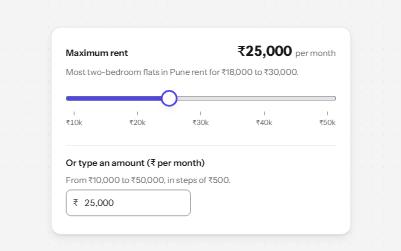
भरे हुए ट्रैक और बड़े थंब के साथ सजाया गया नेटिव रेंज इनपुट, जिसका मान इकाई के साथ बोला जाता है, और साथ-साथ चलता नंबर फ़ील्ड।
-
मेन्यू बटन
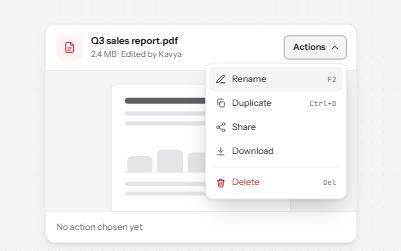
एक्शन की सूची खोलने वाला बटन, जिसमें ऐरो कुंजियों से चला जाता है और Escape से बंद किया जाता है, और फ़ोकस बटन पर लौट आता है।