सुलभता पैटर्न · लेआउट और संरचना
सूचियाँ और समूह
स्क्रीन रीडर पहले आइटम से पहले बताता है कि सूची है और उसमें कितने आइटम हैं, ताकि लोग जानें कि कितना आने वाला है और चाहें तो उसे लाँघ सकें। स्टाइलिंग चुपचाप यह छीन सकती है; role="list" और सीएसएस काउंटर इसे बचाए रखते हैं।
- डब्ल्यूसीएजी मानदंड
- 4
- कीबोर्ड नियम
- 2
- जाँच का तरीक़ा
- axe, कीबोर्ड और इंस्पेक्टर
लाइव डेमो
आज़माएँ
इसे माउस, कीबोर्ड या स्क्रीन रीडर से इस्तेमाल करें। साथ का इंस्पेक्टर दिखाता है कि आपके इस्तेमाल के दौरान ब्राउज़र सहायक तकनीक को क्या बताता है: फ़ोकस, स्थिति में बदलाव और घोषणाएँ।
डिब्बे में क्या है
ul
- स्टील केतली, 1.5 लीटर
- 1 मीटर तार वाला पावर बेस
- अतिरिक्त पुर्ज़े
- जाली वाला फ़िल्टर
- ढक्कन की सील
- शुरुआत के लिए कार्ड
अपनी केतली तैयार करें
ol
- केतली धोएँ और MAX निशान तक पानी भरें।
- एक बार उबालें और वह पानी फेंक दें।
- उसे बेस पर रखें और दीवार का स्विच चालू करें।
- लीवर दबाएँ; पानी उबलते ही वह खट से बंद हो जाता है।
ऑर्डर का ब्योरा
dl
- ऑर्डर नंबर
- 40215
- ऑर्डर की तारीख़
- 3 अक्टूबर 2026
- पहुँचेगा
- गुरुवार, 8 अक्टूबर
- सशुल्क
- ₹1,899 UPI से
विशेषताएँ
ul
- अपने-आप बंद
- सूखा उबलने से सुरक्षा
- 360° बेस
- BIS प्रमाणित
- 2 साल की वारंटी
और केतलियाँ
ul
जावास्क्रिप्ट के बिना डेमो उतना ही काम करता है जितना उसका एचटीएमएल; इंस्पेक्टर के लिए जावास्क्रिप्ट चाहिए।
कीबोर्ड
जिन कुंजियों पर यह काम करता है
हर क्रिया पॉइंटर के बिना काम करती है।
| कुंजी | यह क्या करती है |
|---|---|
| Tab | प्रोडक्ट कार्ड के लिंक से होते हुए आगे बढ़ता है। सूचियाँ Tab के पड़ाव नहीं हैं; उन्हें कीबोर्ड के किसी इंतज़ाम की ज़रूरत ही नहीं। |
| LयाI | ये स्क्रीन रीडर की कुंजियाँ हैं, पेज की नहीं: NVDA और JAWS में L अगली सूची पर और I अगले सूची आइटम पर ले जाती है। इनके लिए बस मार्कअप चाहिए। |
स्क्रीन रीडर
यह क्या घोषित करता है
मार्कअप की भूमिकाओं, नामों और स्थितियों से लिखा गया।
| कब | अपेक्षित घोषणा |
|---|---|
| स्क्रीन रीडर "डिब्बे में क्या है" पर पहुँचता है | सूची, 4 आइटम। स्टील केतली, 1.5 लीटर |
| वह "अतिरिक्त पुर्ज़े" में जाता है | अतिरिक्त पुर्ज़े। सूची, 2 आइटम, नेस्टेड। जाली वाला फ़िल्टर |
| वह सेटअप के चरणों पर पहुँचता है | सूची, 4 आइटम। 1 केतली धोएँ और MAX निशान तक पानी भरें। |
| वह ऑर्डर के ब्योरे पर पहुँचता है | विवरण सूची, 4 आइटम। ऑर्डर नंबर, 40215 |
| बिगड़ा हुआ संस्करण: वह ख़ूबियों पर पहुँचता है | अपने-आप बंद। सूखा उबलने से सुरक्षा। 360° बेस (न सूची, न गिनती) |
ये अपेक्षित घोषणाएँ हैं, रिकॉर्डिंग नहीं। स्क्रीन रीडर और ब्राउज़र के हिसाब से शब्द और क्रम बदलते हैं।
कोड
कोड कॉपी करें
वही फ़ाइलें जिन पर यह डेमो चलता है। स्टाइल एक प्रीफ़िक्स के साथ परोसी जाती हैं जो इस साइट की अपनी स्टाइल को डेमो से दूर रखता है; आप जो कॉपी करते हैं वह मूल है।
<div class="ap-lists" data-ap-lists>
  <div class="ap-lists__card" data-ls-example>
    <div class="ap-lists__top">
      <h3 class="ap-lists__name" id="ls-box-name">What's in the box</h3>
      <code class="ap-lists__tag" translate="no">ul</code>
    </div>
    <p class="ap-lists__readout" data-ls-readout></p>
    <ul class="ap-lists__bullets">
      <li>Steel kettle, 1.5 litres</li>
      <li>Power base with a 1 m cord</li>
      <li>Spare parts
        <ul class="ap-lists__bullets">
          <li>Mesh filter</li>
          <li>Lid seal</li>
        </ul>
      </li>
      <li>Quick-start card</li>
    </ul>
  </div>

  <div class="ap-lists__card" data-ls-example>
    <div class="ap-lists__top">
      <h3 class="ap-lists__name" id="ls-steps-name">Set up your kettle</h3>
      <code class="ap-lists__tag" translate="no">ol</code>
    </div>
    <p class="ap-lists__readout" data-ls-readout></p>
    <!-- list-style: none hides the markers; role="list" keeps the list in Safari. -->
    <ol class="ap-lists__steps" role="list">
      <li class="ap-lists__step">Rinse the kettle and fill it to the MAX line.</li>
      <li class="ap-lists__step">Boil once and pour that water away.</li>
      <li class="ap-lists__step">Set it on the base and switch on at the wall.</li>
      <li class="ap-lists__step">Press the lever; it clicks off when the water boils.</li>
    </ol>
  </div>

  <div class="ap-lists__card" data-ls-example>
    <div class="ap-lists__top">
      <h3 class="ap-lists__name" id="ls-order-name">Order details</h3>
      <code class="ap-lists__tag" translate="no">dl</code>
    </div>
    <p class="ap-lists__readout" data-ls-readout></p>
    <dl class="ap-lists__facts">
      <div class="ap-lists__fact"><dt class="ap-lists__dt">Order number</dt><dd class="ap-lists__dd">40215</dd></div>
      <div class="ap-lists__fact"><dt class="ap-lists__dt">Placed on</dt><dd class="ap-lists__dd">3 October 2026</dd></div>
      <div class="ap-lists__fact"><dt class="ap-lists__dt">Arrives</dt><dd class="ap-lists__dd">Thursday, 8 October</dd></div>
      <div class="ap-lists__fact"><dt class="ap-lists__dt">Paid</dt><dd class="ap-lists__dd">₹1,899 by UPI</dd></div>
    </dl>
  </div>

  <div class="ap-lists__card" data-ls-example>
    <div class="ap-lists__top">
      <h3 class="ap-lists__name" id="ls-features-name">Features</h3>
      <code class="ap-lists__tag" translate="no">ul</code>
    </div>
    <p class="ap-lists__readout" data-ls-readout></p>
    <ul class="ap-lists__chips" role="list">
      <li class="ap-lists__chip">Auto shut-off</li>
      <li class="ap-lists__chip">Boil-dry protection</li>
      <li class="ap-lists__chip">360° base</li>
      <li class="ap-lists__chip">BIS certified</li>
      <li class="ap-lists__chip">2-year warranty</li>
    </ul>
  </div>

  <div class="ap-lists__card ap-lists__card--wide" data-ls-example>
    <div class="ap-lists__top">
      <h3 class="ap-lists__name" id="ls-more-name">More kettles</h3>
      <code class="ap-lists__tag" translate="no">ul</code>
    </div>
    <p class="ap-lists__readout" data-ls-readout></p>
    <ul class="ap-lists__products" role="list">
      <li class="ap-lists__product">
        <span class="ap-lists__swatch" aria-hidden="true"></span>
        <a class="ap-lists__link" href="#ls-mini">Tapri mini, 1 litre</a>
        <span class="ap-lists__meta">Steel · ₹1,499</span>
      </li>
      <li class="ap-lists__product">
        <span class="ap-lists__swatch ap-lists__swatch--glass" aria-hidden="true"></span>
        <a class="ap-lists__link" href="#ls-glass">Tapri glass, 1.7 litres</a>
        <span class="ap-lists__meta">Glass · ₹2,250</span>
      </li>
      <li class="ap-lists__product">
        <span class="ap-lists__swatch ap-lists__swatch--gooseneck" aria-hidden="true"></span>
        <a class="ap-lists__link" href="#ls-pour">Tapri pour-over</a>
        <span class="ap-lists__meta">Gooseneck · ₹2,990</span>
      </li>
    </ul>
  </div>
</div>
/* Lists. Uses the --ap-* design tokens. The look comes from classes, so a
   list keeps it whatever element it is. */
.ap-lists {
  display: grid;
  gap: 14px;
  width: min(100%, 760px);
  margin-inline: auto;
  container-type: inline-size;
}
@container (min-width: 540px) {
  .ap-lists {
    grid-template-columns: repeat(2, minmax(0, 1fr));
  }
  .ap-lists__card--wide {
    grid-column: 1 / -1;
  }
}

.ap-lists__card {
  display: grid;
  align-content: start;
  gap: 10px;
  min-width: 0;
  padding: 16px 18px 18px;
  border: 1px solid var(--ap-border);
  border-radius: var(--ap-radius-lg);
  background: var(--ap-surface);
  box-shadow: var(--ap-shadow-sm);
}
.ap-lists__top {
  display: flex;
  align-items: center;
  justify-content: space-between;
  gap: 10px;
}
.ap-lists__name {
  margin: 0;
  color: var(--ap-text);
  font-size: 1rem;
  font-weight: 650;
  line-height: 1.3;
}
.ap-lists__tag {
  padding: 1px 7px;
  border: 1px solid var(--ap-border);
  border-radius: 6px;
  background: var(--ap-surface-2);
  color: var(--ap-text-3);
  font: 600 .75rem/1.5 var(--ap-mono);
}

/* ── The readout: what a screen reader announces before the first item ── */
.ap-lists__readout {
  display: flex;
  flex-wrap: wrap;
  align-items: baseline;
  gap: 2px 6px;
  margin: 0;
  padding: 7px 10px;
  border-radius: var(--ap-radius-sm);
  background: var(--ap-info-soft);
  color: var(--ap-info);
  font-size: .8125rem;
  line-height: 1.4;
}
.ap-lists__readout:empty {
  display: none;
}
.ap-lists__rk {
  font-weight: 700;
}
.ap-lists__rk::after {
  content: ",";
}
.ap-lists__rn {
  font-weight: 700;
  font-variant-numeric: tabular-nums;
}
.ap-lists__rnote {
  flex-basis: 100%;
  font-weight: 500;
}
.ap-lists__rnote code {
  font: 600 .75rem var(--ap-mono);
}
.ap-lists__readout--none {
  background: var(--ap-danger-soft);
  color: var(--ap-danger);
}
.ap-lists__readout--none .ap-lists__rk::after {
  content: none;
}

/* ── Bullets: the browser's own markers ── */
.ap-lists__bullets {
  margin: 0;
  padding-left: 1.25em;
  color: var(--ap-text-2);
  line-height: 1.5;
}
.ap-lists__bullets > li + li {
  margin-top: 4px;
}
.ap-lists__bullets li::marker {
  color: var(--ap-accent-text);
}
.ap-lists__bullets .ap-lists__bullets {
  margin-top: 4px;
  list-style-type: circle;
}

/* ── Steps: numbers drawn from the list's own counter ── */
.ap-lists__steps {
  display: grid;
  gap: 10px;
  margin: 0;
  padding: 0;
  list-style: none;
}
/* display stays list-item: that is what moves the list-item counter. */
.ap-lists__step {
  display: list-item;
  position: relative;
  min-height: 28px;
  padding: 3px 0 0 38px;
  color: var(--ap-text-2);
  line-height: 1.45;
}
/* counter(list-item) is the ol's own numbering: start and reversed still work,
   and generated content is read as text. */
.ap-lists__step::before {
  content: counter(list-item);
  position: absolute;
  top: 0;
  left: 0;
  display: grid;
  place-items: center;
  width: 28px;
  height: 28px;
  border-radius: 50%;
  background: var(--ap-accent-soft);
  color: var(--ap-accent-soft-text);
  font-size: .8125rem;
  font-weight: 700;
  font-variant-numeric: tabular-nums;
}

/* ── Description list ── */
.ap-lists__facts {
  display: grid;
  margin: 0;
}
.ap-lists__fact {
  display: flex;
  justify-content: space-between;
  gap: 12px;
  padding: 8px 0;
  border-top: 1px solid var(--ap-border);
}
.ap-lists__fact:first-child {
  border-top: 0;
  padding-top: 2px;
}
.ap-lists__dt {
  color: var(--ap-text-3);
}
.ap-lists__dd {
  margin: 0;
  color: var(--ap-text);
  font-weight: 600;
  text-align: end;
}

/* ── Tags: a horizontal list that wraps ── */
.ap-lists__chips {
  display: flex;
  flex-wrap: wrap;
  gap: 8px;
  margin: 0;
  padding: 0;
  list-style: none;
}
.ap-lists__chip {
  display: inline-flex;
  align-items: center;
  min-height: 30px;
  padding: 3px 12px;
  border: 1px solid var(--ap-border);
  border-radius: var(--ap-radius-full);
  background: var(--ap-surface-2);
  color: var(--ap-text-2);
  font-size: .875rem;
  font-weight: 500;
}

/* ── Cards: still one list ── */
.ap-lists__products {
  display: grid;
  grid-template-columns: repeat(auto-fill, minmax(min(100%, 180px), 1fr));
  gap: 10px;
  margin: 0;
  padding: 0;
  list-style: none;
}
.ap-lists__product {
  position: relative;
  display: grid;
  gap: 2px;
  padding: 10px 10px 12px;
  border: 1px solid var(--ap-border);
  border-radius: var(--ap-radius);
  background: var(--ap-surface);
  transition: border-color var(--ap-duration) var(--ap-ease), box-shadow var(--ap-duration) var(--ap-ease);
}
.ap-lists__product:hover {
  border-color: var(--ap-border-strong);
  box-shadow: var(--ap-shadow-sm);
}
.ap-lists__swatch {
  height: 56px;
  margin-bottom: 8px;
  border-radius: var(--ap-radius-sm);
  background: linear-gradient(160deg, var(--ap-surface-3), var(--ap-border-strong));
}
.ap-lists__swatch--glass {
  background: linear-gradient(160deg, var(--ap-info-soft) 40%, var(--ap-info));
}
.ap-lists__swatch--gooseneck {
  background: linear-gradient(160deg, var(--ap-warning-soft) 30%, var(--ap-warning));
}
/* The name is the link; a pseudo-element stretches it over the card. */
.ap-lists__link {
  color: var(--ap-text);
  font-weight: 600;
  line-height: 1.35;
  text-decoration: none;
}
.ap-lists__link::after {
  content: "";
  position: absolute;
  inset: 0;
  border-radius: var(--ap-radius);
}
.ap-lists__link:hover {
  text-decoration: underline;
  text-underline-offset: 3px;
}
.ap-lists__link:focus-visible {
  outline: none;
}
.ap-lists__link:focus-visible::after {
  outline: 2px solid var(--ap-focus);
  outline-offset: 2px;
}
.ap-lists__meta {
  color: var(--ap-text-3);
  font-size: .8125rem;
}

/* ── The broken version: the same look drawn on divs ── */
.ap-lists__fake.ap-lists__bullets {
  padding-left: 0;
}
.ap-lists__fake.ap-lists__bullets > div {
  position: relative;
  padding-left: 1.25em;
}
.ap-lists__fake.ap-lists__bullets > div::before {
  content: "";
  position: absolute;
  top: .62em;
  left: .3em;
  width: 6px;
  height: 6px;
  border-radius: 50%;
  background: var(--ap-accent-text);
}
.ap-lists__fake.ap-lists__bullets > div + div {
  margin-top: 4px;
}
.ap-lists__fake .ap-lists__fake.ap-lists__bullets {
  margin-top: 4px;
}
.ap-lists__fake .ap-lists__fake.ap-lists__bullets > div::before {
  background: transparent;
  box-shadow: inset 0 0 0 1.5px var(--ap-accent-text);
}
.ap-lists__fake.ap-lists__steps {
  counter-reset: ap-step;
}
.ap-lists__fake .ap-lists__step {
  display: block;
  counter-increment: ap-step;
}
.ap-lists__fake .ap-lists__step::before {
  content: counter(ap-step);
}

@media (prefers-reduced-motion: reduce) {
  .ap-lists__product { transition: none; }
}
/**
 * Lists: ul, ol and dl styled as bullets, steps, facts, tags and cards.
 * The lists themselves need no script. This one writes a readout above each
 * list saying what a screen reader announces ("List, 4 items"), read from
 * the live page, including the Safari case where removed markers drop the
 * list role unless role="list" is set.
 *
 * Markup: [data-ap-lists] holding [data-ls-example] blocks, each with an
 * empty p[data-ls-readout] and one list. Add data-broken to the root to
 * swap every list for divs with the same classes (the demo's broken version).
 */

const LIST = "ul, ol, dl, [role=list], [data-ls-fake]";

/** Demo only: the broken version, the same look built from divs. */
function toDivs(list) {
  const swap = (el) => {
    const div = document.createElement("div");
    for (const { name, value } of el.attributes) if (name !== "role") div.setAttribute(name, value);
    div.append(...el.childNodes);
    el.replaceWith(div);
    return div;
  };
  for (const item of list.querySelectorAll("li, dt, dd")) swap(item);
  for (const inner of list.querySelectorAll("ul, ol, dl")) {
    swap(inner).classList.add("ap-lists__fake");
  }
  const fake = swap(list);
  fake.classList.add("ap-lists__fake");
  fake.dataset.lsFake = "";
  return fake;
}

function span(className, text) {
  const s = document.createElement("span");
  s.className = className;
  s.textContent = text;
  return s;
}

/** What a screen reader gets from one list element. */
function describe(list) {
  const items = (el) => [...el.children].filter((c) => c.localName === "li" || c.getAttribute("role") === "listitem");
  if (list.hasAttribute("data-ls-fake")) return { kind: "Not a list", count: null, notes: ["Read line by line, with no count and no way to skip past it."] };
  if (list.localName === "dl") {
    return { kind: "Description list", count: list.querySelectorAll(":scope > dt, :scope > div > dt").length, notes: [] };
  }
  const notes = [];
  const markers = getComputedStyle(list).listStyleType !== "none";
  if (!markers) {
    notes.push(list.getAttribute("role") === "list"
      ? "No markers, but role=\"list\" keeps it a list in Safari."
      : "No markers and no role=\"list\": Safari reads it as plain text.");
  }
  const first = items(list)[0];
  if (list.localName === "ol" && first && /counter\(/.test(getComputedStyle(first, "::before").content)) {
    notes.push("Numbers drawn with CSS counters, and read as text.");
  }
  const nested = list.querySelector(":scope > li > ul, :scope > li > ol");
  return { kind: "List", count: items(list).length, notes, nested: nested ? items(nested).length : null };
}

export function init(root) {
  const examples = [...root.querySelectorAll("[data-ls-example]")];
  const listOf = (example) => example.querySelector(LIST);

  if (root.hasAttribute("data-broken")) {
    for (const example of examples) {
      toDivs(listOf(example));
      const tag = example.querySelector(".ap-lists__tag");
      if (tag) tag.textContent = "div";
    }
  }

  function render() {
    for (const example of examples) {
      const readout = example.querySelector("[data-ls-readout]");
      const list = listOf(example);
      const r = describe(list);
      readout.replaceChildren(span("ap-lists__rk", r.kind));
      readout.classList.toggle("ap-lists__readout--none", r.count === null);
      if (r.count !== null) readout.append(span("ap-lists__rn", String(r.count)), span("ap-lists__ru", "items"));
      if (r.nested != null) {
        const note = span("ap-lists__rnote", "");
        note.append(span("", "Nested list:"), document.createTextNode(" "), span("ap-lists__rn", String(r.nested)), document.createTextNode(" "), span("", "items"));
        readout.append(note);
      }
      for (const text of r.notes) readout.append(span("ap-lists__rnote", text));
    }
  }

  render();
  return () => {
    for (const example of examples) example.querySelector("[data-ls-readout]")?.replaceChildren();
  };
}

for (const root of document.querySelectorAll("[data-ap-lists]")) init(root);
/* Design tokens for the pattern components. Light by default, dark when the
   system asks for it; set data-theme="dark" on :root to force dark. */
:root {
    --ap-radius-sm: 8px;
    --ap-radius: 12px;
    --ap-radius-lg: 16px;
    --ap-radius-full: 999px;
    --ap-font: "Instrument Sans", ui-sans-serif, system-ui, -apple-system, "Segoe UI", Roboto, sans-serif;
    --ap-mono: "JetBrains Mono", ui-monospace, "Cascadia Mono", "SF Mono", Consolas, monospace;
    --ap-ease: cubic-bezier(.2, .8, .2, 1);
    --ap-duration: 180ms;
    --ap-target: 44px;
    --ap-bg: #F4F4F5;
    --ap-surface: #FFFFFF;
    --ap-surface-2: #F4F4F5;
    --ap-surface-3: #E4E4E7;
    --ap-border: #E4E4E7;
    --ap-border-strong: #76767F;
    --ap-text: #18181B;
    --ap-text-2: #3F3F46;
    --ap-text-3: #5E5E66;
    --ap-accent: #4F46E5;
    --ap-accent-hover: #4338CA;
    --ap-on-accent: #FFFFFF;
    --ap-accent-text: #4338CA;
    --ap-accent-soft: #EEF2FF;
    --ap-accent-soft-text: #3730A3;
    --ap-focus: #4F46E5;
    --ap-danger: #B91C1C;
    --ap-danger-soft: #FEF2F2;
    --ap-success: #15803D;
    --ap-success-soft: #F0FDF4;
    --ap-warning: #A15C07;
    --ap-warning-soft: #FEFCE8;
    --ap-info: #1D4ED8;
    --ap-info-soft: #EFF6FF;
    --ap-scrim: rgb(9 9 11 / .48);
    --ap-shadow-sm: 0 1px 2px rgb(9 9 11 / .06);
    --ap-shadow-md: 0 1px 2px rgb(9 9 11 / .05), 0 6px 16px -4px rgb(9 9 11 / .1);
    --ap-shadow-lg: 0 2px 6px rgb(9 9 11 / .06), 0 20px 40px -12px rgb(9 9 11 / .22);
    --ap-light-bg: #F4F4F5;
    --ap-light-surface: #FFFFFF;
    --ap-light-surface-2: #F4F4F5;
    --ap-light-surface-3: #E4E4E7;
    --ap-light-border: #E4E4E7;
    --ap-light-border-strong: #76767F;
    --ap-light-text: #18181B;
    --ap-light-text-2: #3F3F46;
    --ap-light-text-3: #5E5E66;
    --ap-light-accent: #4F46E5;
    --ap-light-accent-hover: #4338CA;
    --ap-light-on-accent: #FFFFFF;
    --ap-light-accent-text: #4338CA;
    --ap-light-accent-soft: #EEF2FF;
    --ap-light-accent-soft-text: #3730A3;
    --ap-light-focus: #4F46E5;
    --ap-light-danger: #B91C1C;
    --ap-light-danger-soft: #FEF2F2;
    --ap-light-success: #15803D;
    --ap-light-success-soft: #F0FDF4;
    --ap-light-warning: #A15C07;
    --ap-light-warning-soft: #FEFCE8;
    --ap-light-info: #1D4ED8;
    --ap-light-info-soft: #EFF6FF;
    --ap-light-scrim: rgb(9 9 11 / .48);
    --ap-light-shadow-sm: 0 1px 2px rgb(9 9 11 / .06);
    --ap-light-shadow-md: 0 1px 2px rgb(9 9 11 / .05), 0 6px 16px -4px rgb(9 9 11 / .1);
    --ap-light-shadow-lg: 0 2px 6px rgb(9 9 11 / .06), 0 20px 40px -12px rgb(9 9 11 / .22);
    --ap-dark-bg: #09090B;
    --ap-dark-surface: #18181B;
    --ap-dark-surface-2: #27272A;
    --ap-dark-surface-3: #3F3F46;
    --ap-dark-border: #2E2E33;
    --ap-dark-border-strong: #8E8E97;
    --ap-dark-text: #FAFAFA;
    --ap-dark-text-2: #D4D4D8;
    --ap-dark-text-3: #A1A1AA;
    --ap-dark-accent: #818CF8;
    --ap-dark-accent-hover: #A5B4FC;
    --ap-dark-on-accent: #0C0A1F;
    --ap-dark-accent-text: #A5B4FC;
    --ap-dark-accent-soft: #1E1B4B;
    --ap-dark-accent-soft-text: #C7D2FE;
    --ap-dark-focus: #A5B4FC;
    --ap-dark-danger: #F87171;
    --ap-dark-danger-soft: #2A1215;
    --ap-dark-success: #4ADE80;
    --ap-dark-success-soft: #0F2A1A;
    --ap-dark-warning: #FACC15;
    --ap-dark-warning-soft: #2A2410;
    --ap-dark-info: #60A5FA;
    --ap-dark-info-soft: #0F1D33;
    --ap-dark-scrim: rgb(0 0 0 / .62);
    --ap-dark-shadow-sm: 0 1px 2px rgb(0 0 0 / .4);
    --ap-dark-shadow-md: 0 1px 2px rgb(0 0 0 / .4), 0 8px 20px -6px rgb(0 0 0 / .5);
    --ap-dark-shadow-lg: 0 2px 8px rgb(0 0 0 / .45), 0 24px 48px -12px rgb(0 0 0 / .7);
}
@media (prefers-color-scheme: dark) {
  :root:not([data-theme="light"]) {
      --ap-bg: #09090B;
      --ap-surface: #18181B;
      --ap-surface-2: #27272A;
      --ap-surface-3: #3F3F46;
      --ap-border: #2E2E33;
      --ap-border-strong: #8E8E97;
      --ap-text: #FAFAFA;
      --ap-text-2: #D4D4D8;
      --ap-text-3: #A1A1AA;
      --ap-accent: #818CF8;
      --ap-accent-hover: #A5B4FC;
      --ap-on-accent: #0C0A1F;
      --ap-accent-text: #A5B4FC;
      --ap-accent-soft: #1E1B4B;
      --ap-accent-soft-text: #C7D2FE;
      --ap-focus: #A5B4FC;
      --ap-danger: #F87171;
      --ap-danger-soft: #2A1215;
      --ap-success: #4ADE80;
      --ap-success-soft: #0F2A1A;
      --ap-warning: #FACC15;
      --ap-warning-soft: #2A2410;
      --ap-info: #60A5FA;
      --ap-info-soft: #0F1D33;
      --ap-scrim: rgb(0 0 0 / .62);
      --ap-shadow-sm: 0 1px 2px rgb(0 0 0 / .4);
      --ap-shadow-md: 0 1px 2px rgb(0 0 0 / .4), 0 8px 20px -6px rgb(0 0 0 / .5);
      --ap-shadow-lg: 0 2px 8px rgb(0 0 0 / .45), 0 24px 48px -12px rgb(0 0 0 / .7);
  }
}
:root[data-theme="dark"] {
    --ap-bg: #09090B;
    --ap-surface: #18181B;
    --ap-surface-2: #27272A;
    --ap-surface-3: #3F3F46;
    --ap-border: #2E2E33;
    --ap-border-strong: #8E8E97;
    --ap-text: #FAFAFA;
    --ap-text-2: #D4D4D8;
    --ap-text-3: #A1A1AA;
    --ap-accent: #818CF8;
    --ap-accent-hover: #A5B4FC;
    --ap-on-accent: #0C0A1F;
    --ap-accent-text: #A5B4FC;
    --ap-accent-soft: #1E1B4B;
    --ap-accent-soft-text: #C7D2FE;
    --ap-focus: #A5B4FC;
    --ap-danger: #F87171;
    --ap-danger-soft: #2A1215;
    --ap-success: #4ADE80;
    --ap-success-soft: #0F2A1A;
    --ap-warning: #FACC15;
    --ap-warning-soft: #2A2410;
    --ap-info: #60A5FA;
    --ap-info-soft: #0F1D33;
    --ap-scrim: rgb(0 0 0 / .62);
    --ap-shadow-sm: 0 1px 2px rgb(0 0 0 / .4);
    --ap-shadow-md: 0 1px 2px rgb(0 0 0 / .4), 0 8px 20px -6px rgb(0 0 0 / .5);
    --ap-shadow-lg: 0 2px 8px rgb(0 0 0 / .45), 0 24px 48px -12px rgb(0 0 0 / .7);
}
डब्ल्यूसीएजी 2.2
यह किन मानदंडों को पूरा करता है
वे सफलता मानदंड जिनका यह पैटर्न ध्यान रखता है, और कैसे।
-
1.3.1 जानकारी और संबंध
स्तर A
आइटम के समूह ul, ol और dl एलिमेंट हैं, इसलिए उनकी गिनती, क्रम और नेस्टिंग सामने आती है, सिर्फ़ बुलेट और जगह से खींची नहीं जाती।
-
1.3.2 सार्थक क्रम
स्तर A
सेटअप के चरण क्रमबद्ध सूची हैं, इसलिए क्रम मार्कअप का हिस्सा है, और क्रमांक ख़ुद सूची से आते हैं।
-
1.4.10 रीफ़्लो
स्तर AA
संकरे कंटेनर में टैग अगली पंक्ति में चले जाते हैं और कार्ड एक कॉलम में आ जाते हैं, इसलिए 320 पिक्सेल पर कुछ भी आड़ा स्क्रॉल नहीं होता।
-
2.4.4 लिंक का उद्देश्य (संदर्भ में)
स्तर A
हर कार्ड का लिंक प्रोडक्ट का नाम है, इसलिए लिंक की सूची में भी पता चलता है कि हर लिंक कहाँ ले जाता है।
उपयोग
इसे कब इस्तेमाल करें
इसे अपनाएँ
- एक जैसी चीज़ों का कोई भी समूह: ख़ूबियाँ, खोज के नतीजे, कार्ड, चरण, टैग, नेविगेशन लिंक।
- नाम और मान की जोड़ियाँ, जैसे ऑर्डर का ब्योरा या विनिर्देश: विवरण सूची।
कुछ और इस्तेमाल करें
- अकेला आइटम: एक आइटम की सूची बस एक घोषणा जोड़ती है, और कुछ नहीं।
- ऐसी चीज़ों का लेआउट जो समूह नहीं हैं, जैसे मेन्यू के बगल में लोगो।
आम विफलताएँ
आमतौर पर यह कहाँ गलत होता है
खींचे गए बुलेट वाले div
div पर खींचे गए बुलेट और क्रमांक सूची जैसे दिखते हैं, पर अलग-अलग पंक्तियों की तरह पढ़े जाते हैं, बिना गिनती के और अंत तक लाँघने के किसी तरीक़े के बिना।
list-style: none और बस
जिस ul या ol के मार्कर हटा दिए जाएँ, Safari उसकी सूची वाली भूमिका हटा देता है, और VoiceOver सादा टेक्स्ट पढ़ता है। role="list" उसे लौटा देता है।
स्टाइलिंग में खोए क्रमांक
बैकग्राउंड इमेज की तरह खींचे गए, या मार्कर के साथ छिपाए गए चरणों के क्रमांक स्क्रीन रीडर इस्तेमाल करने वालों के लिए गायब हो जाते हैं। ::before में सीएसएस काउंटर टेक्स्ट की तरह पढ़े जाते हैं।
हर आइटम की अलग सूची
हर कार्ड को अपनी अलग ul में रखने पर पाँच बार "सूची, 1 आइटम" बोला जाता है। सारे कार्ड एक सूची में रखें।
ol में हाथ से लिखे क्रमांक
जो ol ख़ुद क्रमांक देती है, उसमें "1. केतली धोएँ" लिखने पर "1, 1" पढ़ा जा सकता है। क्रमांक सूची को देने दें, और टेक्स्ट सादा रखें।
dt और dd के बीच कुछ और
विवरण सूची में dt और dd हो सकते हैं, चाहें तो हर जोड़ी एक div में लिपटी हुई। बीच में पैराग्राफ़ या span जोड़ियाँ तोड़ देते हैं।
नोट्स
इसे बनाना
- सूचियों को किसी स्क्रिप्ट की ज़रूरत नहीं। इस पेज की स्क्रिप्ट सिर्फ़ रीडआउट बनाती है: स्क्रीन रीडर की तरह आइटम गिनती है और Safari वाला मामला जाँचती है।
- ul या ol पर role="list" वही दोहराता है जो एलिमेंट पहले से बताता है, बस Safari को छोड़कर, जो list-style none होने पर सूची का अर्थ हटा देता है। इसे जोड़ने में कुछ नहीं लगता।
- चरणों के क्रमांक ::before में counter(list-item) से आते हैं। ब्राउज़र जनरेट की गई सामग्री को टेक्स्ट की तरह सामने रखते हैं, इसलिए क्रमांक पढ़े जाते हैं, और ol के अपने “start” और “reversed” एट्रिब्यूट अब भी उन्हें चलाते हैं।
- विवरण सूची में हर dt और उसके dd के चारों ओर div रखना मान्य है और स्टाइलिंग आसान बनाता है; जोड़ियों के बीच और कुछ नहीं आ सकता।
- बिगड़े हुए संस्करण में स्क्रिप्ट हर सूची को उन्हीं क्लास वाले div से बदल देती है, इसलिए वह वैसी ही दिखती है; फ़र्क़ सिर्फ़ रीडआउट और स्क्रीन रीडर पकड़ते हैं।
स्रोत: WAI ट्यूटोरियल: सामग्री की संरचना, सूचियाँ · डब्ल्यूसीएजी तकनीक H48: सूचियों के लिए ol, ul और dl · स्कॉट ओ'हारा: Safari में सूचियाँ ठीक करना
लाइट और डार्क थीम में, डेस्कटॉप और फ़ोन की चौड़ाई पर axe से और कीबोर्ड से जाँचा गया। अभी हर स्क्रीन रीडर और ब्राउज़र जोड़ी के साथ नहीं परखा गया। सुधार बताएँ
संबंधित
इसके साथ जाने वाले पैटर्न
-
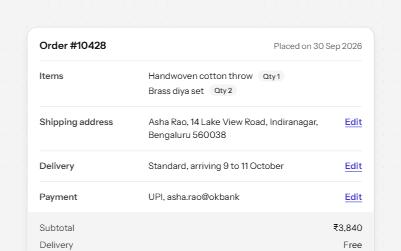
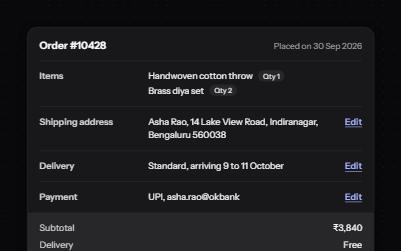
विवरण सूची
dl, dt और dd में नाम और मान के जोड़े: एक ऑर्डर सारांश और एक प्रोफ़ाइल कार्ड, ऐसे बदलें लिंक के साथ जो बताते हैं कि वे क्या बदलते हैं।
-
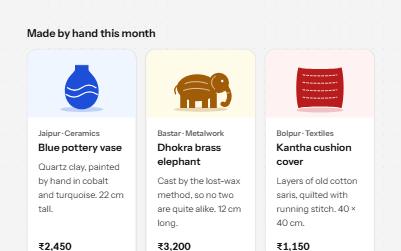
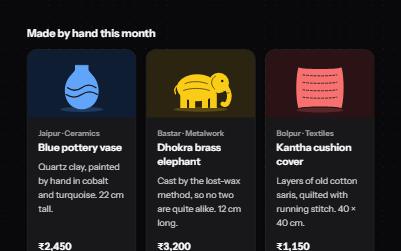
कार्ड
ऐसे कार्ड जिनके शीर्षक का लिंक पूरे कार्ड को ढकता है, और सहेजें व शेयर करें बटन उसके ऊपर पहुँच में बने रहते हैं।
-
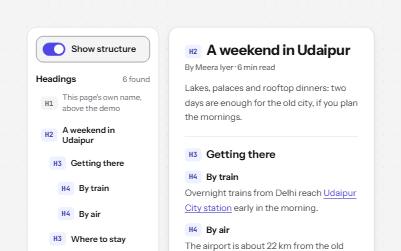
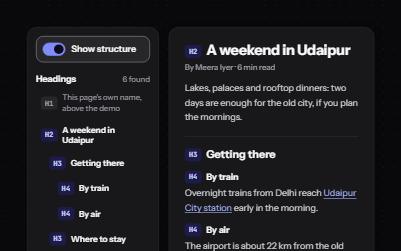
हेडिंग संरचना
ऐसी हेडिंग जिनके स्तर पेज की रूपरेखा के मुताबिक़ चलते हैं, ताकि स्क्रीन रीडर इस्तेमाल करने वाले पेज पर नज़र दौड़ा सकें और सीधे किसी सेक्शन पर पहुँच सकें।
-
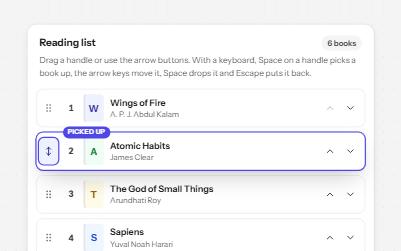
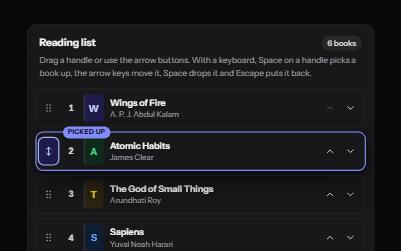
क्रम बदलने वाली सूची
एक सूची जिसका क्रम लोग हैंडल खींचकर बदलते हैं, साथ में ऊपर और नीचे ले जाने के बटन और एक कीबोर्ड मोड, जो हर बदलाव घोषित करता है।