सुलभता पैटर्न · संवाद
चैट
बातचीत एक role=log क्षेत्र है: स्क्रीन रीडर हर नया संदेश एक बार, विनम्रता से पढ़ता है, जबकि फ़ोकस संदेश बॉक्स में ही रहता है। हर संदेश में भेजने वाला और समय टेक्स्ट के रूप में है, इसलिए किसने क्या कहा, यह कभी इस पर निर्भर नहीं करता कि बबल स्क्रीन के किस तरफ़ है।
- डब्ल्यूसीएजी मानदंड
- 7
- कीबोर्ड नियम
- 5
- जाँच का तरीक़ा
- axe, कीबोर्ड और इंस्पेक्टर
लाइव डेमो
आज़माएँ
इसे माउस, कीबोर्ड या स्क्रीन रीडर से इस्तेमाल करें। साथ का इंस्पेक्टर दिखाता है कि आपके इस्तेमाल के दौरान ब्राउज़र सहायक तकनीक को क्या बताता है: फ़ोकस, स्थिति में बदलाव और घोषणाएँ।
केसर टी सपोर्ट
ऑनलाइन। लगभग एक मिनट में जवाब मिलता है।
आज
-
नमस्ते आशा, मैं केसर टी से प्रिया हूँ। आज मैं आपकी क्या मदद कर सकती हूँ?
-
मेरा ऑर्डर KT-4821 डिलीवर हुआ दिखा रहा है, पर कुछ नहीं पहुँचा।
-
इसके लिए माफ़ी चाहती हूँ। मैं कूरियर से पता करती हूँ।
-
कूरियर आज सुबह 9:40 बजे इसे आपकी बिल्डिंग की सिक्योरिटी डेस्क पर छोड़ गया था।
-
मिल गया, धन्यवाद! क्या मैं अपने अगले ऑर्डर का पता बदल सकती हूँ?
-
हाँ। अपने खाते में ऑर्डर खोलें और भेजे जाने से पहले पता बदलें चुनें।
प्रिया टाइप कर रही हैं…
जावास्क्रिप्ट के बिना डेमो उतना ही काम करता है जितना उसका एचटीएमएल; इंस्पेक्टर के लिए जावास्क्रिप्ट चाहिए।
कीबोर्ड
जिन कुंजियों पर यह काम करता है
हर क्रिया पॉइंटर के बिना काम करती है।
| कुंजी | यह क्या करती है |
|---|---|
| Tab | बातचीत पर जाता है, फिर दिखने पर नवीनतम पर जाएँ पर, फिर संदेश बॉक्स और भेजें पर। |
| Arrow UpयाArrow Down | बातचीत पर फ़ोकस होने पर इतिहास स्क्रॉल करता है; Page Up, Page Down, Home और End और आगे स्क्रॉल करते हैं। |
| Enter | संदेश बॉक्स में, संदेश भेजता है। फ़ोकस बॉक्स में ही रहता है, अगले संदेश के लिए तैयार। |
| ShiftEnter | संदेश बॉक्स में, भेजने के बजाय नई पंक्ति शुरू करता है। |
| EnterयाSpace | नवीनतम पर जाएँ पर, सबसे नए संदेश तक स्क्रॉल करता है और फ़ोकस बातचीत पर रखता है। |
स्क्रीन रीडर
यह क्या घोषित करता है
मार्कअप की भूमिकाओं, नामों और स्थितियों से लिखा गया।
| कब | अपेक्षित घोषणा |
|---|---|
| Tab बातचीत पर पहुँचता है | केसर टी सपोर्ट के साथ बातचीत, लॉग |
| Tab संदेश बॉक्स पर पहुँचता है | संदेश, संपादन बॉक्स, बहु-पंक्ति। Enter भेजता है। Shift + Enter नई पंक्ति शुरू करता है। |
| आप एक संदेश भेजते हैं | आप 10:07 क्या मैं UPI से भुगतान कर सकती हूँ? |
| प्रिया टाइप करना शुरू करती हैं | कुछ नहीं: टाइपिंग संकेतक दिखता है, घोषित नहीं होता |
| उनका जवाब आता है | प्रिया, केसर टी 10:07 इंतज़ार के लिए धन्यवाद। मैंने आपके ऑर्डर में एक नोट जोड़ दिया है। |
| कुछ टाइप किए बिना Enter दबाया जाता है | पहले संदेश लिखें। |
ये अपेक्षित घोषणाएँ हैं, रिकॉर्डिंग नहीं। स्क्रीन रीडर और ब्राउज़र के हिसाब से शब्द और क्रम बदलते हैं।
कोड
कोड कॉपी करें
वही फ़ाइलें जिन पर यह डेमो चलता है। स्टाइल एक प्रीफ़िक्स के साथ परोसी जाती हैं जो इस साइट की अपनी स्टाइल को डेमो से दूर रखता है; आप जो कॉपी करते हैं वह मूल है।
<section class="ap-chat" data-ap-chat aria-labelledby="chat-name">
  <div class="ap-chat__top">
    <span class="ap-chat__logo" aria-hidden="true">
      <svg viewBox="0 0 24 24" focusable="false"><path d="M5 19c0-8 5-13 14-14 0 9-5 14-13 14Z"/><path d="M5 19 13 11"/></svg>
    </span>
    <div class="ap-chat__who">
      <h3 class="ap-chat__name" id="chat-name">Kesar Tea support</h3>
      <p class="ap-chat__presence"><span class="ap-chat__dot" aria-hidden="true"></span>Online. Replies in about a minute.</p>
    </div>
  </div>

  <div class="ap-chat__body">
    <div class="ap-chat__log" role="log" aria-live="polite" aria-label="Conversation with Kesar Tea support" tabindex="0">
      <p class="ap-chat__day">Today</p>
      <ol class="ap-chat__list">
      <li class="ap-chat__msg ap-chat__msg--them">
        <p class="ap-chat__meta"><span class="ap-chat__from">Priya, Kesar Tea</span> <time datetime="2026-10-05T10:02+05:30">10:02</time></p>
        <p class="ap-chat__text">Hello Asha, I'm Priya from Kesar Tea. How can I help today?</p>
      </li>
      <li class="ap-chat__msg ap-chat__msg--me">
        <p class="ap-chat__meta"><span class="ap-chat__from">You</span> <time datetime="2026-10-05T10:03+05:30">10:03</time></p>
        <p class="ap-chat__text">My order KT-4821 shows as delivered, but nothing has arrived.</p>
      </li>
      <li class="ap-chat__msg ap-chat__msg--them">
        <p class="ap-chat__meta"><span class="ap-chat__from">Priya, Kesar Tea</span> <time datetime="2026-10-05T10:04+05:30">10:04</time></p>
        <p class="ap-chat__text">Sorry about that. Let me check with the courier.</p>
      </li>
      <li class="ap-chat__msg ap-chat__msg--them">
        <p class="ap-chat__meta"><span class="ap-chat__from">Priya, Kesar Tea</span> <time datetime="2026-10-05T10:05+05:30">10:05</time></p>
        <p class="ap-chat__text">The courier left it at your building's security desk at 9:40 this morning.</p>
      </li>
      <li class="ap-chat__msg ap-chat__msg--me">
        <p class="ap-chat__meta"><span class="ap-chat__from">You</span> <time datetime="2026-10-05T10:06+05:30">10:06</time></p>
        <p class="ap-chat__text">Found it, thank you! Can I change the address for my next order?</p>
      </li>
      <li class="ap-chat__msg ap-chat__msg--them">
        <p class="ap-chat__meta"><span class="ap-chat__from">Priya, Kesar Tea</span> <time datetime="2026-10-05T10:06+05:30">10:06</time></p>
        <p class="ap-chat__text">Yes. Open the order in your account and choose Change address before it ships.</p>
      </li>
      </ol>
    </div>
    <button type="button" class="ap-chat__jump" data-ap-chat-jump hidden>
      <svg viewBox="0 0 24 24" aria-hidden="true" focusable="false"><path d="M12 5v14"/><path d="m6 13 6 6 6-6"/></svg>
      Jump to latest
    </button>
  </div>

  <p class="ap-chat__typing" data-ap-chat-typing><span class="ap-chat__typing-in" hidden><span class="ap-chat__dots" aria-hidden="true"><span></span><span></span><span></span></span> Priya is typing…</span></p>

  <form class="ap-chat__composer" novalidate>
    <label class="ap-chat__label" for="chat-input">Message</label>
    <div class="ap-chat__row">
      <textarea class="ap-input ap-chat__input" id="chat-input" name="message" rows="1" aria-describedby="chat-hint" autocomplete="off"></textarea>
      <button type="submit" class="ap-btn ap-btn--primary ap-chat__send">
        <svg class="ap-btn__icon" viewBox="0 0 24 24" aria-hidden="true" focusable="false"><path d="M4 12 20 4l-4 16-4-7-8-1Z"/><path d="m12 13 8-9"/></svg>
        Send
      </button>
    </div>
    <p class="ap-error ap-chat__error" id="chat-error" hidden>
      <svg class="ap-chat__icon" viewBox="0 0 24 24" aria-hidden="true" focusable="false"><circle cx="12" cy="12" r="9"/><path d="M12 7.5v5"/><path d="M12 16.5h.01"/></svg>
      <span>Write a message first.</span>
    </p>
    <p class="ap-hint ap-chat__hint" id="chat-hint"><kbd>Enter</kbd> sends. <kbd>Shift</kbd> + <kbd>Enter</kbd> starts a new line.</p>
    <p class="ap-chat__vh" aria-live="polite" data-ap-chat-say></p>
  </form>
</section>
/* Shared primitives: buttons and form fields used across the patterns.
   Uses the --ap-* design tokens. */

.ap-btn {
  display: inline-flex;
  align-items: center;
  justify-content: center;
  gap: 8px;
  min-height: 40px;
  padding: 0 16px;
  border: 1px solid var(--ap-border-strong);
  border-radius: var(--ap-radius-sm);
  background: var(--ap-surface);
  color: var(--ap-text);
  font: inherit;
  font-weight: 600;
  line-height: 1.2;
  text-decoration: none;
  white-space: nowrap;
  cursor: pointer;
  transition: background-color var(--ap-duration) var(--ap-ease), border-color var(--ap-duration) var(--ap-ease), box-shadow var(--ap-duration) var(--ap-ease);
}
.ap-btn:hover {
  background: var(--ap-surface-2);
}
.ap-btn:focus-visible {
  outline: 2px solid var(--ap-focus);
  outline-offset: 2px;
}
.ap-btn:disabled,
.ap-btn[aria-disabled="true"] {
  opacity: .55;
  cursor: not-allowed;
}
.ap-btn--primary {
  border-color: var(--ap-accent);
  background: var(--ap-accent);
  color: var(--ap-on-accent);
  box-shadow: var(--ap-shadow-sm);
}
.ap-btn--primary:hover {
  border-color: var(--ap-accent-hover);
  background: var(--ap-accent-hover);
}
.ap-btn--danger {
  border-color: var(--ap-danger);
  background: var(--ap-danger);
  color: var(--ap-surface);
}
.ap-btn--danger:hover {
  filter: brightness(1.08);
}
.ap-btn--ghost {
  border-color: transparent;
  background: transparent;
}
.ap-btn--ghost:hover {
  background: var(--ap-surface-2);
}
.ap-btn__icon {
  width: 18px;
  height: 18px;
  flex-shrink: 0;
  fill: none;
  stroke: currentColor;
  stroke-width: 2;
  stroke-linecap: round;
  stroke-linejoin: round;
}

.ap-field {
  display: grid;
  gap: 6px;
}
.ap-label {
  color: var(--ap-text);
  font-weight: 600;
  font-size: .9375rem;
}
.ap-hint {
  margin: 0;
  color: var(--ap-text-3);
  font-size: .875rem;
  line-height: 1.45;
}
.ap-error {
  display: flex;
  align-items: flex-start;
  gap: 6px;
  margin: 0;
  color: var(--ap-danger);
  font-size: .875rem;
  font-weight: 600;
  line-height: 1.45;
}
.ap-input {
  width: 100%;
  min-height: 44px;
  padding: 10px 12px;
  border: 1px solid var(--ap-border-strong);
  border-radius: var(--ap-radius-sm);
  background: var(--ap-surface);
  color: var(--ap-text);
  font: inherit;
  line-height: 1.4;
  transition: border-color var(--ap-duration) var(--ap-ease), box-shadow var(--ap-duration) var(--ap-ease);
}
.ap-input::placeholder {
  color: var(--ap-text-3);
}
.ap-input:hover {
  border-color: var(--ap-text-2);
}
.ap-input:focus-visible {
  outline: 2px solid var(--ap-focus);
  outline-offset: 1px;
  border-color: var(--ap-focus);
}
.ap-input[aria-invalid="true"] {
  border-color: var(--ap-danger);
  box-shadow: inset 4px 0 0 var(--ap-danger);
}
textarea.ap-input {
  resize: vertical;
  min-height: 88px;
}

@media (prefers-reduced-motion: reduce) {
  .ap-btn,
  .ap-input { transition: none; }
}

/* Chat. Uses the --ap-* design tokens and the shared primitives. */
.ap-chat {
  display: flex;
  flex-direction: column;
  width: min(100%, 520px);
  margin-inline: auto;
  border: 1px solid var(--ap-border);
  border-radius: var(--ap-radius-lg);
  background: var(--ap-surface);
  color: var(--ap-text);
  box-shadow: var(--ap-shadow-md);
  overflow: hidden;
  container-type: inline-size;
}
.ap-chat [hidden] {
  display: none !important;
}

/* Who you are talking to */
.ap-chat__top {
  display: flex;
  align-items: center;
  gap: 12px;
  padding: 16px 20px;
  border-bottom: 1px solid var(--ap-border);
}
.ap-chat__logo {
  display: grid;
  place-items: center;
  flex-shrink: 0;
  width: 40px;
  height: 40px;
  border-radius: var(--ap-radius-full);
  background: var(--ap-accent-soft);
  color: var(--ap-accent-soft-text);
}
.ap-chat__logo svg {
  width: 20px;
  height: 20px;
  fill: none;
  stroke: currentColor;
  stroke-width: 2;
  stroke-linecap: round;
  stroke-linejoin: round;
}
.ap-chat__name {
  margin: 0;
  font-size: 1.0625rem;
  font-weight: 650;
  line-height: 1.3;
}
.ap-chat__presence {
  display: flex;
  align-items: center;
  gap: 7px;
  margin: 2px 0 0;
  color: var(--ap-text-3);
  font-size: .8125rem;
}
.ap-chat__dot {
  flex-shrink: 0;
  width: 8px;
  height: 8px;
  border-radius: var(--ap-radius-full);
  background: var(--ap-success);
  box-shadow: 0 0 0 3px var(--ap-success-soft);
}

/* The conversation */
.ap-chat__body {
  position: relative;
}
.ap-chat__log {
  height: 340px;
  padding: 14px 20px 20px;
  overflow-y: auto;
  overscroll-behavior: contain;
  scrollbar-width: thin;
}
.ap-chat__log:focus-visible {
  outline: 2px solid var(--ap-focus);
  outline-offset: -4px;
  border-radius: var(--ap-radius);
}
.ap-chat__day {
  display: flex;
  align-items: center;
  gap: 12px;
  margin: 0 0 12px;
  color: var(--ap-text-3);
  font-size: .75rem;
  font-weight: 600;
  letter-spacing: .04em;
  text-transform: uppercase;
}
.ap-chat__day::before,
.ap-chat__day::after {
  content: "";
  flex: 1;
  height: 1px;
  background: var(--ap-border);
}
.ap-chat__list {
  display: grid;
  gap: 12px;
  margin: 0;
  padding: 0;
  list-style: none;
}
.ap-chat__msg {
  display: grid;
  gap: 4px;
  max-width: min(84%, 380px);
}
.ap-chat__msg--me {
  justify-self: end;
  justify-items: end;
}
.ap-chat__meta {
  display: flex;
  align-items: baseline;
  gap: 8px;
  margin: 0 4px;
  color: var(--ap-text-3);
  font-size: .75rem;
  line-height: 1.3;
}
.ap-chat__from {
  color: var(--ap-text-2);
  font-weight: 600;
}
.ap-chat__meta time {
  font-variant-numeric: tabular-nums;
}
.ap-chat__text {
  margin: 0;
  padding: 10px 14px;
  border-radius: 16px 16px 16px 4px;
  background: var(--ap-surface-2);
  color: var(--ap-text);
  line-height: 1.5;
  white-space: pre-wrap;
  overflow-wrap: anywhere;
}
.ap-chat__msg--me .ap-chat__text {
  border-radius: 16px 16px 4px 16px;
  background: var(--ap-accent);
  color: var(--ap-on-accent);
}
.ap-chat__msg:last-child {
  animation: ap-chat-in 220ms var(--ap-ease);
}

/* Shown when the view is scrolled up from the newest message */
.ap-chat__jump {
  position: absolute;
  bottom: 12px;
  left: 50%;
  display: inline-flex;
  align-items: center;
  gap: 6px;
  min-height: 36px;
  padding: 0 14px 0 12px;
  border: 1px solid var(--ap-border-strong);
  border-radius: var(--ap-radius-full);
  background: var(--ap-surface);
  color: var(--ap-text);
  font: inherit;
  font-size: .875rem;
  font-weight: 600;
  box-shadow: var(--ap-shadow-md);
  transform: translateX(-50%);
  cursor: pointer;
}
.ap-chat__jump:hover {
  background: var(--ap-surface-2);
}
.ap-chat__jump:focus-visible {
  outline: 2px solid var(--ap-focus);
  outline-offset: 2px;
}
.ap-chat__jump svg {
  width: 16px;
  height: 16px;
  fill: none;
  stroke: currentColor;
  stroke-width: 2.2;
  stroke-linecap: round;
  stroke-linejoin: round;
}

/* The typing indicator keeps its row, so nothing jumps when it shows */
.ap-chat__typing {
  min-height: 26px;
  margin: 0;
  padding: 0 20px 6px;
  color: var(--ap-text-3);
  font-size: .8125rem;
}
.ap-chat__typing-in {
  display: inline-flex;
  align-items: center;
  gap: 8px;
}
.ap-chat__dots {
  display: inline-flex;
  gap: 3px;
}
.ap-chat__dots span {
  width: 5px;
  height: 5px;
  border-radius: var(--ap-radius-full);
  background: currentColor;
  animation: ap-chat-dot 1.2s var(--ap-ease) infinite;
}
.ap-chat__dots span:nth-child(2) { animation-delay: .15s; }
.ap-chat__dots span:nth-child(3) { animation-delay: .3s; }

/* The message box */
.ap-chat__composer {
  display: grid;
  gap: 6px;
  padding: 12px 20px 16px;
  border-top: 1px solid var(--ap-border);
  background: var(--ap-surface);
}
.ap-chat__label {
  color: var(--ap-text);
  font-size: .875rem;
  font-weight: 600;
}
.ap-chat__row {
  display: flex;
  align-items: flex-end;
  gap: 8px;
}
.ap-chat .ap-chat__input {
  flex: 1;
  min-width: 0;
  min-height: var(--ap-target);
  max-height: 140px;
  resize: none;
  line-height: 1.45;
}
.ap-chat__send {
  min-height: var(--ap-target);
}
.ap-chat__icon {
  flex-shrink: 0;
  width: 18px;
  height: 18px;
  margin-top: 1px;
  fill: none;
  stroke: currentColor;
  stroke-width: 2;
  stroke-linecap: round;
}
.ap-chat__hint kbd {
  padding: 0 5px;
  border: 1px solid var(--ap-border-strong);
  border-bottom-width: 2px;
  border-radius: 5px;
  background: var(--ap-surface);
  color: var(--ap-text-2);
  font-family: var(--ap-mono);
  font-size: .75rem;
  line-height: 1.5;
}
.ap-chat__vh {
  position: absolute;
  width: 1px;
  height: 1px;
  margin: -1px;
  padding: 0;
  overflow: hidden;
  clip-path: inset(50%);
  white-space: nowrap;
}

@keyframes ap-chat-in {
  from { opacity: 0; transform: translateY(6px); }
}
@keyframes ap-chat-dot {
  0%, 60%, 100% { opacity: .35; transform: none; }
  30% { opacity: 1; transform: translateY(-3px); }
}

@container (max-width: 400px) {
  .ap-chat__top { padding: 14px 16px; }
  .ap-chat__log { height: 320px; padding: 12px 14px 18px; }
  .ap-chat__typing { padding-inline: 16px; }
  .ap-chat__composer { padding: 12px 14px 14px; }
  .ap-chat__msg { max-width: 88%; }
  .ap-chat__send { padding: 0 12px; }
}

@media (prefers-reduced-motion: reduce) {
  .ap-chat__msg:last-child { animation: none; }
  .ap-chat__dots span { animation: none; opacity: .7; }
}
/**
 * Chat: a support conversation whose history is a polite role=log, so each
 * new message is read once while focus stays in the message box.
 *
 * Markup: [data-ap-chat] holding a focusable div[role=log][aria-label] with
 * an ol of messages (sender and <time> in .ap-chat__meta, words in
 * .ap-chat__text), a Jump to latest button[data-ap-chat-jump], a typing
 * indicator outside the log ([data-ap-chat-typing], never announced), and a
 * form with a labelled textarea, an error p[hidden] and a polite region
 * ([data-ap-chat-say]) for the error. Enter sends; Shift+Enter is a new line.
 */

const AGENT = "Priya, Kesar Tea";
// Fixed sentences, so the page's translations can match them.
const REPLIES = [
  "Thanks for waiting. I have added a note to your order.",
  "Yes, we take UPI, cards and net banking at checkout.",
  "I'll pass that to the delivery team. You'll hear from us by email within a day.",
  "Is there anything else I can help with?",
  "Glad I could help. Have a lovely day!",
];
const NEAR_BOTTOM = 24; // px: closer than this counts as "at the latest message"

export function init(root) {
  const ac = new AbortController();
  const on = (target, type, fn, opts = {}) => target.addEventListener(type, fn, { ...opts, signal: ac.signal });
  const log = root.querySelector("[role=log]");
  const list = log.querySelector(".ap-chat__list");
  const jump = root.querySelector("[data-ap-chat-jump]");
  const typing = root.querySelector("[data-ap-chat-typing] > span");
  const form = root.querySelector(".ap-chat__composer");
  const input = form.querySelector("textarea");
  const error = form.querySelector(".ap-chat__error");
  const say = form.querySelector("[data-ap-chat-say]");
  const reduce = matchMedia("(prefers-reduced-motion: reduce)");
  let next = 0;
  let typingTimer = 0;
  let replyTimer = 0;
  let stuck = true; // the view is at the newest message
  let following = 0; // a smooth scroll to the bottom is under way (its timer)

  const atBottom = () => log.scrollHeight - log.scrollTop - log.clientHeight < NEAR_BOTTOM;

  function toBottom(smooth) {
    stuck = true;
    jump.hidden = true;
    // While the smooth scroll runs, the in-between positions are not "scrolled up".
    clearTimeout(following);
    following = setTimeout(() => { following = 0; onScroll(); }, 700);
    log.scrollTo({ top: log.scrollHeight, behavior: smooth && !reduce.matches ? "smooth" : "auto" });
  }

  function onScroll() {
    if (following) return;
    stuck = atBottom();
    jump.hidden = stuck;
  }

  function clock() {
    const now = new Date();
    const two = (n) => String(n).padStart(2, "0");
    // Local wall-clock time, with the offset, for the datetime attribute.
    const offset = -now.getTimezoneOffset();
    const sign = offset >= 0 ? "+" : "-";
    const zone = `${sign}${two(Math.floor(Math.abs(offset) / 60))}:${two(Math.abs(offset) % 60)}`;
    const date = `${now.getFullYear()}-${two(now.getMonth() + 1)}-${two(now.getDate())}`;
    const time = `${two(now.getHours())}:${two(now.getMinutes())}`;
    return { time, datetime: `${date}T${time}${zone}` };
  }

  /** One message: sender and time first, so they are read before the words. */
  function message(from, text, mine) {
    const li = document.createElement("li");
    li.className = `ap-chat__msg ap-chat__msg--${mine ? "me" : "them"}`;
    const meta = document.createElement("p");
    meta.className = "ap-chat__meta";
    const who = document.createElement("span");
    who.className = "ap-chat__from";
    who.textContent = from;
    const when = document.createElement("time");
    const { time, datetime } = clock();
    when.dateTime = datetime;
    when.textContent = time;
    meta.append(who, " ", when);
    const body = document.createElement("p");
    body.className = "ap-chat__text";
    body.textContent = text;
    li.append(meta, body);
    return li;
  }

  // Appending to the log is what gets announced. The view follows only if
  // it was already at the bottom; otherwise Jump to latest says there is more.
  function add(li, follow) {
    const wasStuck = stuck;
    list.append(li);
    if (follow || wasStuck) toBottom(true);
    else jump.hidden = false;
  }

  function setTyping(on) {
    typing.hidden = !on;
  }

  function scheduleReply() {
    clearTimeout(typingTimer);
    clearTimeout(replyTimer);
    typingTimer = setTimeout(() => setTyping(true), 700);
    replyTimer = setTimeout(() => {
      setTyping(false);
      add(message(AGENT, REPLIES[next % REPLIES.length], false), false);
      next++;
    }, 2600);
  }

  function setError(on) {
    error.hidden = !on;
    const ids = (input.getAttribute("aria-describedby") || "").split(/\s+/).filter((id) => id && id !== error.id);
    if (on) ids.push(error.id);
    input.setAttribute("aria-describedby", ids.join(" "));
    if (on) input.setAttribute("aria-invalid", "true");
    else input.removeAttribute("aria-invalid");
  }

  function speak(text) {
    say.textContent = "";
    requestAnimationFrame(() => { say.textContent = text; });
  }

  function fit() {
    input.style.height = "auto";
    input.style.height = `${Math.min(input.scrollHeight + 2, 140)}px`;
  }

  function send(event) {
    event.preventDefault();
    const text = input.value.trim();
    if (!text) {
      setError(true);
      // Focus is usually in the box already, where a new description is not reread.
      if (document.activeElement === input) speak(error.textContent.trim());
      else input.focus();
      return;
    }
    setError(false);
    add(message("You", text, true), true);
    input.value = "";
    fit();
    input.focus();
    scheduleReply();
  }

  function onKeydown(event) {
    // An input method still composing (Hindi, Japanese…) owns Enter.
    if (event.key !== "Enter" || event.shiftKey || event.isComposing) return;
    event.preventDefault();
    form.requestSubmit();
  }

  function onInput() {
    fit();
    if (!error.hidden && input.value.trim()) setError(false);
  }

  function onJump() {
    // Focus first: the button hides itself once the view reaches the bottom.
    log.focus({ preventScroll: true });
    toBottom(true);
  }

  // A narrower stage rewraps the messages; stay at the bottom if we were there.
  const resize = new ResizeObserver(() => {
    if (stuck) log.scrollTop = log.scrollHeight;
  });
  resize.observe(log);

  on(log, "scroll", onScroll, { passive: true });
  on(jump, "click", onJump);
  on(form, "submit", send);
  on(input, "keydown", onKeydown);
  on(input, "input", onInput);
  log.scrollTop = log.scrollHeight;
  onScroll();
  fit();

  return () => {
    ac.abort();
    resize.disconnect();
    clearTimeout(typingTimer);
    clearTimeout(replyTimer);
    clearTimeout(following);
  };
}

for (const root of document.querySelectorAll("[data-ap-chat]")) init(root);
/* Design tokens for the pattern components. Light by default, dark when the
   system asks for it; set data-theme="dark" on :root to force dark. */
:root {
    --ap-radius-sm: 8px;
    --ap-radius: 12px;
    --ap-radius-lg: 16px;
    --ap-radius-full: 999px;
    --ap-font: "Instrument Sans", ui-sans-serif, system-ui, -apple-system, "Segoe UI", Roboto, sans-serif;
    --ap-mono: "JetBrains Mono", ui-monospace, "Cascadia Mono", "SF Mono", Consolas, monospace;
    --ap-ease: cubic-bezier(.2, .8, .2, 1);
    --ap-duration: 180ms;
    --ap-target: 44px;
    --ap-bg: #F4F4F5;
    --ap-surface: #FFFFFF;
    --ap-surface-2: #F4F4F5;
    --ap-surface-3: #E4E4E7;
    --ap-border: #E4E4E7;
    --ap-border-strong: #76767F;
    --ap-text: #18181B;
    --ap-text-2: #3F3F46;
    --ap-text-3: #5E5E66;
    --ap-accent: #4F46E5;
    --ap-accent-hover: #4338CA;
    --ap-on-accent: #FFFFFF;
    --ap-accent-text: #4338CA;
    --ap-accent-soft: #EEF2FF;
    --ap-accent-soft-text: #3730A3;
    --ap-focus: #4F46E5;
    --ap-danger: #B91C1C;
    --ap-danger-soft: #FEF2F2;
    --ap-success: #15803D;
    --ap-success-soft: #F0FDF4;
    --ap-warning: #A15C07;
    --ap-warning-soft: #FEFCE8;
    --ap-info: #1D4ED8;
    --ap-info-soft: #EFF6FF;
    --ap-scrim: rgb(9 9 11 / .48);
    --ap-shadow-sm: 0 1px 2px rgb(9 9 11 / .06);
    --ap-shadow-md: 0 1px 2px rgb(9 9 11 / .05), 0 6px 16px -4px rgb(9 9 11 / .1);
    --ap-shadow-lg: 0 2px 6px rgb(9 9 11 / .06), 0 20px 40px -12px rgb(9 9 11 / .22);
    --ap-light-bg: #F4F4F5;
    --ap-light-surface: #FFFFFF;
    --ap-light-surface-2: #F4F4F5;
    --ap-light-surface-3: #E4E4E7;
    --ap-light-border: #E4E4E7;
    --ap-light-border-strong: #76767F;
    --ap-light-text: #18181B;
    --ap-light-text-2: #3F3F46;
    --ap-light-text-3: #5E5E66;
    --ap-light-accent: #4F46E5;
    --ap-light-accent-hover: #4338CA;
    --ap-light-on-accent: #FFFFFF;
    --ap-light-accent-text: #4338CA;
    --ap-light-accent-soft: #EEF2FF;
    --ap-light-accent-soft-text: #3730A3;
    --ap-light-focus: #4F46E5;
    --ap-light-danger: #B91C1C;
    --ap-light-danger-soft: #FEF2F2;
    --ap-light-success: #15803D;
    --ap-light-success-soft: #F0FDF4;
    --ap-light-warning: #A15C07;
    --ap-light-warning-soft: #FEFCE8;
    --ap-light-info: #1D4ED8;
    --ap-light-info-soft: #EFF6FF;
    --ap-light-scrim: rgb(9 9 11 / .48);
    --ap-light-shadow-sm: 0 1px 2px rgb(9 9 11 / .06);
    --ap-light-shadow-md: 0 1px 2px rgb(9 9 11 / .05), 0 6px 16px -4px rgb(9 9 11 / .1);
    --ap-light-shadow-lg: 0 2px 6px rgb(9 9 11 / .06), 0 20px 40px -12px rgb(9 9 11 / .22);
    --ap-dark-bg: #09090B;
    --ap-dark-surface: #18181B;
    --ap-dark-surface-2: #27272A;
    --ap-dark-surface-3: #3F3F46;
    --ap-dark-border: #2E2E33;
    --ap-dark-border-strong: #8E8E97;
    --ap-dark-text: #FAFAFA;
    --ap-dark-text-2: #D4D4D8;
    --ap-dark-text-3: #A1A1AA;
    --ap-dark-accent: #818CF8;
    --ap-dark-accent-hover: #A5B4FC;
    --ap-dark-on-accent: #0C0A1F;
    --ap-dark-accent-text: #A5B4FC;
    --ap-dark-accent-soft: #1E1B4B;
    --ap-dark-accent-soft-text: #C7D2FE;
    --ap-dark-focus: #A5B4FC;
    --ap-dark-danger: #F87171;
    --ap-dark-danger-soft: #2A1215;
    --ap-dark-success: #4ADE80;
    --ap-dark-success-soft: #0F2A1A;
    --ap-dark-warning: #FACC15;
    --ap-dark-warning-soft: #2A2410;
    --ap-dark-info: #60A5FA;
    --ap-dark-info-soft: #0F1D33;
    --ap-dark-scrim: rgb(0 0 0 / .62);
    --ap-dark-shadow-sm: 0 1px 2px rgb(0 0 0 / .4);
    --ap-dark-shadow-md: 0 1px 2px rgb(0 0 0 / .4), 0 8px 20px -6px rgb(0 0 0 / .5);
    --ap-dark-shadow-lg: 0 2px 8px rgb(0 0 0 / .45), 0 24px 48px -12px rgb(0 0 0 / .7);
}
@media (prefers-color-scheme: dark) {
  :root:not([data-theme="light"]) {
      --ap-bg: #09090B;
      --ap-surface: #18181B;
      --ap-surface-2: #27272A;
      --ap-surface-3: #3F3F46;
      --ap-border: #2E2E33;
      --ap-border-strong: #8E8E97;
      --ap-text: #FAFAFA;
      --ap-text-2: #D4D4D8;
      --ap-text-3: #A1A1AA;
      --ap-accent: #818CF8;
      --ap-accent-hover: #A5B4FC;
      --ap-on-accent: #0C0A1F;
      --ap-accent-text: #A5B4FC;
      --ap-accent-soft: #1E1B4B;
      --ap-accent-soft-text: #C7D2FE;
      --ap-focus: #A5B4FC;
      --ap-danger: #F87171;
      --ap-danger-soft: #2A1215;
      --ap-success: #4ADE80;
      --ap-success-soft: #0F2A1A;
      --ap-warning: #FACC15;
      --ap-warning-soft: #2A2410;
      --ap-info: #60A5FA;
      --ap-info-soft: #0F1D33;
      --ap-scrim: rgb(0 0 0 / .62);
      --ap-shadow-sm: 0 1px 2px rgb(0 0 0 / .4);
      --ap-shadow-md: 0 1px 2px rgb(0 0 0 / .4), 0 8px 20px -6px rgb(0 0 0 / .5);
      --ap-shadow-lg: 0 2px 8px rgb(0 0 0 / .45), 0 24px 48px -12px rgb(0 0 0 / .7);
  }
}
:root[data-theme="dark"] {
    --ap-bg: #09090B;
    --ap-surface: #18181B;
    --ap-surface-2: #27272A;
    --ap-surface-3: #3F3F46;
    --ap-border: #2E2E33;
    --ap-border-strong: #8E8E97;
    --ap-text: #FAFAFA;
    --ap-text-2: #D4D4D8;
    --ap-text-3: #A1A1AA;
    --ap-accent: #818CF8;
    --ap-accent-hover: #A5B4FC;
    --ap-on-accent: #0C0A1F;
    --ap-accent-text: #A5B4FC;
    --ap-accent-soft: #1E1B4B;
    --ap-accent-soft-text: #C7D2FE;
    --ap-focus: #A5B4FC;
    --ap-danger: #F87171;
    --ap-danger-soft: #2A1215;
    --ap-success: #4ADE80;
    --ap-success-soft: #0F2A1A;
    --ap-warning: #FACC15;
    --ap-warning-soft: #2A2410;
    --ap-info: #60A5FA;
    --ap-info-soft: #0F1D33;
    --ap-scrim: rgb(0 0 0 / .62);
    --ap-shadow-sm: 0 1px 2px rgb(0 0 0 / .4);
    --ap-shadow-md: 0 1px 2px rgb(0 0 0 / .4), 0 8px 20px -6px rgb(0 0 0 / .5);
    --ap-shadow-lg: 0 2px 8px rgb(0 0 0 / .45), 0 24px 48px -12px rgb(0 0 0 / .7);
}
डब्ल्यूसीएजी 2.2
यह किन मानदंडों को पूरा करता है
वे सफलता मानदंड जिनका यह पैटर्न ध्यान रखता है, और कैसे।
-
1.3.1 जानकारी और संबंध
स्तर A
संदेश सूची के आइटम हैं जिनमें भेजने वाला टेक्स्ट है और समय एक time एलिमेंट, इसलिए ढाँचा मार्कअप में है, सिर्फ़ बबल की जगह में नहीं।
-
1.4.1 रंग का उपयोग
स्तर A
आपके और प्रिया के संदेश तरफ़ और रंग में अलग हैं, और हर संदेश यह भी लिखता है: आप या प्रिया, केसर टी।
-
2.1.1 कीबोर्ड
स्तर A
इतिहास फ़ोकस हो सकने वाला क्षेत्र है, इसलिए वह कीबोर्ड से स्क्रॉल होता है; भेजने, नई पंक्ति और नवीनतम पर जाने, सबके लिए कुंजियाँ हैं।
-
2.4.3 फ़ोकस क्रम
स्तर A
भेजने पर फ़ोकस संदेश बॉक्स में रहता है, और नवीनतम पर जाएँ फ़ोकस उसी बातचीत पर रखता है जिसे उसने स्क्रॉल किया, कभी पेज के ऊपर नहीं।
-
3.3.1 त्रुटि पहचान
स्तर A
ख़ाली संदेश चुपचाप नहीं भेजा जाता: बॉक्स के नीचे एक त्रुटि बताती है कि क्या करना है, और वह घोषित होती है।
-
4.1.2 नाम, भूमिका, मान
स्तर A
इतिहास एक नाम वाला लॉग है, संदेश बॉक्स का लेबल और संकेत है, और भेजें एक असली बटन है।
-
4.1.3 स्टेटस मैसेज
स्तर AA
नए संदेश फ़ोकस हिलाए बिना विनम्र लॉग के ज़रिए स्क्रीन रीडर तक पहुँचते हैं; टाइपिंग संकेतक जानबूझकर बाहर रखा गया है।
उपयोग
इसे कब इस्तेमाल करें
इसे अपनाएँ
- किसी व्यक्ति या बॉट के साथ लाइव बातचीत, जहाँ लोगों के टाइप करते समय नए संदेश आते हैं।
- टिप्पणी जैसी धाराएँ जो नीचे की ओर बढ़ती हैं और क्रम से पढ़ी जाती हैं।
कुछ और इस्तेमाल करें
- एक बार का संपर्क फ़ॉर्म जिसका जवाब ईमेल से आता है: साधारण फ़ॉर्म और स्टेटस संदेश ज़्यादा आसान हैं।
- ऐसी फ़ीड जिसे लोग बिना टाइप किए स्क्रॉल करके देखते हैं: फ़ीड पैटर्न इस्तेमाल करें।
- बहुत भीड़ वाले कमरे जिनमें कई लोग बोलते हैं: वहाँ हर संदेश घोषित करना भारी पड़ता है; घोषणाएँ बंद करने की सेटिंग दें।
आम विफलताएँ
आमतौर पर यह कहाँ गलत होता है
टाइपिंग संकेतक घोषित करना
हर कुछ सेकंड में बोला गया "प्रिया टाइप कर रही हैं" पढ़ने वाले के ऊपर बोलता है। यहाँ यह सिर्फ़ स्क्रीन पर दिखता है; घोषित होता है तो ख़ुद जवाब।
भेजने वाला सिर्फ़ जगह से दिखाना
बाएँ और दाएँ बबल स्क्रीन रीडर के लिए कुछ नहीं कहते, और ज़ूम करके देखने वाले के लिए बहुत कम। यहाँ हर संदेश इससे शुरू होता है कि उसे किसने और कब भेजा।
पूरे लॉग वाला लाइव क्षेत्र जो atomic पर सेट है
लॉग पर aria-atomic="true" हर नए संदेश पर पूरी बातचीत दोबारा पढ़ता है। यहाँ लॉग सिर्फ़ वही पढ़ता है जो जोड़ा गया।
फ़ोकस को नए संदेशों पर ले जाना
हर जवाब पर फ़ोकस कूदने से लोग उस संदेश से बाहर हो जाते हैं जो वे लिख रहे हैं। फ़ोकस अपनी जगह रहता है; बताने का काम लॉग करता है।
ऐसा स्क्रॉल क्षेत्र जिस तक कीबोर्ड नहीं पहुँचता
बिना tabindex वाला स्क्रॉल होने वाला div सिर्फ़ माउस या टच से स्क्रॉल होता है। यहाँ लॉग एक नाम वाला, फ़ोकस हो सकने वाला क्षेत्र है।
पीछे पढ़ते समय ज़बरदस्ती स्क्रॉल
हर संदेश पर नीचे कूद जाने से पुराने संदेश पढ़ने वाले की जगह खो जाती है। नए संदेश व्यू को तभी स्क्रॉल करते हैं जब वह पहले से नीचे हो; वरना नवीनतम पर जाएँ दिखता है।
नोट्स
इसे बनाना
- role=log अपने आप विनम्र और non-atomic होता है; पुरानी सहायक तकनीक के लिए उस पर aria-live="polite" दोहराया गया है।
- लॉग के अंदर सिर्फ़ संदेश रखें। वहाँ जोड़ी गई कोई भी और चीज़, टाइपिंग संकेतक हो या तारीख़ का विभाजक, ऐसे घोषित होती है जैसे वह संदेश हो।
- Enter तभी भेजता है जब कोई इनपुट मेथड टेक्स्ट नहीं बना रहा हो (event.isComposing), ताकि IME से हिंदी या जापानी टाइप करने वाले लोग बिना भेजे अक्षर पक्के कर सकें।
- समय के लिए पूरे datetime एट्रिब्यूट वाला time एलिमेंट इस्तेमाल होता है; दिन बदलने पर तारीख़ का विभाजक दिखाएँ।
- भीड़ वाली चैट में लोगों को घोषणाएँ कम या बंद करने की सेटिंग दें; लॉग पर aria-live="off" उसे बिना बोले पढ़ने लायक रखता है।
स्रोत: WAI-एआरआईए 1.2: log भूमिका · MDN: एआरआईए लाइव क्षेत्र
लाइट और डार्क थीम में, डेस्कटॉप और फ़ोन की चौड़ाई पर axe से और कीबोर्ड से जाँचा गया। अभी हर स्क्रीन रीडर और ब्राउज़र जोड़ी के साथ नहीं परखा गया। सुधार बताएँ
संबंधित
इसके साथ जाने वाले पैटर्न
-
मेंशन
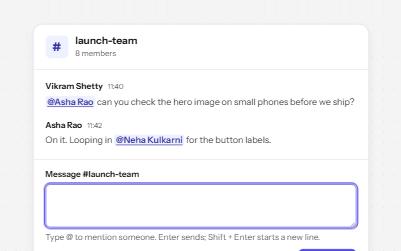
संदेश बॉक्स जहाँ @ लोगों की छँटी हुई सूची खोलता है, जिनमें से कीबोर्ड से चुना जाता है, और मेंशन हर व्यक्ति की लिंक बनकर भेजे जाते हैं।
-
और लोड करने वाली फ़ीड
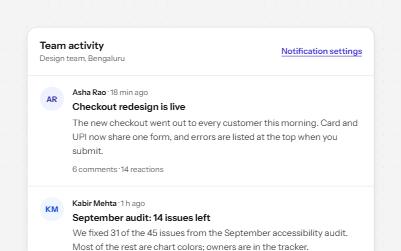
पोस्ट की एक धारा जिसे लोग क्रम से पढ़ते हैं, पोस्ट-दर-पोस्ट चलने की कीज़, और लोड करें बटन, और इंतज़ार करती नई पोस्ट के साथ।
-
स्टेटस मैसेज
नतीजे, पुष्टियाँ और सेव role=status के ज़रिए स्क्रीन रीडर को बताए जाते हैं, फ़ोकस हिलाए बिना, हर बार एक ही बार।
-
अक्षर गिनती वाला टेक्स्ट एरिया
दिखती अक्षर गिनती वाला टेक्स्ट एरिया, जो सिर्फ़ तय पड़ावों पर बोलता है, टेक्स्ट कभी नहीं काटता, और सीमा पार होने पर भेजना रोक देता है।