मीरा अय्यर
हमने आज नया चेकआउट लॉन्च कर दिया। पिछले हफ़्ते धीमे नेटवर्क पर इसे जाँचने वाले सभी लोगों का धन्यवाद।
चेकआउट v2: रिलीज़ नोट्ससुलभता पैटर्न · संवाद
हर प्रतिक्रिया aria-pressed वाला टॉगल बटन है, जिसका नाम शब्दों में उसकी गिनती के साथ है, जबकि ख़ुद इमोजी स्क्रीन रीडर से छिपा है ताकि वह दो बार न पढ़ा जाए। प्रतिक्रिया जोड़ें इमोजी का एक ग्रिड खोलता है जिसमें ऐरो कुंजियाँ चलती हैं और नाम टाइप करने से सीधे पहुँचा जा सकता है; किसने प्रतिक्रिया दी, यह होवर और कीबोर्ड फ़ोकस पर दिखता है।
लाइव डेमो
इसे माउस, कीबोर्ड या स्क्रीन रीडर से इस्तेमाल करें। साथ का इंस्पेक्टर दिखाता है कि आपके इस्तेमाल के दौरान ब्राउज़र सहायक तकनीक को क्या बताता है: फ़ोकस, स्थिति में बदलाव और घोषणाएँ।
हमने आज नया चेकआउट लॉन्च कर दिया। पिछले हफ़्ते धीमे नेटवर्क पर इसे जाँचने वाले सभी लोगों का धन्यवाद।
चेकआउट v2: रिलीज़ नोट्सजावास्क्रिप्ट के बिना डेमो उतना ही काम करता है जितना उसका एचटीएमएल; इंस्पेक्टर के लिए जावास्क्रिप्ट चाहिए।
कीबोर्ड
हर क्रिया पॉइंटर के बिना काम करती है।
| कुंजी | यह क्या करती है |
|---|---|
| Tab | प्रतिक्रियाओं से होकर प्रतिक्रिया जोड़ें पर जाता है; हर प्रतिक्रिया फ़ोकस रहते हुए दिखाती है कि किसने प्रतिक्रिया दी। |
| EnterयाSpace | किसी प्रतिक्रिया पर, आपकी प्रतिक्रिया जोड़ता या हटाता है और गिनती अपडेट करता है। प्रतिक्रिया जोड़ें पर, पिकर खोलता है। |
| Arrow LeftयाArrow RightयाArrow UpयाArrow Down | पिकर में, इमोजी ग्रिड में एक-एक करके, या एक पंक्ति से चलता है। |
| A–Z | पिकर में, अगले उस इमोजी पर पहुँचता है जिसका नाम टाइप किए गए अक्षरों से शुरू होता है। |
| HomeयाEnd | पिकर में, पहले या आख़िरी इमोजी पर जाता है। |
| Escape | पिकर बंद करता है और फ़ोकस प्रतिक्रिया जोड़ें पर लौटाता है; किसी प्रतिक्रिया पर, किसने प्रतिक्रिया दी वाली सूची छिपाता है। |
स्क्रीन रीडर
मार्कअप की भूमिकाओं, नामों और स्थितियों से लिखा गया।
| कब | अपेक्षित घोषणा |
|---|---|
| Tab किसी प्रतिक्रिया पर पहुँचता है | अंगूठा ऊपर, 12 प्रतिक्रियाएँ, टॉगल बटन, दबा नहीं। आशा राव, विक्रम शेट्टी और 10 अन्य |
| Enter आपकी प्रतिक्रिया जोड़ता है | दबा हुआ। अंगूठा ऊपर, 13 प्रतिक्रियाएँ, आपने प्रतिक्रिया दी |
| प्रतिक्रिया जोड़ें पर Enter | एक प्रतिक्रिया जोड़ें, डायलॉग। इमोजी, सूची बॉक्स। अंगूठा ऊपर, चुना हुआ, 12 में से 1 |
| पिकर में "ro" टाइप करना | रॉकेट, चुना हुआ, 12 में से 9 |
| Enter उसे चुनता है | रॉकेट, 1 प्रतिक्रिया, आपने प्रतिक्रिया दी (फ़ोकस वापस प्रतिक्रिया जोड़ें पर) |
ये अपेक्षित घोषणाएँ हैं, रिकॉर्डिंग नहीं। स्क्रीन रीडर और ब्राउज़र के हिसाब से शब्द और क्रम बदलते हैं।
कोड
वही फ़ाइलें जिन पर यह डेमो चलता है। स्टाइल एक प्रीफ़िक्स के साथ परोसी जाती हैं जो इस साइट की अपनी स्टाइल को डेमो से दूर रखता है; आप जो कॉपी करते हैं वह मूल है।
<article class="ap-reactions" data-ap-reactions aria-labelledby="rx-author">
  <div class="ap-reactions__top">
    <span class="ap-reactions__avatar" aria-hidden="true" translate="no">MI</span>
    <div>
      <h3 class="ap-reactions__author" id="rx-author">Meera Iyer</h3>
      <p class="ap-reactions__meta">Design lead · <time datetime="2026-10-05T10:15+05:30">2 hours ago</time></p>
    </div>
  </div>
  <p class="ap-reactions__text">We shipped the new checkout today. Thank you to everyone who tested it on slow networks last week.</p>
  <a class="ap-reactions__link" href="#reactions-notes">
    <span class="ap-reactions__doc" aria-hidden="true"><svg viewBox="0 0 24 24" focusable="false"><path d="M7 3h7l5 5v13H7Z"/><path d="M14 3v5h5"/><path d="M10 13h6M10 17h4"/></svg></span>
    <span><span class="ap-reactions__doc-name">Checkout v2: release notes</span><span class="ap-reactions__doc-meta">Docs · 4 min read</span></span>
  </a>

  <div class="ap-reactions__bar" role="group" aria-label="Reactions">
    <div class="ap-reactions__item">
      <button type="button" class="ap-reactions__chip" data-ap-rx-chip="Thumbs up" aria-pressed="false" aria-label="Thumbs up, 12 reactions" aria-describedby="rx-tip-thumbs-up">
        <span class="ap-reactions__emoji" aria-hidden="true">👍</span>
        <span class="ap-reactions__n">12</span>
      </button>
      <span class="ap-reactions__tip" role="tooltip" id="rx-tip-thumbs-up" data-off="Asha Rao, Vikram Shetty and 10 others" data-on="You, Asha Rao, Vikram Shetty and 10 others" hidden>Asha Rao, Vikram Shetty and 10 others</span>
    </div>
    <div class="ap-reactions__item">
      <button type="button" class="ap-reactions__chip" data-ap-rx-chip="Red heart" aria-pressed="true" aria-label="Red heart, 8 reactions, you reacted" aria-describedby="rx-tip-red-heart">
        <span class="ap-reactions__emoji" aria-hidden="true">❤️</span>
        <span class="ap-reactions__n">8</span>
      </button>
      <span class="ap-reactions__tip" role="tooltip" id="rx-tip-red-heart" data-off="Neha Kulkarni, Rohan Mehta and 5 others" data-on="You, Neha Kulkarni, Rohan Mehta and 5 others" hidden>You, Neha Kulkarni, Rohan Mehta and 5 others</span>
    </div>
    <div class="ap-reactions__item">
      <button type="button" class="ap-reactions__chip" data-ap-rx-chip="Party popper" aria-pressed="false" aria-label="Party popper, 5 reactions" aria-describedby="rx-tip-party-popper">
        <span class="ap-reactions__emoji" aria-hidden="true">🎉</span>
        <span class="ap-reactions__n">5</span>
      </button>
      <span class="ap-reactions__tip" role="tooltip" id="rx-tip-party-popper" data-off="Rohan Mehta, Asha Rao and 3 others" data-on="You, Rohan Mehta, Asha Rao and 3 others" hidden>Rohan Mehta, Asha Rao and 3 others</span>
    </div>
    <div class="ap-reactions__item">
      <button type="button" class="ap-reactions__chip" data-ap-rx-chip="Eyes" aria-pressed="false" aria-label="Eyes, 2 reactions" aria-describedby="rx-tip-eyes">
        <span class="ap-reactions__emoji" aria-hidden="true">👀</span>
        <span class="ap-reactions__n">2</span>
      </button>
      <span class="ap-reactions__tip" role="tooltip" id="rx-tip-eyes" data-off="Vikram Shetty and Neha Kulkarni" data-on="You, Vikram Shetty and Neha Kulkarni" hidden>Vikram Shetty and Neha Kulkarni</span>
    </div>
    <div class="ap-reactions__item">
      <button type="button" class="ap-reactions__add" data-ap-rx-add aria-haspopup="dialog" aria-expanded="false" aria-controls="rx-picker" aria-label="Add reaction">
        <svg viewBox="0 0 24 24" aria-hidden="true" focusable="false"><path d="M20.5 11.5a8.5 8.5 0 1 1-8-8.5"/><path d="M9 14.5a4 4 0 0 0 6 0"/><path d="M9 9.5h.01M15 9.5h.01"/><path d="M19 2v6M16 5h6"/></svg>
      </button>
      <span class="ap-reactions__tip ap-reactions__tip--add" aria-hidden="true">Add reaction</span>
      <dialog class="ap-reactions__picker" id="rx-picker" aria-labelledby="rx-picker-name">
        <div class="ap-reactions__phead">
          <h4 class="ap-reactions__pname" id="rx-picker-name">Add a reaction</h4>
          <p class="ap-reactions__hint" id="rx-hint">Arrow keys move. Type a name to jump.</p>
        </div>
        <ul class="ap-reactions__grid" role="listbox" aria-label="Emoji" aria-describedby="rx-hint" tabindex="0" autofocus>
            <li class="ap-reactions__opt" role="option" id="rx-o-thumbs-up" aria-selected="false" data-glyph="👍" data-en="Thumbs up"><span aria-hidden="true">👍</span><span class="ap-reactions__vh">Thumbs up</span></li>
            <li class="ap-reactions__opt" role="option" id="rx-o-thumbs-down" aria-selected="false" data-glyph="👎" data-en="Thumbs down"><span aria-hidden="true">👎</span><span class="ap-reactions__vh">Thumbs down</span></li>
            <li class="ap-reactions__opt" role="option" id="rx-o-red-heart" aria-selected="false" data-glyph="❤️" data-en="Red heart"><span aria-hidden="true">❤️</span><span class="ap-reactions__vh">Red heart</span></li>
            <li class="ap-reactions__opt" role="option" id="rx-o-laughing" aria-selected="false" data-glyph="😂" data-en="Laughing"><span aria-hidden="true">😂</span><span class="ap-reactions__vh">Laughing</span></li>
            <li class="ap-reactions__opt" role="option" id="rx-o-party-popper" aria-selected="false" data-glyph="🎉" data-en="Party popper"><span aria-hidden="true">🎉</span><span class="ap-reactions__vh">Party popper</span></li>
            <li class="ap-reactions__opt" role="option" id="rx-o-clapping-hands" aria-selected="false" data-glyph="👏" data-en="Clapping hands"><span aria-hidden="true">👏</span><span class="ap-reactions__vh">Clapping hands</span></li>
            <li class="ap-reactions__opt" role="option" id="rx-o-fire" aria-selected="false" data-glyph="🔥" data-en="Fire"><span aria-hidden="true">🔥</span><span class="ap-reactions__vh">Fire</span></li>
            <li class="ap-reactions__opt" role="option" id="rx-o-eyes" aria-selected="false" data-glyph="👀" data-en="Eyes"><span aria-hidden="true">👀</span><span class="ap-reactions__vh">Eyes</span></li>
            <li class="ap-reactions__opt" role="option" id="rx-o-rocket" aria-selected="false" data-glyph="🚀" data-en="Rocket"><span aria-hidden="true">🚀</span><span class="ap-reactions__vh">Rocket</span></li>
            <li class="ap-reactions__opt" role="option" id="rx-o-thank-you" aria-selected="false" data-glyph="🙏" data-en="Thank you"><span aria-hidden="true">🙏</span><span class="ap-reactions__vh">Thank you</span></li>
            <li class="ap-reactions__opt" role="option" id="rx-o-tea" aria-selected="false" data-glyph="☕" data-en="Tea"><span aria-hidden="true">☕</span><span class="ap-reactions__vh">Tea</span></li>
            <li class="ap-reactions__opt" role="option" id="rx-o-done" aria-selected="false" data-glyph="✅" data-en="Done"><span aria-hidden="true">✅</span><span class="ap-reactions__vh">Done</span></li>
        </ul>
        <p class="ap-reactions__preview" aria-hidden="true"><span class="ap-reactions__big" data-ap-rx-big>👍</span><span data-ap-rx-name>Thumbs up</span></p>
      </dialog>
    </div>
  </div>
  <p class="ap-reactions__vh" aria-live="polite" data-ap-rx-say></p>
</article>
/* Emoji reactions. Uses the --ap-* design tokens. */
.ap-reactions {
  width: min(100%, 540px);
  margin-inline: auto;
  padding: 22px 24px 20px;
  border: 1px solid var(--ap-border);
  border-radius: var(--ap-radius-lg);
  background: var(--ap-surface);
  color: var(--ap-text);
  box-shadow: var(--ap-shadow-md);
  container-type: inline-size;
}
.ap-reactions [hidden] {
  display: none !important;
}

/* The post */
.ap-reactions__top {
  display: flex;
  align-items: center;
  gap: 12px;
}
.ap-reactions__avatar {
  display: grid;
  place-items: center;
  flex-shrink: 0;
  width: 42px;
  height: 42px;
  border-radius: var(--ap-radius-full);
  background: var(--ap-accent-soft);
  color: var(--ap-accent-soft-text);
  font-size: .8125rem;
  font-weight: 700;
}
.ap-reactions__author {
  margin: 0;
  font-size: 1rem;
  font-weight: 650;
  line-height: 1.3;
}
.ap-reactions__meta {
  margin: 2px 0 0;
  color: var(--ap-text-3);
  font-size: .8125rem;
}
.ap-reactions__text {
  margin: 14px 0 0;
  color: var(--ap-text);
  line-height: 1.6;
}
.ap-reactions__link {
  display: flex;
  align-items: center;
  gap: 12px;
  margin-top: 14px;
  padding: 12px 14px;
  border: 1px solid var(--ap-border);
  border-radius: var(--ap-radius);
  color: inherit;
  text-decoration: none;
  transition: background-color var(--ap-duration) var(--ap-ease);
}
.ap-reactions__link:hover {
  background: var(--ap-surface-2);
}
.ap-reactions__link:focus-visible {
  outline: 2px solid var(--ap-focus);
  outline-offset: 2px;
}
.ap-reactions__doc {
  display: grid;
  place-items: center;
  flex-shrink: 0;
  width: 40px;
  height: 40px;
  border-radius: var(--ap-radius-sm);
  background: var(--ap-surface-2);
  color: var(--ap-text-2);
}
.ap-reactions__doc svg {
  width: 20px;
  height: 20px;
  fill: none;
  stroke: currentColor;
  stroke-width: 1.8;
  stroke-linecap: round;
  stroke-linejoin: round;
}
.ap-reactions__doc-name {
  display: block;
  color: var(--ap-accent-text);
  font-weight: 600;
  text-decoration: underline;
  text-underline-offset: 3px;
}
.ap-reactions__doc-meta {
  display: block;
  margin-top: 1px;
  color: var(--ap-text-3);
  font-size: .8125rem;
}

/* The reaction bar */
.ap-reactions__bar {
  display: flex;
  flex-wrap: wrap;
  align-items: center;
  gap: 8px;
  margin-top: 16px;
  padding-top: 14px;
  border-top: 1px solid var(--ap-border);
}
.ap-reactions__item {
  position: relative;
}
.ap-reactions__chip {
  display: inline-flex;
  align-items: center;
  gap: 6px;
  min-height: 36px;
  padding: 0 12px 0 10px;
  border: 1px solid var(--ap-border);
  border-radius: var(--ap-radius-full);
  background: var(--ap-surface-2);
  color: var(--ap-text-2);
  font: inherit;
  font-size: .875rem;
  cursor: pointer;
  transition: background-color var(--ap-duration) var(--ap-ease), border-color var(--ap-duration) var(--ap-ease);
}
.ap-reactions__chip:hover {
  border-color: var(--ap-border-strong);
}
.ap-reactions__chip:focus-visible,
.ap-reactions__add:focus-visible {
  outline: 2px solid var(--ap-focus);
  outline-offset: 2px;
}
/* Yours: tint, a thicker border and a bold count, not the tint alone */
.ap-reactions__chip[aria-pressed="true"] {
  border: 2px solid var(--ap-accent);
  padding: 0 11px 0 9px;
  background: var(--ap-accent-soft);
  color: var(--ap-accent-soft-text);
}
.ap-reactions__emoji {
  font-size: 1.0625rem;
  line-height: 1;
}
.ap-reactions__n {
  min-width: 1ch;
  font-weight: 600;
  font-variant-numeric: tabular-nums;
}
.ap-reactions__chip[aria-pressed="true"] .ap-reactions__n {
  font-weight: 750;
}
.ap-reactions__add {
  display: grid;
  place-items: center;
  width: 36px;
  height: 36px;
  padding: 0;
  border: 1px dashed var(--ap-border-strong);
  border-radius: var(--ap-radius-full);
  background: transparent;
  color: var(--ap-text-2);
  cursor: pointer;
}
.ap-reactions__add:hover,
.ap-reactions__add[aria-expanded="true"] {
  border-style: solid;
  background: var(--ap-surface-2);
  color: var(--ap-text);
}
.ap-reactions__add svg {
  width: 20px;
  height: 20px;
  fill: none;
  stroke: currentColor;
  stroke-width: 1.9;
  stroke-linecap: round;
  stroke-linejoin: round;
}

/* Who reacted, and the Add reaction label */
.ap-reactions__tip {
  position: absolute;
  bottom: calc(100% + 8px);
  left: 0;
  z-index: 30;
  width: max-content;
  max-width: 280px;
  padding: 6px 10px;
  border-radius: var(--ap-radius-sm);
  background: var(--ap-text);
  color: var(--ap-surface);
  font-size: .8125rem;
  font-weight: 500;
  line-height: 1.4;
  box-shadow: var(--ap-shadow-md);
}
.ap-reactions__tip--add {
  display: none;
  left: 50%;
  white-space: nowrap;
  transform: translateX(-50%);
  pointer-events: none;
}
.ap-reactions__add:is(:hover, :focus-visible):not([aria-expanded="true"]) + .ap-reactions__tip--add {
  display: block;
}

/* The picker: a dialog opened with show(), above the bar */
.ap-reactions__picker {
  position: absolute;
  inset: auto auto calc(100% + 10px) 0;
  z-index: 40;
  display: none;
  width: 292px;
  max-width: none;
  margin: 0;
  padding: 12px 12px 10px;
  border: 1px solid var(--ap-border);
  border-radius: var(--ap-radius-lg);
  background: var(--ap-surface);
  color: var(--ap-text);
  box-shadow: var(--ap-shadow-lg);
}
.ap-reactions__picker[open] {
  display: block;
  animation: ap-reactions-in 160ms var(--ap-ease);
}
.ap-reactions__picker[data-side="bottom"] {
  top: calc(100% + 10px);
  bottom: auto;
}
.ap-reactions__pname {
  margin: 0;
  font-size: .9375rem;
  font-weight: 650;
}
.ap-reactions__hint {
  margin: 2px 0 0;
  color: var(--ap-text-3);
  font-size: .8125rem;
}
.ap-reactions__grid {
  display: grid;
  grid-template-columns: repeat(6, 40px);
  justify-content: space-between;
  gap: 4px;
  margin: 10px 0 8px;
  padding: 2px;
  list-style: none;
  border-radius: var(--ap-radius-sm);
}
.ap-reactions__grid:focus-visible {
  outline: 2px solid var(--ap-focus);
  outline-offset: 2px;
}
.ap-reactions__opt {
  display: grid;
  place-items: center;
  width: 40px;
  height: 40px;
  border-radius: var(--ap-radius-sm);
  font-size: 1.375rem;
  line-height: 1;
  cursor: pointer;
}
.ap-reactions__opt:hover {
  background: var(--ap-surface-2);
}
.ap-reactions__opt[aria-selected="true"] {
  background: var(--ap-accent-soft);
  box-shadow: inset 0 0 0 2px var(--ap-accent);
}
.ap-reactions__preview {
  display: flex;
  align-items: center;
  gap: 10px;
  min-height: 40px;
  margin: 0;
  padding-top: 8px;
  border-top: 1px solid var(--ap-border);
  color: var(--ap-text);
  font-size: .9375rem;
  font-weight: 600;
}
.ap-reactions__big {
  font-size: 1.625rem;
  line-height: 1;
}

.ap-reactions__vh {
  position: absolute;
  width: 1px;
  height: 1px;
  margin: -1px;
  padding: 0;
  overflow: hidden;
  clip-path: inset(50%);
  white-space: nowrap;
}

@keyframes ap-reactions-in {
  from { opacity: 0; transform: translateY(6px) scale(.98); }
}

@container (max-width: 420px) {
  .ap-reactions { padding: 18px 16px 16px; }
  .ap-reactions__picker { width: min(292px, calc(100cqi - 8px)); }
}

@media (prefers-reduced-motion: reduce) {
  .ap-reactions__picker[open] { animation: none; }
  .ap-reactions__chip,
  .ap-reactions__link { transition: none; }
}

@media (forced-colors: active) {
  .ap-reactions__opt[aria-selected="true"] { outline: 2px solid Highlight; }
  .ap-reactions__tip { border: 1px solid CanvasText; }
}
/**
 * Emoji reactions: toggle buttons (aria-pressed) named with the emoji's
 * meaning and the count, the emoji itself aria-hidden; who reacted in a
 * tooltip shown on hover and focus; and an Add reaction picker, a dialog
 * holding a listbox with arrow keys, Home, End and type-to-find.
 *
 * Markup: [data-ap-reactions] holding a role=group bar of
 * .ap-reactions__item > button[data-ap-rx-chip][aria-pressed] (emoji and
 * .ap-reactions__n count) + span[role=tooltip][data-on][data-off], an Add
 * button[data-ap-rx-add] with a dialog > ul[role=listbox] of li[role=option]
 * (data-glyph, data-en), and a polite region [data-ap-rx-say].
 */

const COLUMNS = 6;     // the picker grid, as drawn in the CSS
const SETTLE = 450;    // ms of quiet before a count is announced
const TYPE_RESET = 700; // ms before typed letters start a new search

// One string per name and count, so translations can order the words.
const labelFor = (name, n, mine) => `${name}, ${n} ${n === 1 ? "reaction" : "reactions"}${mine ? ", you reacted" : ""}`;

export function init(root) {
  const ac = new AbortController();
  const on = (target, type, fn, opts) => target.addEventListener(type, fn, { ...opts, signal: ac.signal });
  const bar = root.querySelector("[role=group]");
  const add = root.querySelector("[data-ap-rx-add]");
  const addItem = add.closest(".ap-reactions__item");
  const picker = root.querySelector("dialog");
  const grid = picker.querySelector("[role=listbox]");
  const options = [...grid.querySelectorAll("[role=option]")];
  const big = picker.querySelector("[data-ap-rx-big]");
  const bigName = picker.querySelector("[data-ap-rx-name]");
  const say = root.querySelector("[data-ap-rx-say]");
  const model = bar.querySelector(".ap-reactions__item")?.cloneNode(true);
  let active = options[0];
  let typed = "";
  let typedAt = 0;
  let sayTimer = 0;
  let hideTimer = 0;

  const chips = () => [...bar.querySelectorAll("[data-ap-rx-chip]")];
  const nameOf = (option) => option.querySelector(".ap-reactions__vh").textContent.trim();
  const tipOf = (chip) => chip.closest(".ap-reactions__item").querySelector("[role=tooltip]");

  function speak(text) {
    clearTimeout(sayTimer);
    sayTimer = setTimeout(() => {
      say.textContent = "";
      requestAnimationFrame(() => { say.textContent = text; });
    }, SETTLE);
  }

  /* ── Who reacted: shown on hover and focus, dismissed with Escape ── */
  function place(tip, anchor) {
    const box = root.getBoundingClientRect();
    const a = anchor.getBoundingClientRect();
    const item = anchor.closest(".ap-reactions__item").getBoundingClientRect();
    const width = tip.offsetWidth;
    const left = Math.min(Math.max(a.left + a.width / 2 - width / 2, box.left + 8), box.right - 8 - width);
    tip.style.left = `${Math.round(left - item.left)}px`;
  }

  function showTip(chip) {
    clearTimeout(hideTimer);
    for (const other of chips()) if (other !== chip) tipOf(other).hidden = true;
    if (picker.open) return;
    const tip = tipOf(chip);
    tip.hidden = false;
    place(tip, chip);
  }

  function hideTip(chip, later) {
    clearTimeout(hideTimer);
    const tip = tipOf(chip);
    if (later) hideTimer = setTimeout(() => { tip.hidden = true; }, 150);
    else tip.hidden = true;
  }

  /* ── Toggling a reaction ── */
  function paint(chip, count, mine) {
    chip.setAttribute("aria-pressed", String(mine));
    chip.setAttribute("aria-label", labelFor(chip.dataset.apRxChip, count, mine));
    chip.querySelector(".ap-reactions__n").textContent = String(count);
    const tip = tipOf(chip);
    tip.textContent = mine ? tip.dataset.on : tip.dataset.off;
  }

  function toggle(chip) {
    const mine = chip.getAttribute("aria-pressed") !== "true";
    const count = Number(chip.querySelector(".ap-reactions__n").textContent) + (mine ? 1 : -1);
    if (count === 0) {
      // Nobody else reacted with it: the reaction goes, and focus moves on.
      const hadFocus = chip === document.activeElement;
      chip.closest(".ap-reactions__item").remove();
      if (hadFocus) add.focus();
      speak("Reaction removed");
      return;
    }
    paint(chip, count, mine);
    if (!tipOf(chip).hidden) place(tipOf(chip), chip);
    speak(chip.getAttribute("aria-label"));
  }

  function newChip(option) {
    const item = model.cloneNode(true);
    const name = option.dataset.en;
    const chip = item.querySelector("button");
    const tip = item.querySelector("[role=tooltip]");
    tip.id = `rx-tip-${option.id.slice(5)}`;
    tip.dataset.on = "You reacted";
    tip.dataset.off = "";
    tip.hidden = true;
    chip.setAttribute("aria-describedby", tip.id);
    chip.dataset.apRxChip = name;
    chip.querySelector(".ap-reactions__emoji").textContent = option.dataset.glyph;
    paint(chip, 1, true);
    addItem.before(item);
    return chip;
  }

  /* ── The picker ── */
  function setActive(option) {
    active = option;
    for (const o of options) {
      const on = String(o === option);
      if (o.getAttribute("aria-selected") !== on) o.setAttribute("aria-selected", on);
    }
    if (grid.getAttribute("aria-activedescendant") !== option.id) grid.setAttribute("aria-activedescendant", option.id);
    big.textContent = option.dataset.glyph;
    bigName.textContent = nameOf(option);
    option.scrollIntoView({ block: "nearest" });
  }

  function openPicker() {
    for (const chip of chips()) hideTip(chip);
    picker.show();
    add.setAttribute("aria-expanded", "true");
    const box = root.getBoundingClientRect();
    const item = addItem.getBoundingClientRect();
    const width = picker.offsetWidth;
    const left = Math.min(Math.max(item.left, box.left + 8), box.right - 8 - width);
    picker.style.left = `${Math.round(left - item.left)}px`;
    // Above the bar when it fits on screen, otherwise below it.
    picker.dataset.side = item.top - picker.offsetHeight - 10 >= 8 ? "top" : "bottom";
    typed = "";
    setActive(active);
    if (document.activeElement !== grid) grid.focus();
  }

  function closePicker(returnFocus) {
    if (!picker.open) return;
    picker.close();
    add.setAttribute("aria-expanded", "false");
    if (returnFocus) add.focus();
  }

  function choose(option) {
    closePicker(true);
    const existing = chips().find((c) => c.dataset.apRxChip === option.dataset.en);
    if (existing) toggle(existing);
    else speak(newChip(option).getAttribute("aria-label"));
  }

  // Type-to-find: the next name starting with the letters typed so far.
  function find(key) {
    const now = Date.now();
    typed = now - typedAt > TYPE_RESET ? key : typed + key;
    typedAt = now;
    const query = typed.toLocaleLowerCase();
    // One letter pressed again moves on to the next match; more letters refine this one.
    const repeat = query.length > 1 && [...query].every((c) => c === query[0]);
    const from = options.indexOf(active) + (query.length === 1 || repeat ? 1 : 0);
    const needle = repeat ? query[0] : query;
    for (let i = 0; i < options.length; i++) {
      const option = options[(from + i) % options.length];
      if (nameOf(option).toLocaleLowerCase().startsWith(needle) || option.dataset.en.toLowerCase().startsWith(needle)) {
        setActive(option);
        return;
      }
    }
  }

  function onGridKeydown(event) {
    const at = options.indexOf(active);
    let next = null;
    switch (event.key) {
      case "ArrowRight": next = options[Math.min(at + 1, options.length - 1)]; break;
      case "ArrowLeft": next = options[Math.max(at - 1, 0)]; break;
      case "ArrowDown": next = options[at + COLUMNS] || active; break;
      case "ArrowUp": next = options[at - COLUMNS] || active; break;
      case "Home": next = options[0]; break;
      case "End": next = options[options.length - 1]; break;
      case "Enter":
      case " ":
        if (event.key === " " && typed && Date.now() - typedAt < TYPE_RESET) {
          // A space inside a name being typed ("OK hand") keeps searching.
          event.preventDefault();
          find(" ");
          return;
        }
        event.preventDefault();
        choose(active);
        return;
      default:
        if (event.key.length === 1 && !event.ctrlKey && !event.metaKey && !event.altKey) {
          event.preventDefault();
          find(event.key);
        }
        return;
    }
    event.preventDefault();
    setActive(next);
  }

  /* ── Wiring ── */
  function onClick(event) {
    const chip = event.target.closest("[data-ap-rx-chip]");
    if (chip) return toggle(chip);
    if (event.target.closest("[data-ap-rx-add]")) return picker.open ? closePicker(true) : openPicker();
    const option = event.target.closest("[role=option]");
    if (option) return choose(option);
    return undefined;
  }

  function onKeydown(event) {
    if (event.key !== "Escape") return;
    if (picker.open) {
      event.preventDefault();
      closePicker(true);
      return;
    }
    const chip = event.target.closest?.("[data-ap-rx-chip]");
    if (chip && !tipOf(chip).hidden) {
      event.preventDefault();
      hideTip(chip);
    }
  }

  function onOver(event) {
    const chip = event.target.closest("[data-ap-rx-chip]");
    if (chip) showTip(chip);
    else if (event.target.closest("[role=tooltip]")) clearTimeout(hideTimer); // the pointer moved onto it
  }

  function onOut(event) {
    const from = event.target.closest("[data-ap-rx-chip], [role=tooltip]");
    if (!from || from.contains(event.relatedTarget)) return;
    const item = from.closest(".ap-reactions__item");
    const chip = item.querySelector("[data-ap-rx-chip]");
    if (chip && chip !== document.activeElement) hideTip(chip, true);
  }

  function onFocusin(event) {
    const chip = event.target.closest("[data-ap-rx-chip]");
    if (chip) showTip(chip);
  }

  function onFocusout(event) {
    const chip = event.target.closest("[data-ap-rx-chip]");
    if (chip) hideTip(chip);
    if (picker.open && picker.contains(event.target) && !picker.contains(event.relatedTarget) && event.relatedTarget !== add) {
      closePicker(false);
    }
  }

  function onPointerdown(event) {
    if (picker.open && !picker.contains(event.target) && !add.contains(event.target)) closePicker(false);
  }

  function onPickerMove(event) {
    const option = event.target.closest("[role=option]");
    if (option && option !== active) setActive(option);
  }

  // Clicking an emoji must not take focus from the listbox first.
  function onPickerMousedown(event) {
    if (event.target.closest("[role=option]")) event.preventDefault();
  }

  on(root, "click", onClick);
  on(root, "keydown", onKeydown);
  on(bar, "mouseover", onOver);
  on(bar, "mouseout", onOut);
  on(bar, "focusin", onFocusin);
  on(bar, "focusout", onFocusout);
  on(grid, "keydown", onGridKeydown);
  on(grid, "mousemove", onPickerMove);
  on(grid, "mousedown", onPickerMousedown);
  on(document, "pointerdown", onPointerdown);

  return () => {
    clearTimeout(sayTimer);
    clearTimeout(hideTimer);
    ac.abort();
    if (picker.open) picker.close();
  };
}

for (const root of document.querySelectorAll("[data-ap-reactions]")) init(root);
/* Design tokens for the pattern components. Light by default, dark when the
   system asks for it; set data-theme="dark" on :root to force dark. */
:root {
    --ap-radius-sm: 8px;
    --ap-radius: 12px;
    --ap-radius-lg: 16px;
    --ap-radius-full: 999px;
    --ap-font: "Instrument Sans", ui-sans-serif, system-ui, -apple-system, "Segoe UI", Roboto, sans-serif;
    --ap-mono: "JetBrains Mono", ui-monospace, "Cascadia Mono", "SF Mono", Consolas, monospace;
    --ap-ease: cubic-bezier(.2, .8, .2, 1);
    --ap-duration: 180ms;
    --ap-target: 44px;
    --ap-bg: #F4F4F5;
    --ap-surface: #FFFFFF;
    --ap-surface-2: #F4F4F5;
    --ap-surface-3: #E4E4E7;
    --ap-border: #E4E4E7;
    --ap-border-strong: #76767F;
    --ap-text: #18181B;
    --ap-text-2: #3F3F46;
    --ap-text-3: #5E5E66;
    --ap-accent: #4F46E5;
    --ap-accent-hover: #4338CA;
    --ap-on-accent: #FFFFFF;
    --ap-accent-text: #4338CA;
    --ap-accent-soft: #EEF2FF;
    --ap-accent-soft-text: #3730A3;
    --ap-focus: #4F46E5;
    --ap-danger: #B91C1C;
    --ap-danger-soft: #FEF2F2;
    --ap-success: #15803D;
    --ap-success-soft: #F0FDF4;
    --ap-warning: #A15C07;
    --ap-warning-soft: #FEFCE8;
    --ap-info: #1D4ED8;
    --ap-info-soft: #EFF6FF;
    --ap-scrim: rgb(9 9 11 / .48);
    --ap-shadow-sm: 0 1px 2px rgb(9 9 11 / .06);
    --ap-shadow-md: 0 1px 2px rgb(9 9 11 / .05), 0 6px 16px -4px rgb(9 9 11 / .1);
    --ap-shadow-lg: 0 2px 6px rgb(9 9 11 / .06), 0 20px 40px -12px rgb(9 9 11 / .22);
    --ap-light-bg: #F4F4F5;
    --ap-light-surface: #FFFFFF;
    --ap-light-surface-2: #F4F4F5;
    --ap-light-surface-3: #E4E4E7;
    --ap-light-border: #E4E4E7;
    --ap-light-border-strong: #76767F;
    --ap-light-text: #18181B;
    --ap-light-text-2: #3F3F46;
    --ap-light-text-3: #5E5E66;
    --ap-light-accent: #4F46E5;
    --ap-light-accent-hover: #4338CA;
    --ap-light-on-accent: #FFFFFF;
    --ap-light-accent-text: #4338CA;
    --ap-light-accent-soft: #EEF2FF;
    --ap-light-accent-soft-text: #3730A3;
    --ap-light-focus: #4F46E5;
    --ap-light-danger: #B91C1C;
    --ap-light-danger-soft: #FEF2F2;
    --ap-light-success: #15803D;
    --ap-light-success-soft: #F0FDF4;
    --ap-light-warning: #A15C07;
    --ap-light-warning-soft: #FEFCE8;
    --ap-light-info: #1D4ED8;
    --ap-light-info-soft: #EFF6FF;
    --ap-light-scrim: rgb(9 9 11 / .48);
    --ap-light-shadow-sm: 0 1px 2px rgb(9 9 11 / .06);
    --ap-light-shadow-md: 0 1px 2px rgb(9 9 11 / .05), 0 6px 16px -4px rgb(9 9 11 / .1);
    --ap-light-shadow-lg: 0 2px 6px rgb(9 9 11 / .06), 0 20px 40px -12px rgb(9 9 11 / .22);
    --ap-dark-bg: #09090B;
    --ap-dark-surface: #18181B;
    --ap-dark-surface-2: #27272A;
    --ap-dark-surface-3: #3F3F46;
    --ap-dark-border: #2E2E33;
    --ap-dark-border-strong: #8E8E97;
    --ap-dark-text: #FAFAFA;
    --ap-dark-text-2: #D4D4D8;
    --ap-dark-text-3: #A1A1AA;
    --ap-dark-accent: #818CF8;
    --ap-dark-accent-hover: #A5B4FC;
    --ap-dark-on-accent: #0C0A1F;
    --ap-dark-accent-text: #A5B4FC;
    --ap-dark-accent-soft: #1E1B4B;
    --ap-dark-accent-soft-text: #C7D2FE;
    --ap-dark-focus: #A5B4FC;
    --ap-dark-danger: #F87171;
    --ap-dark-danger-soft: #2A1215;
    --ap-dark-success: #4ADE80;
    --ap-dark-success-soft: #0F2A1A;
    --ap-dark-warning: #FACC15;
    --ap-dark-warning-soft: #2A2410;
    --ap-dark-info: #60A5FA;
    --ap-dark-info-soft: #0F1D33;
    --ap-dark-scrim: rgb(0 0 0 / .62);
    --ap-dark-shadow-sm: 0 1px 2px rgb(0 0 0 / .4);
    --ap-dark-shadow-md: 0 1px 2px rgb(0 0 0 / .4), 0 8px 20px -6px rgb(0 0 0 / .5);
    --ap-dark-shadow-lg: 0 2px 8px rgb(0 0 0 / .45), 0 24px 48px -12px rgb(0 0 0 / .7);
}
@media (prefers-color-scheme: dark) {
  :root:not([data-theme="light"]) {
      --ap-bg: #09090B;
      --ap-surface: #18181B;
      --ap-surface-2: #27272A;
      --ap-surface-3: #3F3F46;
      --ap-border: #2E2E33;
      --ap-border-strong: #8E8E97;
      --ap-text: #FAFAFA;
      --ap-text-2: #D4D4D8;
      --ap-text-3: #A1A1AA;
      --ap-accent: #818CF8;
      --ap-accent-hover: #A5B4FC;
      --ap-on-accent: #0C0A1F;
      --ap-accent-text: #A5B4FC;
      --ap-accent-soft: #1E1B4B;
      --ap-accent-soft-text: #C7D2FE;
      --ap-focus: #A5B4FC;
      --ap-danger: #F87171;
      --ap-danger-soft: #2A1215;
      --ap-success: #4ADE80;
      --ap-success-soft: #0F2A1A;
      --ap-warning: #FACC15;
      --ap-warning-soft: #2A2410;
      --ap-info: #60A5FA;
      --ap-info-soft: #0F1D33;
      --ap-scrim: rgb(0 0 0 / .62);
      --ap-shadow-sm: 0 1px 2px rgb(0 0 0 / .4);
      --ap-shadow-md: 0 1px 2px rgb(0 0 0 / .4), 0 8px 20px -6px rgb(0 0 0 / .5);
      --ap-shadow-lg: 0 2px 8px rgb(0 0 0 / .45), 0 24px 48px -12px rgb(0 0 0 / .7);
  }
}
:root[data-theme="dark"] {
    --ap-bg: #09090B;
    --ap-surface: #18181B;
    --ap-surface-2: #27272A;
    --ap-surface-3: #3F3F46;
    --ap-border: #2E2E33;
    --ap-border-strong: #8E8E97;
    --ap-text: #FAFAFA;
    --ap-text-2: #D4D4D8;
    --ap-text-3: #A1A1AA;
    --ap-accent: #818CF8;
    --ap-accent-hover: #A5B4FC;
    --ap-on-accent: #0C0A1F;
    --ap-accent-text: #A5B4FC;
    --ap-accent-soft: #1E1B4B;
    --ap-accent-soft-text: #C7D2FE;
    --ap-focus: #A5B4FC;
    --ap-danger: #F87171;
    --ap-danger-soft: #2A1215;
    --ap-success: #4ADE80;
    --ap-success-soft: #0F2A1A;
    --ap-warning: #FACC15;
    --ap-warning-soft: #2A2410;
    --ap-info: #60A5FA;
    --ap-info-soft: #0F1D33;
    --ap-scrim: rgb(0 0 0 / .62);
    --ap-shadow-sm: 0 1px 2px rgb(0 0 0 / .4);
    --ap-shadow-md: 0 1px 2px rgb(0 0 0 / .4), 0 8px 20px -6px rgb(0 0 0 / .5);
    --ap-shadow-lg: 0 2px 8px rgb(0 0 0 / .45), 0 24px 48px -12px rgb(0 0 0 / .7);
}
डब्ल्यूसीएजी 2.2
वे सफलता मानदंड जिनका यह पैटर्न ध्यान रखता है, और कैसे।
हर इमोजी aria-hidden है और उसका अर्थ शब्दों में है, इसलिए स्क्रीन रीडर यूनिकोड नाम नहीं, अंगूठा ऊपर कहते हैं, और कभी दो बार नहीं।
आपकी प्रतिक्रियाओं में रंगत के साथ मोटी किनारी और बोल्ड गिनती है, और नाम बताता है कि आपने प्रतिक्रिया दी।
किसने प्रतिक्रिया दी, यह होवर और कीबोर्ड फ़ोकस पर दिखता है, पॉइंटर उस पर ले जाने तक बना रहता है, और Escape उसे छिपाता है।
टॉगल करना, पिकर खोलना, उसमें चलना, नाम से ढूँढना और चुनना, सब कीबोर्ड से होता है।
हर प्रतिक्रिया के नाम में वही गिनती है जो वह दिखाती है, इसलिए आवाज़ से चलाने वाले वही संख्या बोल सकते हैं जो उन्हें दिखती है।
प्रतिक्रियाएँ aria-pressed वाले टॉगल बटन हैं; पिकर एक डायलॉग है जिसमें लिस्टबॉक्स है, और उसका सक्रिय इमोजी aria-activedescendant से तय होता है।
दबाना रुकने पर नई गिनती एक विनम्र लाइव क्षेत्र में लिखी जाती है, इसलिए वह संक्षेप में और एक बार पढ़ी जाती है।
उपयोग
आम विफलताएँ
बिना नाम का 👍 12 वाला बटन "thumbs up sign 12" या उससे बुरा पढ़ा जाता है। यहाँ इमोजी aria-hidden है और नाम कहता है अंगूठा ऊपर, 12 प्रतिक्रियाएँ।
हल्का नीला चिप कई लोगों को नहीं दिखता। यहाँ आपकी प्रतिक्रियाओं में मोटी किनारी, बोल्ड गिनती और aria-pressed भी है।
title एट्रिब्यूट या होवर कार्ड कीबोर्ड और टच इस्तेमाल करने वालों को बाहर छोड़ देता है। यहाँ सूची फ़ोकस पर भी दिखती है और बटन का विवरण है।
इमोजी span का ऐसा ग्रिड जिस पर फ़ोकस न हो सके, पहुँच से बाहर है। यह ऐरो कुंजियों, Home, End और टाइप करके ढूँढने वाला लिस्टबॉक्स है।
जल्दी-जल्दी टॉगल करने से संख्याओं की कतार लग सकती है। लाइव संदेश दबाना रुकने तक इंतज़ार करता है और आख़िरी गिनती एक बार कहता है।
फ़ोकस रखे बिना पिकर बंद करना कीबोर्ड इस्तेमाल करने वालों को पेज के ऊपर पहुँचा देता है। फ़ोकस प्रतिक्रिया जोड़ें पर लौटता है।
नोट्स
स्रोत: WAI-एआरआईए ऑथरिंग प्रैक्टिसेज़: बटन (टॉगल) · WAI-एआरआईए ऑथरिंग प्रैक्टिसेज़: लिस्टबॉक्स · WAI-एआरआईए ऑथरिंग प्रैक्टिसेज़: टूलटिप
लाइट और डार्क थीम में, डेस्कटॉप और फ़ोन की चौड़ाई पर axe से और कीबोर्ड से जाँचा गया। अभी हर स्क्रीन रीडर और ब्राउज़र जोड़ी के साथ नहीं परखा गया। सुधार बताएँ
संबंधित
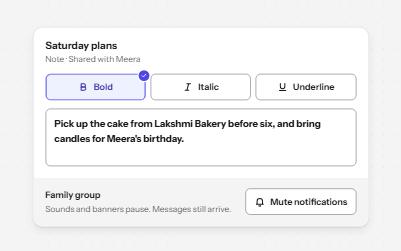
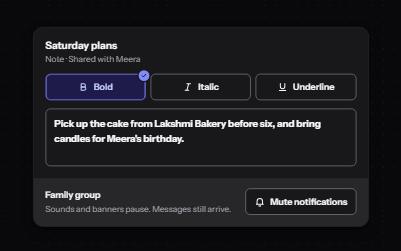
बोल्ड या म्यूट जैसे बटन जो चालू या बंद रहते हैं, जिनकी स्थिति aria-pressed बताता है और लेबल वही रहता है।
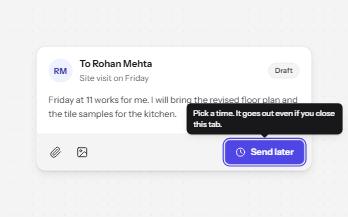
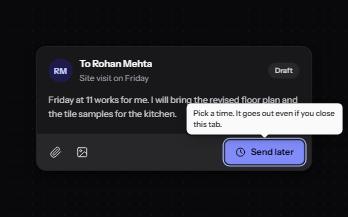
एक छोटा लेबल या संकेत जो होवर और कीबोर्ड फ़ोकस पर दिखता है, पढ़ते समय बना रहता है, और Escape दबाने पर छिप जाता है।
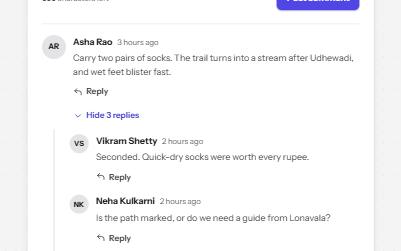
थ्रेड वाली चर्चा, जिसमें जवाब अपनी जगह पर खुलते हैं, थ्रेड समेटे जा सकते हैं, और अपनी टिप्पणियाँ एडिट या डिलीट की जा सकती हैं।
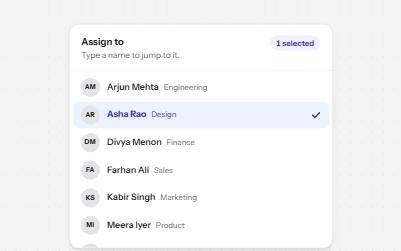
विकल्पों की एक सूची जिसमें से एक या कई चुने जा सकते हैं, ऐरो कुंजियों, टाइप करके पहुँचने और चुने गए की गिनती के साथ।