सुलभता पैटर्न · नेविगेशन
पेजिनेशन
हर लिंक बताता है कि वह कहाँ ले जाता है: "पिछला पेज", "पेज 4", "अगला पेज", और मौजूदा पेज aria-current="page" से चिह्नित है। जब सूची उसी जगह बदलती है, तो एक स्टेटस लाइन "12 में से पेज 4" बताती है और फ़ोकस लिंक पर ही रहता है, ताकि किसी को वापस रास्ता न ढूँढना पड़े।
- डब्ल्यूसीएजी मानदंड
- 6
- कीबोर्ड नियम
- 2
- जाँच का तरीक़ा
- axe, कीबोर्ड और इंस्पेक्टर
लाइव डेमो
आज़माएँ
इसे माउस, कीबोर्ड या स्क्रीन रीडर से इस्तेमाल करें। साथ का इंस्पेक्टर दिखाता है कि आपके इस्तेमाल के दौरान ब्राउज़र सहायक तकनीक को क्या बताता है: फ़ोकस, स्थिति में बदलाव और घोषणाएँ।
आपके ऑर्डर
12 में से पेज 1
- पीतल के दीयों का सेट #40260 ₹649 तैयार हो रहा है
- ताँबे की पानी की बोतल #40253 ₹899 भेजा गया
- चंदन साबुन, 3 का पैक #40246 ₹420 भेजा गया
- बाँस का टेबल लैंप #40239 ₹1,180 पहुँच गया
जावास्क्रिप्ट के बिना डेमो उतना ही काम करता है जितना उसका एचटीएमएल; इंस्पेक्टर के लिए जावास्क्रिप्ट चाहिए।
कीबोर्ड
जिन कुंजियों पर यह काम करता है
हर क्रिया पॉइंटर के बिना काम करती है।
| कुंजी | यह क्या करती है |
|---|---|
| TabयाShiftTab | पिछला, पेज नंबरों और अगला पर बारी-बारी से ले जाता है; तीन बिंदु (…) लिंक नहीं हैं, इसलिए छूट जाते हैं। |
| Enter | फ़ोकस वाले लिंक को खोलता है: सूची वह पेज दिखाती है, स्टेटस लाइन बताती है कि कौन-सा पेज है, और फ़ोकस लिंक पर ही रहता है। |
स्क्रीन रीडर
यह क्या घोषित करता है
मार्कअप की भूमिकाओं, नामों और स्थितियों से लिखा गया।
| कब | अपेक्षित घोषणा |
|---|---|
| Tab मौजूदा पेज तक पहुँचता है | ऑर्डर के पेज, नेविगेशन। सूची। पेज 1, मौजूदा पेज, लिंक |
| Tab आख़िरी लिंक तक पहुँचता है | अगला पेज, लिंक |
| पेज 4 पर Enter | 12 में से पेज 4 |
| सूची बदलने के बाद फ़ोकस | पेज 4, मौजूदा पेज, लिंक |
ये अपेक्षित घोषणाएँ हैं, रिकॉर्डिंग नहीं। स्क्रीन रीडर और ब्राउज़र के हिसाब से शब्द और क्रम बदलते हैं।
कोड
कोड कॉपी करें
वही फ़ाइलें जिन पर यह डेमो चलता है। स्टाइल एक प्रीफ़िक्स के साथ परोसी जाती हैं जो इस साइट की अपनी स्टाइल को डेमो से दूर रखता है; आप जो कॉपी करते हैं वह मूल है।
<div class="ap-pagination" data-ap-pagination data-pages="12">
  <div class="ap-pagination__top">
    <h3 class="ap-pagination__name" id="pg-name">Your orders</h3>
    <p class="ap-pagination__status" role="status"><span>Page</span> <span>1</span> <span>of</span> <span>12</span></p>
  </div>
  <ul class="ap-pagination__orders" aria-labelledby="pg-name">
    <li class="ap-pagination__order">
      <span class="ap-pagination__thumb" aria-hidden="true"><svg class="ap-pagination__box" viewBox="0 0 24 24" aria-hidden="true" focusable="false"><path d="m12 3 8 4.5v9L12 21l-8-4.5v-9Z"/><path d="m4 7.5 8 4.5 8-4.5M12 12v9"/></svg></span>
      <span class="ap-pagination__product">Brass diya set</span>
      <span class="ap-pagination__no" translate="no">#40260</span>
      <span class="ap-pagination__amount">₹649</span>
      <span class="ap-pagination__state ap-pagination__state--processing"><svg class="ap-pagination__state-icon" viewBox="0 0 24 24" aria-hidden="true" focusable="false"><circle cx="12" cy="12" r="8.5"/><path d="M12 7.5V12l3 2"/></svg><span>Processing</span></span>
    </li>
    <li class="ap-pagination__order">
      <span class="ap-pagination__thumb" aria-hidden="true"><svg class="ap-pagination__box" viewBox="0 0 24 24" aria-hidden="true" focusable="false"><path d="m12 3 8 4.5v9L12 21l-8-4.5v-9Z"/><path d="m4 7.5 8 4.5 8-4.5M12 12v9"/></svg></span>
      <span class="ap-pagination__product">Copper water bottle</span>
      <span class="ap-pagination__no" translate="no">#40253</span>
      <span class="ap-pagination__amount">₹899</span>
      <span class="ap-pagination__state ap-pagination__state--shipped"><svg class="ap-pagination__state-icon" viewBox="0 0 24 24" aria-hidden="true" focusable="false"><path d="M3 7h11v9H3z"/><path d="M14 10h4l3 3v3h-7"/><circle cx="7" cy="17.5" r="1.5"/><circle cx="17" cy="17.5" r="1.5"/></svg><span>Shipped</span></span>
    </li>
    <li class="ap-pagination__order">
      <span class="ap-pagination__thumb" aria-hidden="true"><svg class="ap-pagination__box" viewBox="0 0 24 24" aria-hidden="true" focusable="false"><path d="m12 3 8 4.5v9L12 21l-8-4.5v-9Z"/><path d="m4 7.5 8 4.5 8-4.5M12 12v9"/></svg></span>
      <span class="ap-pagination__product">Sandalwood soap, pack of 3</span>
      <span class="ap-pagination__no" translate="no">#40246</span>
      <span class="ap-pagination__amount">₹420</span>
      <span class="ap-pagination__state ap-pagination__state--shipped"><svg class="ap-pagination__state-icon" viewBox="0 0 24 24" aria-hidden="true" focusable="false"><path d="M3 7h11v9H3z"/><path d="M14 10h4l3 3v3h-7"/><circle cx="7" cy="17.5" r="1.5"/><circle cx="17" cy="17.5" r="1.5"/></svg><span>Shipped</span></span>
    </li>
    <li class="ap-pagination__order">
      <span class="ap-pagination__thumb" aria-hidden="true"><svg class="ap-pagination__box" viewBox="0 0 24 24" aria-hidden="true" focusable="false"><path d="m12 3 8 4.5v9L12 21l-8-4.5v-9Z"/><path d="m4 7.5 8 4.5 8-4.5M12 12v9"/></svg></span>
      <span class="ap-pagination__product">Bamboo table lamp</span>
      <span class="ap-pagination__no" translate="no">#40239</span>
      <span class="ap-pagination__amount">₹1,180</span>
      <span class="ap-pagination__state ap-pagination__state--delivered"><svg class="ap-pagination__state-icon" viewBox="0 0 24 24" aria-hidden="true" focusable="false"><path d="m5 12.5 4.5 4.5L19 7.5"/></svg><span>Delivered</span></span>
    </li>
  </ul>
  <nav class="ap-pagination__nav" aria-label="Order pages">
    <ul class="ap-pagination__pages">
      <li class="ap-pagination__edge ap-pagination__edge--prev ap-pagination__edge--off"><a class="ap-pagination__step" href="?page=1" data-step="prev" rel="prev"><svg class="ap-pagination__arrow" viewBox="0 0 24 24" aria-hidden="true" focusable="false"><path d="m15 18-6-6 6-6"/></svg><span>Previous</span><span class="ap-pagination__vh"> page</span></a></li>
      <li class="ap-pagination__num"><a class="ap-pagination__page" href="?page=1" aria-current="page"><span class="ap-pagination__vh">Page </span>1</a></li>
      <li class="ap-pagination__num"><a class="ap-pagination__page" href="?page=2"><span class="ap-pagination__vh">Page </span>2</a></li>
      <li class="ap-pagination__num"><a class="ap-pagination__page" href="?page=3"><span class="ap-pagination__vh">Page </span>3</a></li>
      <li class="ap-pagination__num"><a class="ap-pagination__page" href="?page=4"><span class="ap-pagination__vh">Page </span>4</a></li>
      <li class="ap-pagination__num"><a class="ap-pagination__page" href="?page=5"><span class="ap-pagination__vh">Page </span>5</a></li>
      <li class="ap-pagination__gap" aria-hidden="true">…</li>
      <li class="ap-pagination__num"><a class="ap-pagination__page" href="?page=12"><span class="ap-pagination__vh">Page </span>12</a></li>
      <li class="ap-pagination__count" aria-hidden="true"><span>1</span><span class="ap-pagination__of">/</span><span>12</span></li>
      <li class="ap-pagination__edge ap-pagination__edge--next"><a class="ap-pagination__step" href="?page=2" data-step="next" rel="next"><span>Next</span><span class="ap-pagination__vh"> page</span><svg class="ap-pagination__arrow" viewBox="0 0 24 24" aria-hidden="true" focusable="false"><path d="m9 18 6-6-6-6"/></svg></a></li>
    </ul>
  </nav>
</div>
/* Pagination. Uses the --ap-* design tokens. */
.ap-pagination {
  container-type: inline-size;
  width: min(100%, 620px);
  margin-inline: auto;
  border: 1px solid var(--ap-border);
  border-radius: var(--ap-radius-lg);
  background: var(--ap-surface);
  box-shadow: var(--ap-shadow-md);
  color: var(--ap-text);
}

/* Text that is read out but not shown: "Page" before a number, "page" after Previous. */
.ap-pagination__vh {
  position: absolute;
  width: 1px;
  height: 1px;
  margin: -1px;
  padding: 0;
  overflow: hidden;
  clip-path: inset(50%);
  white-space: nowrap;
  border: 0;
}

/* ── The list ── */
.ap-pagination__top {
  display: flex;
  flex-wrap: wrap;
  align-items: baseline;
  justify-content: space-between;
  gap: 4px 16px;
  padding: 15px 20px 11px;
  border-bottom: 1px solid var(--ap-border);
}
.ap-pagination__name {
  margin: 0;
  font-size: 1.0625rem;
  font-weight: 650;
  line-height: 1.3;
}
.ap-pagination__status {
  margin: 0;
  color: var(--ap-text-3);
  font-size: .875rem;
  font-variant-numeric: tabular-nums;
}

.ap-pagination__orders {
  margin: 0;
  padding: 0;
  list-style: none;
}
.ap-pagination__order {
  display: grid;
  grid-template-columns: 40px minmax(0, 1fr) auto;
  grid-template-areas: "thumb product amount" "thumb no state";
  align-items: center;
  gap: 2px 14px;
  padding: 9px 20px;
}
.ap-pagination__order + .ap-pagination__order {
  border-top: 1px solid var(--ap-border);
}
.ap-pagination__order {
  animation: ap-pagination-in 220ms var(--ap-ease) both;
}
.ap-pagination__thumb {
  grid-area: thumb;
  display: grid;
  place-items: center;
  width: 40px;
  height: 40px;
  border-radius: var(--ap-radius-sm);
  background: var(--ap-surface-2);
  color: var(--ap-text-3);
}
.ap-pagination__box {
  width: 20px;
  height: 20px;
  fill: none;
  stroke: currentColor;
  stroke-width: 1.75;
  stroke-linejoin: round;
}
.ap-pagination__product {
  grid-area: product;
  align-self: end;
  min-width: 0;
  font-weight: 600;
  line-height: 1.35;
  overflow-wrap: anywhere;
}
.ap-pagination__no {
  grid-area: no;
  align-self: start;
  color: var(--ap-text-3);
  font-family: var(--ap-mono);
  font-size: .8125rem;
}
.ap-pagination__amount {
  grid-area: amount;
  align-self: end;
  justify-self: end;
  font-weight: 600;
  font-variant-numeric: tabular-nums;
}
.ap-pagination__state {
  grid-area: state;
  align-self: start;
  justify-self: end;
  display: inline-flex;
  align-items: center;
  gap: 4px;
  padding: 1px 8px 1px 6px;
  border-radius: var(--ap-radius-full);
  font-size: .75rem;
  font-weight: 600;
  white-space: nowrap;
}
.ap-pagination__state-icon {
  width: 13px;
  height: 13px;
  fill: none;
  stroke: currentColor;
  stroke-width: 2.25;
  stroke-linecap: round;
  stroke-linejoin: round;
}
.ap-pagination__state--processing { background: var(--ap-info-soft); color: var(--ap-info); }
.ap-pagination__state--shipped { background: var(--ap-accent-soft); color: var(--ap-accent-soft-text); }
.ap-pagination__state--delivered { background: var(--ap-success-soft); color: var(--ap-success); }
.ap-pagination__state--returned { background: var(--ap-warning-soft); color: var(--ap-warning); }

/* ── The page links ── */
.ap-pagination__nav {
  padding: 8px 12px;
  border-top: 1px solid var(--ap-border);
}
.ap-pagination__pages {
  display: flex;
  align-items: center;
  gap: 4px;
  margin: 0;
  padding: 0;
  list-style: none;
}
/* Previous and Next share the free space equally, so the numbers stay centred. */
.ap-pagination__edge {
  display: flex;
  flex: 1 1 0;
}
.ap-pagination__edge--next {
  justify-content: flex-end;
}
/* No Previous on the first page, no Next on the last. visibility: hidden takes
   the link out of the Tab order and the accessibility tree, but keeps its
   space, so the other arrow and the numbers do not move. */
.ap-pagination__edge--off {
  visibility: hidden;
}

.ap-pagination__step,
.ap-pagination__page {
  display: inline-flex;
  align-items: center;
  justify-content: center;
  min-height: var(--ap-target);
  border-radius: var(--ap-radius-sm);
  color: var(--ap-text);
  text-decoration: none;
  transition: background-color var(--ap-duration) var(--ap-ease), color var(--ap-duration) var(--ap-ease);
}
.ap-pagination__step {
  gap: 6px;
  padding: 0 14px 0 10px;
  font-weight: 600;
}
.ap-pagination__edge--next .ap-pagination__step {
  padding: 0 10px 0 14px;
}
.ap-pagination__page {
  min-width: var(--ap-target);
  padding: 0 6px;
  color: var(--ap-text-2);
  font-weight: 500;
  font-variant-numeric: tabular-nums;
}
.ap-pagination__step:hover,
.ap-pagination__page:hover {
  background: var(--ap-surface-2);
  color: var(--ap-text);
}
.ap-pagination__page[aria-current="page"] {
  background: var(--ap-accent);
  color: var(--ap-on-accent);
  font-weight: 700;
  box-shadow: var(--ap-shadow-sm);
}
.ap-pagination__step:focus-visible,
.ap-pagination__page:focus-visible {
  outline: 2px solid var(--ap-focus);
  outline-offset: 2px;
}
.ap-pagination__arrow {
  width: 18px;
  height: 18px;
  flex-shrink: 0;
  fill: none;
  stroke: currentColor;
  stroke-width: 2;
  stroke-linecap: round;
  stroke-linejoin: round;
}

.ap-pagination__gap {
  display: grid;
  place-items: end center;
  width: 28px;
  height: var(--ap-target);
  padding-bottom: 12px;
  color: var(--ap-text-3);
  letter-spacing: .1em;
}

/* The narrow form: Previous, a count, Next. */
.ap-pagination__count {
  display: none;
  align-items: baseline;
  gap: 6px;
  color: var(--ap-text-2);
  font-weight: 600;
  font-variant-numeric: tabular-nums;
}
.ap-pagination__of {
  color: var(--ap-text-3);
  font-weight: 400;
}

@container (max-width: 560px) {
  .ap-pagination__num,
  .ap-pagination__gap { display: none; }
  .ap-pagination__count { display: inline-flex; }
}
@container (max-width: 400px) {
  .ap-pagination__top,
  .ap-pagination__order { padding-inline: 16px; }
  .ap-pagination__order {
    grid-template-columns: minmax(0, 1fr) auto;
    grid-template-areas: "product amount" "no state";
  }
  .ap-pagination__thumb { display: none; }
}

@keyframes ap-pagination-in {
  from { opacity: 0; transform: translateY(3px); }
}

@media (prefers-reduced-motion: reduce) {
  .ap-pagination__step,
  .ap-pagination__page { transition: none; }
  .ap-pagination__order { animation: none; }
}
/**
 * Pagination: a nav landmark of real page links that swaps a results list in
 * place, says which page is showing, and keeps focus on the links.
 *
 * Markup: [data-ap-pagination][data-pages] holding a list (.ap-pagination__orders),
 * a role=status line, and nav[aria-label="Pagination"] > ul of links whose
 * href carries ?page=N. The current page's link has aria-current="page";
 * Previous and Next carry data-step, and the one with nowhere to go has the
 * class ap-pagination__edge--off. Without JavaScript every link loads its
 * page; with it, the list changes here and the address stays as it is.
 */

const PER_PAGE = 4;

/* Demo data: one shop's orders, newest first. A real list comes from the server. */
const PRODUCTS = [
  ["Brass diya set", 649],
  ["Handloom cotton saree", 2890],
  ["Terracotta planter", 499],
  ["Copper water bottle", 899],
  ["Block-print bedsheet", 1450],
  ["Jute tote bag", 349],
  ["Sandalwood soap, pack of 3", 420],
  ["Ceramic chai cups", 760],
  ["Kantha quilt", 3200],
  ["Bamboo table lamp", 1180],
];
const STATES = {
  Processing: { cls: "processing", icon: '<circle cx="12" cy="12" r="8.5"/><path d="M12 7.5V12l3 2"/>' },
  Shipped: { cls: "shipped", icon: '<path d="M3 7h11v9H3z"/><path d="M14 10h4l3 3v3h-7"/><circle cx="7" cy="17.5" r="1.5"/><circle cx="17" cy="17.5" r="1.5"/>' },
  Delivered: { cls: "delivered", icon: '<path d="m5 12.5 4.5 4.5L19 7.5"/>' },
  Returned: { cls: "returned", icon: '<path d="M9 14 4 9l5-5"/><path d="M4 9h10.5a5.5 5.5 0 0 1 0 11H11"/>' },
};
const BOX = '<path d="m12 3 8 4.5v9L12 21l-8-4.5v-9Z"/><path d="m4 7.5 8 4.5 8-4.5M12 12v9"/>';

function orderAt(n) {
  const [product, price] = PRODUCTS[(n * 3) % PRODUCTS.length];
  const state = n === 0 ? "Processing" : n <= 2 ? "Shipped" : n % 9 === 5 ? "Returned" : "Delivered";
  return { number: `#${40260 - n * 7}`, product, price: `₹${price.toLocaleString("en-IN")}`, state };
}

const SVG = "http://www.w3.org/2000/svg";
function icon(cls, paths) {
  const svg = document.createElementNS(SVG, "svg");
  svg.setAttribute("class", cls);
  svg.setAttribute("viewBox", "0 0 24 24");
  svg.setAttribute("aria-hidden", "true");
  svg.setAttribute("focusable", "false");
  svg.innerHTML = paths;
  return svg;
}
function el(tag, cls, text) {
  const node = document.createElement(tag);
  if (cls) node.className = cls;
  if (text != null) node.textContent = text;
  return node;
}

export function init(root) {
  const pages = root.querySelector(".ap-pagination__pages");
  const orders = root.querySelector(".ap-pagination__orders");
  const status = root.querySelector("[role=status]");
  const total = Number(root.dataset.pages) || 1;
  const pageOf = (link) => Number(new URL(link.href).searchParams.get("page"));
  let current = pageOf(pages.querySelector("[aria-current=page]") || pages.querySelector("a"));

  /* Which numbers to show: always the first and last, the current one and
     its neighbours, and an ellipsis for every run of two or more skipped. */
  function slots(page) {
    const range = (a, b) => Array.from({ length: b - a + 1 }, (_, i) => a + i);
    if (total <= 7) return range(1, total);
    if (page <= 4) return [...range(1, 5), "gap", total];
    if (page >= total - 3) return [1, "gap", ...range(total - 4, total)];
    return [1, "gap", page - 1, page, page + 1, "gap", total];
  }

  // At either end the arrow is switched off: visibility: hidden in the CSS keeps
  // its space but takes it out of the Tab order and the accessibility tree.
  function stepLink(step, page, off) {
    const item = el("li", `ap-pagination__edge ap-pagination__edge--${step}`);
    item.classList.toggle("ap-pagination__edge--off", off);
    const link = el("a", "ap-pagination__step");
    link.href = `?page=${page}`;
    link.dataset.step = step;
    link.rel = step;
    const words = [el("span", "", step === "prev" ? "Previous" : "Next"), el("span", "ap-pagination__vh", " page")];
    const arrow = icon("ap-pagination__arrow", step === "prev" ? '<path d="m15 18-6-6 6-6"/>' : '<path d="m9 18 6-6-6-6"/>');
    if (step === "prev") link.append(arrow, ...words);
    else link.append(...words, arrow);
    item.append(link);
    return item;
  }

  function renderNav(page) {
    const items = [stepLink("prev", Math.max(1, page - 1), page === 1)];
    for (const slot of slots(page)) {
      if (slot === "gap") {
        const gap = el("li", "ap-pagination__gap", "…");
        gap.setAttribute("aria-hidden", "true");
        items.push(gap);
        continue;
      }
      const item = el("li", "ap-pagination__num");
      const link = el("a", "ap-pagination__page");
      link.href = `?page=${slot}`;
      link.append(el("span", "ap-pagination__vh", "Page "), String(slot));
      if (slot === page) link.setAttribute("aria-current", "page");
      item.append(link);
      items.push(item);
    }
    const count = el("li", "ap-pagination__count");
    count.setAttribute("aria-hidden", "true");
    count.append(el("span", "", String(page)), el("span", "ap-pagination__of", "/"), el("span", "", String(total)));
    items.push(count, stepLink("next", Math.min(total, page + 1), page === total));
    pages.replaceChildren(...items);
  }

  function renderOrders(page) {
    const rows = [];
    for (let n = (page - 1) * PER_PAGE; n < page * PER_PAGE; n++) {
      const o = orderAt(n);
      const state = STATES[o.state];
      const row = el("li", "ap-pagination__order");
      const thumb = el("span", "ap-pagination__thumb");
      thumb.setAttribute("aria-hidden", "true");
      thumb.append(icon("ap-pagination__box", BOX));
      const number = el("span", "ap-pagination__no", o.number);
      number.setAttribute("translate", "no");
      const badge = el("span", `ap-pagination__state ap-pagination__state--${state.cls}`);
      badge.append(icon("ap-pagination__state-icon", state.icon), el("span", "", o.state));
      row.append(thumb, el("span", "ap-pagination__product", o.product), number, el("span", "ap-pagination__amount", o.price), badge);
      rows.push(row);
    }
    orders.replaceChildren(...rows);
  }

  // Numbers sit in their own elements; the words around them are fixed strings.
  function say(page) {
    status.replaceChildren(el("span", "", "Page"), " ", el("span", "", String(page)), " ", el("span", "", "of"), " ", el("span", "", String(total)));
  }

  const visible = (node) => node && node.getClientRects().length > 0 && getComputedStyle(node).visibility !== "hidden";

  function go(page, from) {
    if (!page || page < 1 || page > total || page === current) return;
    current = page;
    renderOrders(page);
    renderNav(page);
    say(page);
    // The links were rebuilt, so the one that had focus is gone. Put focus on
    // the control the reader used if it is still there (Previous, Next), else
    // on the new current page, else on whichever arrow is left (narrow layout).
    const step = (name) => pages.querySelector(`[data-step="${name}"]`);
    const target = [from === "prev" || from === "next" ? step(from) : null,
      pages.querySelector("[aria-current=page]"), step("next"), step("prev")].find(visible);
    target?.focus();
  }

  function onClick(event) {
    const link = event.target.closest("a[href]");
    if (!link || !pages.contains(link)) return;
    // Let the browser open the page in a new tab or window when asked to.
    if (event.button !== 0 || event.metaKey || event.ctrlKey || event.shiftKey || event.altKey) return;
    event.preventDefault();
    go(pageOf(link), link.dataset.step || "page");
  }

  pages.addEventListener("click", onClick);
  return () => pages.removeEventListener("click", onClick);
}

for (const root of document.querySelectorAll("[data-ap-pagination]")) init(root);
/* Design tokens for the pattern components. Light by default, dark when the
   system asks for it; set data-theme="dark" on :root to force dark. */
:root {
    --ap-radius-sm: 8px;
    --ap-radius: 12px;
    --ap-radius-lg: 16px;
    --ap-radius-full: 999px;
    --ap-font: "Instrument Sans", ui-sans-serif, system-ui, -apple-system, "Segoe UI", Roboto, sans-serif;
    --ap-mono: "JetBrains Mono", ui-monospace, "Cascadia Mono", "SF Mono", Consolas, monospace;
    --ap-ease: cubic-bezier(.2, .8, .2, 1);
    --ap-duration: 180ms;
    --ap-target: 44px;
    --ap-bg: #F4F4F5;
    --ap-surface: #FFFFFF;
    --ap-surface-2: #F4F4F5;
    --ap-surface-3: #E4E4E7;
    --ap-border: #E4E4E7;
    --ap-border-strong: #76767F;
    --ap-text: #18181B;
    --ap-text-2: #3F3F46;
    --ap-text-3: #5E5E66;
    --ap-accent: #4F46E5;
    --ap-accent-hover: #4338CA;
    --ap-on-accent: #FFFFFF;
    --ap-accent-text: #4338CA;
    --ap-accent-soft: #EEF2FF;
    --ap-accent-soft-text: #3730A3;
    --ap-focus: #4F46E5;
    --ap-danger: #B91C1C;
    --ap-danger-soft: #FEF2F2;
    --ap-success: #15803D;
    --ap-success-soft: #F0FDF4;
    --ap-warning: #A15C07;
    --ap-warning-soft: #FEFCE8;
    --ap-info: #1D4ED8;
    --ap-info-soft: #EFF6FF;
    --ap-scrim: rgb(9 9 11 / .48);
    --ap-shadow-sm: 0 1px 2px rgb(9 9 11 / .06);
    --ap-shadow-md: 0 1px 2px rgb(9 9 11 / .05), 0 6px 16px -4px rgb(9 9 11 / .1);
    --ap-shadow-lg: 0 2px 6px rgb(9 9 11 / .06), 0 20px 40px -12px rgb(9 9 11 / .22);
    --ap-light-bg: #F4F4F5;
    --ap-light-surface: #FFFFFF;
    --ap-light-surface-2: #F4F4F5;
    --ap-light-surface-3: #E4E4E7;
    --ap-light-border: #E4E4E7;
    --ap-light-border-strong: #76767F;
    --ap-light-text: #18181B;
    --ap-light-text-2: #3F3F46;
    --ap-light-text-3: #5E5E66;
    --ap-light-accent: #4F46E5;
    --ap-light-accent-hover: #4338CA;
    --ap-light-on-accent: #FFFFFF;
    --ap-light-accent-text: #4338CA;
    --ap-light-accent-soft: #EEF2FF;
    --ap-light-accent-soft-text: #3730A3;
    --ap-light-focus: #4F46E5;
    --ap-light-danger: #B91C1C;
    --ap-light-danger-soft: #FEF2F2;
    --ap-light-success: #15803D;
    --ap-light-success-soft: #F0FDF4;
    --ap-light-warning: #A15C07;
    --ap-light-warning-soft: #FEFCE8;
    --ap-light-info: #1D4ED8;
    --ap-light-info-soft: #EFF6FF;
    --ap-light-scrim: rgb(9 9 11 / .48);
    --ap-light-shadow-sm: 0 1px 2px rgb(9 9 11 / .06);
    --ap-light-shadow-md: 0 1px 2px rgb(9 9 11 / .05), 0 6px 16px -4px rgb(9 9 11 / .1);
    --ap-light-shadow-lg: 0 2px 6px rgb(9 9 11 / .06), 0 20px 40px -12px rgb(9 9 11 / .22);
    --ap-dark-bg: #09090B;
    --ap-dark-surface: #18181B;
    --ap-dark-surface-2: #27272A;
    --ap-dark-surface-3: #3F3F46;
    --ap-dark-border: #2E2E33;
    --ap-dark-border-strong: #8E8E97;
    --ap-dark-text: #FAFAFA;
    --ap-dark-text-2: #D4D4D8;
    --ap-dark-text-3: #A1A1AA;
    --ap-dark-accent: #818CF8;
    --ap-dark-accent-hover: #A5B4FC;
    --ap-dark-on-accent: #0C0A1F;
    --ap-dark-accent-text: #A5B4FC;
    --ap-dark-accent-soft: #1E1B4B;
    --ap-dark-accent-soft-text: #C7D2FE;
    --ap-dark-focus: #A5B4FC;
    --ap-dark-danger: #F87171;
    --ap-dark-danger-soft: #2A1215;
    --ap-dark-success: #4ADE80;
    --ap-dark-success-soft: #0F2A1A;
    --ap-dark-warning: #FACC15;
    --ap-dark-warning-soft: #2A2410;
    --ap-dark-info: #60A5FA;
    --ap-dark-info-soft: #0F1D33;
    --ap-dark-scrim: rgb(0 0 0 / .62);
    --ap-dark-shadow-sm: 0 1px 2px rgb(0 0 0 / .4);
    --ap-dark-shadow-md: 0 1px 2px rgb(0 0 0 / .4), 0 8px 20px -6px rgb(0 0 0 / .5);
    --ap-dark-shadow-lg: 0 2px 8px rgb(0 0 0 / .45), 0 24px 48px -12px rgb(0 0 0 / .7);
}
@media (prefers-color-scheme: dark) {
  :root:not([data-theme="light"]) {
      --ap-bg: #09090B;
      --ap-surface: #18181B;
      --ap-surface-2: #27272A;
      --ap-surface-3: #3F3F46;
      --ap-border: #2E2E33;
      --ap-border-strong: #8E8E97;
      --ap-text: #FAFAFA;
      --ap-text-2: #D4D4D8;
      --ap-text-3: #A1A1AA;
      --ap-accent: #818CF8;
      --ap-accent-hover: #A5B4FC;
      --ap-on-accent: #0C0A1F;
      --ap-accent-text: #A5B4FC;
      --ap-accent-soft: #1E1B4B;
      --ap-accent-soft-text: #C7D2FE;
      --ap-focus: #A5B4FC;
      --ap-danger: #F87171;
      --ap-danger-soft: #2A1215;
      --ap-success: #4ADE80;
      --ap-success-soft: #0F2A1A;
      --ap-warning: #FACC15;
      --ap-warning-soft: #2A2410;
      --ap-info: #60A5FA;
      --ap-info-soft: #0F1D33;
      --ap-scrim: rgb(0 0 0 / .62);
      --ap-shadow-sm: 0 1px 2px rgb(0 0 0 / .4);
      --ap-shadow-md: 0 1px 2px rgb(0 0 0 / .4), 0 8px 20px -6px rgb(0 0 0 / .5);
      --ap-shadow-lg: 0 2px 8px rgb(0 0 0 / .45), 0 24px 48px -12px rgb(0 0 0 / .7);
  }
}
:root[data-theme="dark"] {
    --ap-bg: #09090B;
    --ap-surface: #18181B;
    --ap-surface-2: #27272A;
    --ap-surface-3: #3F3F46;
    --ap-border: #2E2E33;
    --ap-border-strong: #8E8E97;
    --ap-text: #FAFAFA;
    --ap-text-2: #D4D4D8;
    --ap-text-3: #A1A1AA;
    --ap-accent: #818CF8;
    --ap-accent-hover: #A5B4FC;
    --ap-on-accent: #0C0A1F;
    --ap-accent-text: #A5B4FC;
    --ap-accent-soft: #1E1B4B;
    --ap-accent-soft-text: #C7D2FE;
    --ap-focus: #A5B4FC;
    --ap-danger: #F87171;
    --ap-danger-soft: #2A1215;
    --ap-success: #4ADE80;
    --ap-success-soft: #0F2A1A;
    --ap-warning: #FACC15;
    --ap-warning-soft: #2A2410;
    --ap-info: #60A5FA;
    --ap-info-soft: #0F1D33;
    --ap-scrim: rgb(0 0 0 / .62);
    --ap-shadow-sm: 0 1px 2px rgb(0 0 0 / .4);
    --ap-shadow-md: 0 1px 2px rgb(0 0 0 / .4), 0 8px 20px -6px rgb(0 0 0 / .5);
    --ap-shadow-lg: 0 2px 8px rgb(0 0 0 / .45), 0 24px 48px -12px rgb(0 0 0 / .7);
}
डब्ल्यूसीएजी 2.2
यह किन मानदंडों को पूरा करता है
वे सफलता मानदंड जिनका यह पैटर्न ध्यान रखता है, और कैसे।
-
1.3.1 जानकारी और संबंध
स्तर A
लिंक एक नेविगेशन लैंडमार्क के अंदर सूची में हैं, जिसका नाम बताता है कि वह किसके पेज बदलता है, ताकि लोग सीधे वहाँ जा सकें और सुन सकें कि उसमें कितने लिंक हैं।
-
1.4.1 रंग का उपयोग
स्तर A
मौजूदा पेज एक भरा हुआ, बोल्ड चौकोर है, सिर्फ़ अलग रंग नहीं, और तीन बिंदु सादा टेक्स्ट हैं, लिंक के रंग में नहीं।
-
2.4.4 लिंक का उद्देश्य (संदर्भ में)
स्तर A
दिखाई न देने वाले शब्द "4" को "पेज 4" और तीरों को "पिछला पेज" और "अगला पेज" बना देते हैं, ताकि हर लिंक अपने आप में समझ आए।
-
2.5.8 टारगेट साइज़ (न्यूनतम)
स्तर AA
हर लिंक कम से कम 44 गुणा 44 पिक्सेल का है और उनके बीच जगह है, ताकि फ़ोन पर नंबर आसानी से दबें।
-
4.1.2 नाम, भूमिका, मान
स्तर A
aria-current="page" बताता है कि कौन-सा पेज दिख रहा है; स्क्रीन रीडर "मौजूदा पेज" कहते हैं।
-
4.1.3 स्टेटस मैसेज
स्तर AA
सूची उसी जगह बदलने पर स्टेटस लाइन फ़ोकस हटाए बिना "12 में से पेज 4" घोषित करती है।
उपयोग
इसे कब इस्तेमाल करें
इसे अपनाएँ
- लंबी सूचियाँ जिन्हें लोग क्रम से देखते हैं: ऑर्डर, खोज के परिणाम, पुराने संग्रह।
- ऐसे परिणाम जिन पर लोग लौटते हैं या जिन्हें साझा करते हैं, क्योंकि पेज 4 का अपना पता होता है।
कुछ और इस्तेमाल करें
- फ़ीड जिन्हें लोग खोजने के बजाय बस देखते जाते हैं: वहाँ "और दिखाएँ" बटन उनकी जगह बेहतर बनाए रखता है।
- इतनी छोटी सूचियाँ जो एक ही पेज पर आ जाएँ।
- किसी काम के चरण जिन्हें क्रम से करना ज़रूरी है: प्रोग्रेस स्टेप्स इस्तेमाल करें।
आम विफलताएँ
आमतौर पर यह कहाँ गलत होता है
बिना नाम के नंबर
स्क्रीन रीडर की लिंक सूची में सिर्फ़ "4" नाम का लिंक कुछ ख़ास नहीं बताता। दिखाई न देने वाला "पेज" शब्द उसे बिना रूप बदले "पेज 4" बना देता है।
शब्दों की जगह तीर
« और » को विराम चिह्नों के नाम से पढ़ा जाता है, या बिल्कुल नहीं पढ़ा जाता। यहाँ पिछला और अगला शब्द हैं, और स्क्रीन रीडर के लिए "पेज" जोड़ा गया है।
लिंक की जगह बटन
पेज बटन नए टैब में नहीं खुलते, बुकमार्क या साझा नहीं होते, और स्क्रिप्ट के बिना कुछ नहीं करते। ये ?page=4 तक जाने वाले असली लिंक हैं, जिन्हें उसी जगह अपडेट होने लायक बनाया गया है।
चुपचाप हुआ अपडेट
जब सूची बदलती है और कुछ नहीं कहा जाता, तो स्क्रीन रीडर इस्तेमाल करने वाला Enter दबाता है और कुछ नहीं सुनता। स्टेटस लाइन बताती है कि कौन-सा पेज दिख रहा है।
लिंक दोबारा बनने पर फ़ोकस खो जाना
लिंक दोबारा बनाने से वह लिंक हट जाता है जिस पर फ़ोकस था, और फ़ोकस पेज के सबसे ऊपर चला जाता है। स्क्रिप्ट उसे नए मौजूदा पेज पर, या वापस पिछला या अगला पर रखती है।
निष्क्रिय पिछला लिंक
लिंक को निष्क्रिय नहीं किया जा सकता; धूसर दिखने वाला पर फ़ोकस हो सकने वाला लिंक कहीं नहीं ले जाता। पहले पेज पर पिछला visibility: hidden से छिपा है, जिससे वह Tab क्रम से भी हट जाता है, और उसकी जगह बनी रहती है ताकि कुछ न खिसके।
नोट्स
इसे बनाना
- अगर हर पेज पूरा नया लोड होता है, तो ब्राउज़र ख़ुद फ़ोकस बदलता है और नया पेज घोषित करता है; यहाँ की स्टेटस लाइन और फ़ोकस की व्यवस्था उन सूचियों के लिए है जो उसी जगह बदलती हैं।
- असली ऐप में href असली रखें और history.pushState से पता अपडेट करें, ताकि बैक बटन और साझा किए गए लिंक काम करें। डेमो इस पेज का पता नहीं बदलता।
- नेविगेशन का नाम वही रखें जिसके पेज वह बदलता है, जैसे ऑर्डर के पेज; सिर्फ़ पेजिनेशन नाम भी आम है, पर अगर एक पेज पर दो हों तो हर एक को अपना नाम दें।
- Ctrl-क्लिक, मिडल-क्लिक जैसी चीज़ें ब्राउज़र पर छोड़ी गई हैं, ताकि पेज अब भी नए टैब में खोला जा सके।
- जब कंपोनेंट लगभग 560 पिक्सेल से संकरा होता है, तो नंबरों की जगह पिछला और अगला के बीच एक गिनती आ जाती है, ताकि पंक्ति कभी दो लाइनों में न टूटे।
स्रोत: GOV.UK डिज़ाइन सिस्टम: पेजिनेशन · WAI-एआरआईए 1.2: aria-current एट्रिब्यूट
लाइट और डार्क थीम में, डेस्कटॉप और फ़ोन की चौड़ाई पर axe से और कीबोर्ड से जाँचा गया। अभी हर स्क्रीन रीडर और ब्राउज़र जोड़ी के साथ नहीं परखा गया। सुधार बताएँ
संबंधित
इसके साथ जाने वाले पैटर्न
-
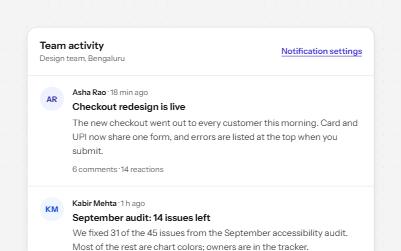
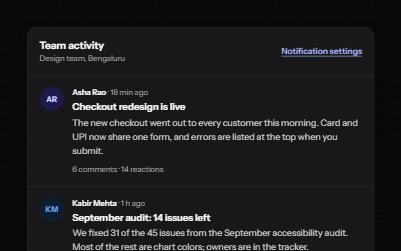
और लोड करने वाली फ़ीड
पोस्ट की एक धारा जिसे लोग क्रम से पढ़ते हैं, पोस्ट-दर-पोस्ट चलने की कीज़, और लोड करें बटन, और इंतज़ार करती नई पोस्ट के साथ।
-
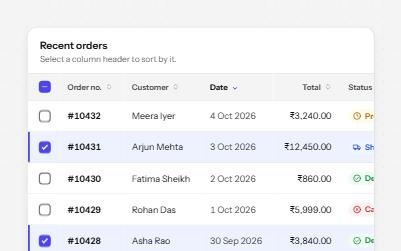
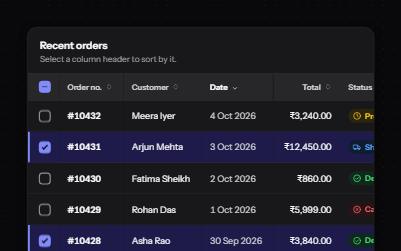
क्रमबद्ध होने वाली तालिका
कैप्शन, पंक्ति हेडर, क्रम बताने वाले सॉर्ट बटन, और मिश्रित स्थिति वाले सभी चुनें के साथ पंक्तियाँ चुनने वाली डेटा तालिका।
-
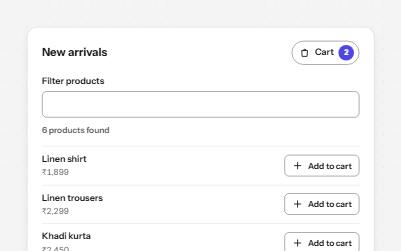
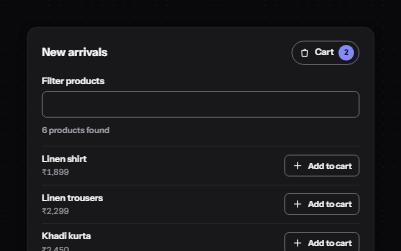
स्टेटस मैसेज
नतीजे, पुष्टियाँ और सेव role=status के ज़रिए स्क्रीन रीडर को बताए जाते हैं, फ़ोकस हिलाए बिना, हर बार एक ही बार।
-
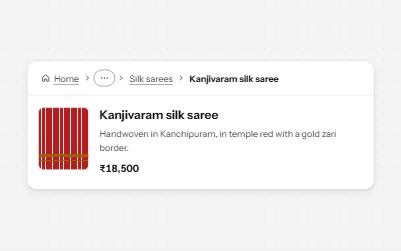
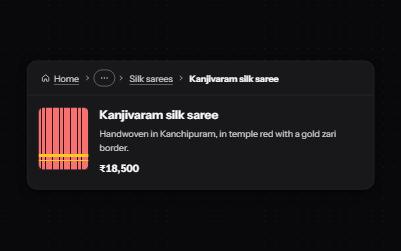
ब्रेडक्रंब
होम पेज से मौजूदा पेज तक लिंक की एक कड़ी, ताकि लोग देख सकें कि वे कहाँ हैं और एक-एक स्तर ऊपर लौट सकें।