Accessibility pattern · Navigation
Pagination
Each link says where it goes: "Previous page", "Page 4", "Next page", and the current one is marked with aria-current="page". When the list updates in place, a status line says "Page 4 of 12" and focus stays on the links, so nobody has to find their way back.
- WCAG criteria
- 6
- Keyboard rules
- 2
- Checked with
- axe, keyboard and the inspector
Live demo
Try it
Use it with a mouse, a keyboard or a screen reader. The inspector beside it shows what the browser tells assistive technology as you go: focus, state changes and announcements.
Your orders
Page 1 of 12
- Brass diya set #40260 ₹649 Processing
- Copper water bottle #40253 ₹899 Shipped
- Sandalwood soap, pack of 3 #40246 ₹420 Shipped
- Bamboo table lamp #40239 ₹1,180 Delivered
The demo works without JavaScript only as far as its HTML does; the inspector needs JavaScript.
Keyboard
Keys it answers to
Every action works without a pointer.
| Key | What it does |
|---|---|
| Tab or ShiftTab | Moves through Previous, the page numbers and Next; the ellipses are not links and are skipped. |
| Enter | Follows the focused link: the list shows that page, the status line says which page it is, and focus stays on the links. |
Screen readers
What it announces
Written from the roles, names and states in the markup.
| When | Expected announcement |
|---|---|
| Tab reaches the current page | Order pages, navigation. List. Page 1, current page, link |
| Tab reaches the last link | Next page, link |
| Enter on Page 4 | Page 4 of 12 |
| Focus after the list changes | Page 4, current page, link |
These are expected announcements, not recordings. Wording and order differ between screen readers and browsers.
Code
Copy the code
The exact files this demo runs on. The styles are served with a prefix that keeps this site's own styles out of the demo; what you copy is the original.
<div class="ap-pagination" data-ap-pagination data-pages="12">
  <div class="ap-pagination__top">
    <h3 class="ap-pagination__name" id="pg-name">Your orders</h3>
    <p class="ap-pagination__status" role="status"><span>Page</span> <span>1</span> <span>of</span> <span>12</span></p>
  </div>
  <ul class="ap-pagination__orders" aria-labelledby="pg-name">
    <li class="ap-pagination__order">
      <span class="ap-pagination__thumb" aria-hidden="true"><svg class="ap-pagination__box" viewBox="0 0 24 24" aria-hidden="true" focusable="false"><path d="m12 3 8 4.5v9L12 21l-8-4.5v-9Z"/><path d="m4 7.5 8 4.5 8-4.5M12 12v9"/></svg></span>
      <span class="ap-pagination__product">Brass diya set</span>
      <span class="ap-pagination__no" translate="no">#40260</span>
      <span class="ap-pagination__amount">₹649</span>
      <span class="ap-pagination__state ap-pagination__state--processing"><svg class="ap-pagination__state-icon" viewBox="0 0 24 24" aria-hidden="true" focusable="false"><circle cx="12" cy="12" r="8.5"/><path d="M12 7.5V12l3 2"/></svg><span>Processing</span></span>
    </li>
    <li class="ap-pagination__order">
      <span class="ap-pagination__thumb" aria-hidden="true"><svg class="ap-pagination__box" viewBox="0 0 24 24" aria-hidden="true" focusable="false"><path d="m12 3 8 4.5v9L12 21l-8-4.5v-9Z"/><path d="m4 7.5 8 4.5 8-4.5M12 12v9"/></svg></span>
      <span class="ap-pagination__product">Copper water bottle</span>
      <span class="ap-pagination__no" translate="no">#40253</span>
      <span class="ap-pagination__amount">₹899</span>
      <span class="ap-pagination__state ap-pagination__state--shipped"><svg class="ap-pagination__state-icon" viewBox="0 0 24 24" aria-hidden="true" focusable="false"><path d="M3 7h11v9H3z"/><path d="M14 10h4l3 3v3h-7"/><circle cx="7" cy="17.5" r="1.5"/><circle cx="17" cy="17.5" r="1.5"/></svg><span>Shipped</span></span>
    </li>
    <li class="ap-pagination__order">
      <span class="ap-pagination__thumb" aria-hidden="true"><svg class="ap-pagination__box" viewBox="0 0 24 24" aria-hidden="true" focusable="false"><path d="m12 3 8 4.5v9L12 21l-8-4.5v-9Z"/><path d="m4 7.5 8 4.5 8-4.5M12 12v9"/></svg></span>
      <span class="ap-pagination__product">Sandalwood soap, pack of 3</span>
      <span class="ap-pagination__no" translate="no">#40246</span>
      <span class="ap-pagination__amount">₹420</span>
      <span class="ap-pagination__state ap-pagination__state--shipped"><svg class="ap-pagination__state-icon" viewBox="0 0 24 24" aria-hidden="true" focusable="false"><path d="M3 7h11v9H3z"/><path d="M14 10h4l3 3v3h-7"/><circle cx="7" cy="17.5" r="1.5"/><circle cx="17" cy="17.5" r="1.5"/></svg><span>Shipped</span></span>
    </li>
    <li class="ap-pagination__order">
      <span class="ap-pagination__thumb" aria-hidden="true"><svg class="ap-pagination__box" viewBox="0 0 24 24" aria-hidden="true" focusable="false"><path d="m12 3 8 4.5v9L12 21l-8-4.5v-9Z"/><path d="m4 7.5 8 4.5 8-4.5M12 12v9"/></svg></span>
      <span class="ap-pagination__product">Bamboo table lamp</span>
      <span class="ap-pagination__no" translate="no">#40239</span>
      <span class="ap-pagination__amount">₹1,180</span>
      <span class="ap-pagination__state ap-pagination__state--delivered"><svg class="ap-pagination__state-icon" viewBox="0 0 24 24" aria-hidden="true" focusable="false"><path d="m5 12.5 4.5 4.5L19 7.5"/></svg><span>Delivered</span></span>
    </li>
  </ul>
  <nav class="ap-pagination__nav" aria-label="Order pages">
    <ul class="ap-pagination__pages">
      <li class="ap-pagination__edge ap-pagination__edge--prev ap-pagination__edge--off"><a class="ap-pagination__step" href="?page=1" data-step="prev" rel="prev"><svg class="ap-pagination__arrow" viewBox="0 0 24 24" aria-hidden="true" focusable="false"><path d="m15 18-6-6 6-6"/></svg><span>Previous</span><span class="ap-pagination__vh"> page</span></a></li>
      <li class="ap-pagination__num"><a class="ap-pagination__page" href="?page=1" aria-current="page"><span class="ap-pagination__vh">Page </span>1</a></li>
      <li class="ap-pagination__num"><a class="ap-pagination__page" href="?page=2"><span class="ap-pagination__vh">Page </span>2</a></li>
      <li class="ap-pagination__num"><a class="ap-pagination__page" href="?page=3"><span class="ap-pagination__vh">Page </span>3</a></li>
      <li class="ap-pagination__num"><a class="ap-pagination__page" href="?page=4"><span class="ap-pagination__vh">Page </span>4</a></li>
      <li class="ap-pagination__num"><a class="ap-pagination__page" href="?page=5"><span class="ap-pagination__vh">Page </span>5</a></li>
      <li class="ap-pagination__gap" aria-hidden="true">…</li>
      <li class="ap-pagination__num"><a class="ap-pagination__page" href="?page=12"><span class="ap-pagination__vh">Page </span>12</a></li>
      <li class="ap-pagination__count" aria-hidden="true"><span>1</span><span class="ap-pagination__of">/</span><span>12</span></li>
      <li class="ap-pagination__edge ap-pagination__edge--next"><a class="ap-pagination__step" href="?page=2" data-step="next" rel="next"><span>Next</span><span class="ap-pagination__vh"> page</span><svg class="ap-pagination__arrow" viewBox="0 0 24 24" aria-hidden="true" focusable="false"><path d="m9 18 6-6-6-6"/></svg></a></li>
    </ul>
  </nav>
</div>
/* Pagination. Uses the --ap-* design tokens. */
.ap-pagination {
  container-type: inline-size;
  width: min(100%, 620px);
  margin-inline: auto;
  border: 1px solid var(--ap-border);
  border-radius: var(--ap-radius-lg);
  background: var(--ap-surface);
  box-shadow: var(--ap-shadow-md);
  color: var(--ap-text);
}

/* Text that is read out but not shown: "Page" before a number, "page" after Previous. */
.ap-pagination__vh {
  position: absolute;
  width: 1px;
  height: 1px;
  margin: -1px;
  padding: 0;
  overflow: hidden;
  clip-path: inset(50%);
  white-space: nowrap;
  border: 0;
}

/* ── The list ── */
.ap-pagination__top {
  display: flex;
  flex-wrap: wrap;
  align-items: baseline;
  justify-content: space-between;
  gap: 4px 16px;
  padding: 15px 20px 11px;
  border-bottom: 1px solid var(--ap-border);
}
.ap-pagination__name {
  margin: 0;
  font-size: 1.0625rem;
  font-weight: 650;
  line-height: 1.3;
}
.ap-pagination__status {
  margin: 0;
  color: var(--ap-text-3);
  font-size: .875rem;
  font-variant-numeric: tabular-nums;
}

.ap-pagination__orders {
  margin: 0;
  padding: 0;
  list-style: none;
}
.ap-pagination__order {
  display: grid;
  grid-template-columns: 40px minmax(0, 1fr) auto;
  grid-template-areas: "thumb product amount" "thumb no state";
  align-items: center;
  gap: 2px 14px;
  padding: 9px 20px;
}
.ap-pagination__order + .ap-pagination__order {
  border-top: 1px solid var(--ap-border);
}
.ap-pagination__order {
  animation: ap-pagination-in 220ms var(--ap-ease) both;
}
.ap-pagination__thumb {
  grid-area: thumb;
  display: grid;
  place-items: center;
  width: 40px;
  height: 40px;
  border-radius: var(--ap-radius-sm);
  background: var(--ap-surface-2);
  color: var(--ap-text-3);
}
.ap-pagination__box {
  width: 20px;
  height: 20px;
  fill: none;
  stroke: currentColor;
  stroke-width: 1.75;
  stroke-linejoin: round;
}
.ap-pagination__product {
  grid-area: product;
  align-self: end;
  min-width: 0;
  font-weight: 600;
  line-height: 1.35;
  overflow-wrap: anywhere;
}
.ap-pagination__no {
  grid-area: no;
  align-self: start;
  color: var(--ap-text-3);
  font-family: var(--ap-mono);
  font-size: .8125rem;
}
.ap-pagination__amount {
  grid-area: amount;
  align-self: end;
  justify-self: end;
  font-weight: 600;
  font-variant-numeric: tabular-nums;
}
.ap-pagination__state {
  grid-area: state;
  align-self: start;
  justify-self: end;
  display: inline-flex;
  align-items: center;
  gap: 4px;
  padding: 1px 8px 1px 6px;
  border-radius: var(--ap-radius-full);
  font-size: .75rem;
  font-weight: 600;
  white-space: nowrap;
}
.ap-pagination__state-icon {
  width: 13px;
  height: 13px;
  fill: none;
  stroke: currentColor;
  stroke-width: 2.25;
  stroke-linecap: round;
  stroke-linejoin: round;
}
.ap-pagination__state--processing { background: var(--ap-info-soft); color: var(--ap-info); }
.ap-pagination__state--shipped { background: var(--ap-accent-soft); color: var(--ap-accent-soft-text); }
.ap-pagination__state--delivered { background: var(--ap-success-soft); color: var(--ap-success); }
.ap-pagination__state--returned { background: var(--ap-warning-soft); color: var(--ap-warning); }

/* ── The page links ── */
.ap-pagination__nav {
  padding: 8px 12px;
  border-top: 1px solid var(--ap-border);
}
.ap-pagination__pages {
  display: flex;
  align-items: center;
  gap: 4px;
  margin: 0;
  padding: 0;
  list-style: none;
}
/* Previous and Next share the free space equally, so the numbers stay centred. */
.ap-pagination__edge {
  display: flex;
  flex: 1 1 0;
}
.ap-pagination__edge--next {
  justify-content: flex-end;
}
/* No Previous on the first page, no Next on the last. visibility: hidden takes
   the link out of the Tab order and the accessibility tree, but keeps its
   space, so the other arrow and the numbers do not move. */
.ap-pagination__edge--off {
  visibility: hidden;
}

.ap-pagination__step,
.ap-pagination__page {
  display: inline-flex;
  align-items: center;
  justify-content: center;
  min-height: var(--ap-target);
  border-radius: var(--ap-radius-sm);
  color: var(--ap-text);
  text-decoration: none;
  transition: background-color var(--ap-duration) var(--ap-ease), color var(--ap-duration) var(--ap-ease);
}
.ap-pagination__step {
  gap: 6px;
  padding: 0 14px 0 10px;
  font-weight: 600;
}
.ap-pagination__edge--next .ap-pagination__step {
  padding: 0 10px 0 14px;
}
.ap-pagination__page {
  min-width: var(--ap-target);
  padding: 0 6px;
  color: var(--ap-text-2);
  font-weight: 500;
  font-variant-numeric: tabular-nums;
}
.ap-pagination__step:hover,
.ap-pagination__page:hover {
  background: var(--ap-surface-2);
  color: var(--ap-text);
}
.ap-pagination__page[aria-current="page"] {
  background: var(--ap-accent);
  color: var(--ap-on-accent);
  font-weight: 700;
  box-shadow: var(--ap-shadow-sm);
}
.ap-pagination__step:focus-visible,
.ap-pagination__page:focus-visible {
  outline: 2px solid var(--ap-focus);
  outline-offset: 2px;
}
.ap-pagination__arrow {
  width: 18px;
  height: 18px;
  flex-shrink: 0;
  fill: none;
  stroke: currentColor;
  stroke-width: 2;
  stroke-linecap: round;
  stroke-linejoin: round;
}

.ap-pagination__gap {
  display: grid;
  place-items: end center;
  width: 28px;
  height: var(--ap-target);
  padding-bottom: 12px;
  color: var(--ap-text-3);
  letter-spacing: .1em;
}

/* The narrow form: Previous, a count, Next. */
.ap-pagination__count {
  display: none;
  align-items: baseline;
  gap: 6px;
  color: var(--ap-text-2);
  font-weight: 600;
  font-variant-numeric: tabular-nums;
}
.ap-pagination__of {
  color: var(--ap-text-3);
  font-weight: 400;
}

@container (max-width: 560px) {
  .ap-pagination__num,
  .ap-pagination__gap { display: none; }
  .ap-pagination__count { display: inline-flex; }
}
@container (max-width: 400px) {
  .ap-pagination__top,
  .ap-pagination__order { padding-inline: 16px; }
  .ap-pagination__order {
    grid-template-columns: minmax(0, 1fr) auto;
    grid-template-areas: "product amount" "no state";
  }
  .ap-pagination__thumb { display: none; }
}

@keyframes ap-pagination-in {
  from { opacity: 0; transform: translateY(3px); }
}

@media (prefers-reduced-motion: reduce) {
  .ap-pagination__step,
  .ap-pagination__page { transition: none; }
  .ap-pagination__order { animation: none; }
}
/**
 * Pagination: a nav landmark of real page links that swaps a results list in
 * place, says which page is showing, and keeps focus on the links.
 *
 * Markup: [data-ap-pagination][data-pages] holding a list (.ap-pagination__orders),
 * a role=status line, and nav[aria-label="Pagination"] > ul of links whose
 * href carries ?page=N. The current page's link has aria-current="page";
 * Previous and Next carry data-step, and the one with nowhere to go has the
 * class ap-pagination__edge--off. Without JavaScript every link loads its
 * page; with it, the list changes here and the address stays as it is.
 */

const PER_PAGE = 4;

/* Demo data: one shop's orders, newest first. A real list comes from the server. */
const PRODUCTS = [
  ["Brass diya set", 649],
  ["Handloom cotton saree", 2890],
  ["Terracotta planter", 499],
  ["Copper water bottle", 899],
  ["Block-print bedsheet", 1450],
  ["Jute tote bag", 349],
  ["Sandalwood soap, pack of 3", 420],
  ["Ceramic chai cups", 760],
  ["Kantha quilt", 3200],
  ["Bamboo table lamp", 1180],
];
const STATES = {
  Processing: { cls: "processing", icon: '<circle cx="12" cy="12" r="8.5"/><path d="M12 7.5V12l3 2"/>' },
  Shipped: { cls: "shipped", icon: '<path d="M3 7h11v9H3z"/><path d="M14 10h4l3 3v3h-7"/><circle cx="7" cy="17.5" r="1.5"/><circle cx="17" cy="17.5" r="1.5"/>' },
  Delivered: { cls: "delivered", icon: '<path d="m5 12.5 4.5 4.5L19 7.5"/>' },
  Returned: { cls: "returned", icon: '<path d="M9 14 4 9l5-5"/><path d="M4 9h10.5a5.5 5.5 0 0 1 0 11H11"/>' },
};
const BOX = '<path d="m12 3 8 4.5v9L12 21l-8-4.5v-9Z"/><path d="m4 7.5 8 4.5 8-4.5M12 12v9"/>';

function orderAt(n) {
  const [product, price] = PRODUCTS[(n * 3) % PRODUCTS.length];
  const state = n === 0 ? "Processing" : n <= 2 ? "Shipped" : n % 9 === 5 ? "Returned" : "Delivered";
  return { number: `#${40260 - n * 7}`, product, price: `₹${price.toLocaleString("en-IN")}`, state };
}

const SVG = "http://www.w3.org/2000/svg";
function icon(cls, paths) {
  const svg = document.createElementNS(SVG, "svg");
  svg.setAttribute("class", cls);
  svg.setAttribute("viewBox", "0 0 24 24");
  svg.setAttribute("aria-hidden", "true");
  svg.setAttribute("focusable", "false");
  svg.innerHTML = paths;
  return svg;
}
function el(tag, cls, text) {
  const node = document.createElement(tag);
  if (cls) node.className = cls;
  if (text != null) node.textContent = text;
  return node;
}

export function init(root) {
  const pages = root.querySelector(".ap-pagination__pages");
  const orders = root.querySelector(".ap-pagination__orders");
  const status = root.querySelector("[role=status]");
  const total = Number(root.dataset.pages) || 1;
  const pageOf = (link) => Number(new URL(link.href).searchParams.get("page"));
  let current = pageOf(pages.querySelector("[aria-current=page]") || pages.querySelector("a"));

  /* Which numbers to show: always the first and last, the current one and
     its neighbours, and an ellipsis for every run of two or more skipped. */
  function slots(page) {
    const range = (a, b) => Array.from({ length: b - a + 1 }, (_, i) => a + i);
    if (total <= 7) return range(1, total);
    if (page <= 4) return [...range(1, 5), "gap", total];
    if (page >= total - 3) return [1, "gap", ...range(total - 4, total)];
    return [1, "gap", page - 1, page, page + 1, "gap", total];
  }

  // At either end the arrow is switched off: visibility: hidden in the CSS keeps
  // its space but takes it out of the Tab order and the accessibility tree.
  function stepLink(step, page, off) {
    const item = el("li", `ap-pagination__edge ap-pagination__edge--${step}`);
    item.classList.toggle("ap-pagination__edge--off", off);
    const link = el("a", "ap-pagination__step");
    link.href = `?page=${page}`;
    link.dataset.step = step;
    link.rel = step;
    const words = [el("span", "", step === "prev" ? "Previous" : "Next"), el("span", "ap-pagination__vh", " page")];
    const arrow = icon("ap-pagination__arrow", step === "prev" ? '<path d="m15 18-6-6 6-6"/>' : '<path d="m9 18 6-6-6-6"/>');
    if (step === "prev") link.append(arrow, ...words);
    else link.append(...words, arrow);
    item.append(link);
    return item;
  }

  function renderNav(page) {
    const items = [stepLink("prev", Math.max(1, page - 1), page === 1)];
    for (const slot of slots(page)) {
      if (slot === "gap") {
        const gap = el("li", "ap-pagination__gap", "…");
        gap.setAttribute("aria-hidden", "true");
        items.push(gap);
        continue;
      }
      const item = el("li", "ap-pagination__num");
      const link = el("a", "ap-pagination__page");
      link.href = `?page=${slot}`;
      link.append(el("span", "ap-pagination__vh", "Page "), String(slot));
      if (slot === page) link.setAttribute("aria-current", "page");
      item.append(link);
      items.push(item);
    }
    const count = el("li", "ap-pagination__count");
    count.setAttribute("aria-hidden", "true");
    count.append(el("span", "", String(page)), el("span", "ap-pagination__of", "/"), el("span", "", String(total)));
    items.push(count, stepLink("next", Math.min(total, page + 1), page === total));
    pages.replaceChildren(...items);
  }

  function renderOrders(page) {
    const rows = [];
    for (let n = (page - 1) * PER_PAGE; n < page * PER_PAGE; n++) {
      const o = orderAt(n);
      const state = STATES[o.state];
      const row = el("li", "ap-pagination__order");
      const thumb = el("span", "ap-pagination__thumb");
      thumb.setAttribute("aria-hidden", "true");
      thumb.append(icon("ap-pagination__box", BOX));
      const number = el("span", "ap-pagination__no", o.number);
      number.setAttribute("translate", "no");
      const badge = el("span", `ap-pagination__state ap-pagination__state--${state.cls}`);
      badge.append(icon("ap-pagination__state-icon", state.icon), el("span", "", o.state));
      row.append(thumb, el("span", "ap-pagination__product", o.product), number, el("span", "ap-pagination__amount", o.price), badge);
      rows.push(row);
    }
    orders.replaceChildren(...rows);
  }

  // Numbers sit in their own elements; the words around them are fixed strings.
  function say(page) {
    status.replaceChildren(el("span", "", "Page"), " ", el("span", "", String(page)), " ", el("span", "", "of"), " ", el("span", "", String(total)));
  }

  const visible = (node) => node && node.getClientRects().length > 0 && getComputedStyle(node).visibility !== "hidden";

  function go(page, from) {
    if (!page || page < 1 || page > total || page === current) return;
    current = page;
    renderOrders(page);
    renderNav(page);
    say(page);
    // The links were rebuilt, so the one that had focus is gone. Put focus on
    // the control the reader used if it is still there (Previous, Next), else
    // on the new current page, else on whichever arrow is left (narrow layout).
    const step = (name) => pages.querySelector(`[data-step="${name}"]`);
    const target = [from === "prev" || from === "next" ? step(from) : null,
      pages.querySelector("[aria-current=page]"), step("next"), step("prev")].find(visible);
    target?.focus();
  }

  function onClick(event) {
    const link = event.target.closest("a[href]");
    if (!link || !pages.contains(link)) return;
    // Let the browser open the page in a new tab or window when asked to.
    if (event.button !== 0 || event.metaKey || event.ctrlKey || event.shiftKey || event.altKey) return;
    event.preventDefault();
    go(pageOf(link), link.dataset.step || "page");
  }

  pages.addEventListener("click", onClick);
  return () => pages.removeEventListener("click", onClick);
}

for (const root of document.querySelectorAll("[data-ap-pagination]")) init(root);
/* Design tokens for the pattern components. Light by default, dark when the
   system asks for it; set data-theme="dark" on :root to force dark. */
:root {
    --ap-radius-sm: 8px;
    --ap-radius: 12px;
    --ap-radius-lg: 16px;
    --ap-radius-full: 999px;
    --ap-font: "Instrument Sans", ui-sans-serif, system-ui, -apple-system, "Segoe UI", Roboto, sans-serif;
    --ap-mono: "JetBrains Mono", ui-monospace, "Cascadia Mono", "SF Mono", Consolas, monospace;
    --ap-ease: cubic-bezier(.2, .8, .2, 1);
    --ap-duration: 180ms;
    --ap-target: 44px;
    --ap-bg: #F4F4F5;
    --ap-surface: #FFFFFF;
    --ap-surface-2: #F4F4F5;
    --ap-surface-3: #E4E4E7;
    --ap-border: #E4E4E7;
    --ap-border-strong: #76767F;
    --ap-text: #18181B;
    --ap-text-2: #3F3F46;
    --ap-text-3: #5E5E66;
    --ap-accent: #4F46E5;
    --ap-accent-hover: #4338CA;
    --ap-on-accent: #FFFFFF;
    --ap-accent-text: #4338CA;
    --ap-accent-soft: #EEF2FF;
    --ap-accent-soft-text: #3730A3;
    --ap-focus: #4F46E5;
    --ap-danger: #B91C1C;
    --ap-danger-soft: #FEF2F2;
    --ap-success: #15803D;
    --ap-success-soft: #F0FDF4;
    --ap-warning: #A15C07;
    --ap-warning-soft: #FEFCE8;
    --ap-info: #1D4ED8;
    --ap-info-soft: #EFF6FF;
    --ap-scrim: rgb(9 9 11 / .48);
    --ap-shadow-sm: 0 1px 2px rgb(9 9 11 / .06);
    --ap-shadow-md: 0 1px 2px rgb(9 9 11 / .05), 0 6px 16px -4px rgb(9 9 11 / .1);
    --ap-shadow-lg: 0 2px 6px rgb(9 9 11 / .06), 0 20px 40px -12px rgb(9 9 11 / .22);
    --ap-light-bg: #F4F4F5;
    --ap-light-surface: #FFFFFF;
    --ap-light-surface-2: #F4F4F5;
    --ap-light-surface-3: #E4E4E7;
    --ap-light-border: #E4E4E7;
    --ap-light-border-strong: #76767F;
    --ap-light-text: #18181B;
    --ap-light-text-2: #3F3F46;
    --ap-light-text-3: #5E5E66;
    --ap-light-accent: #4F46E5;
    --ap-light-accent-hover: #4338CA;
    --ap-light-on-accent: #FFFFFF;
    --ap-light-accent-text: #4338CA;
    --ap-light-accent-soft: #EEF2FF;
    --ap-light-accent-soft-text: #3730A3;
    --ap-light-focus: #4F46E5;
    --ap-light-danger: #B91C1C;
    --ap-light-danger-soft: #FEF2F2;
    --ap-light-success: #15803D;
    --ap-light-success-soft: #F0FDF4;
    --ap-light-warning: #A15C07;
    --ap-light-warning-soft: #FEFCE8;
    --ap-light-info: #1D4ED8;
    --ap-light-info-soft: #EFF6FF;
    --ap-light-scrim: rgb(9 9 11 / .48);
    --ap-light-shadow-sm: 0 1px 2px rgb(9 9 11 / .06);
    --ap-light-shadow-md: 0 1px 2px rgb(9 9 11 / .05), 0 6px 16px -4px rgb(9 9 11 / .1);
    --ap-light-shadow-lg: 0 2px 6px rgb(9 9 11 / .06), 0 20px 40px -12px rgb(9 9 11 / .22);
    --ap-dark-bg: #09090B;
    --ap-dark-surface: #18181B;
    --ap-dark-surface-2: #27272A;
    --ap-dark-surface-3: #3F3F46;
    --ap-dark-border: #2E2E33;
    --ap-dark-border-strong: #8E8E97;
    --ap-dark-text: #FAFAFA;
    --ap-dark-text-2: #D4D4D8;
    --ap-dark-text-3: #A1A1AA;
    --ap-dark-accent: #818CF8;
    --ap-dark-accent-hover: #A5B4FC;
    --ap-dark-on-accent: #0C0A1F;
    --ap-dark-accent-text: #A5B4FC;
    --ap-dark-accent-soft: #1E1B4B;
    --ap-dark-accent-soft-text: #C7D2FE;
    --ap-dark-focus: #A5B4FC;
    --ap-dark-danger: #F87171;
    --ap-dark-danger-soft: #2A1215;
    --ap-dark-success: #4ADE80;
    --ap-dark-success-soft: #0F2A1A;
    --ap-dark-warning: #FACC15;
    --ap-dark-warning-soft: #2A2410;
    --ap-dark-info: #60A5FA;
    --ap-dark-info-soft: #0F1D33;
    --ap-dark-scrim: rgb(0 0 0 / .62);
    --ap-dark-shadow-sm: 0 1px 2px rgb(0 0 0 / .4);
    --ap-dark-shadow-md: 0 1px 2px rgb(0 0 0 / .4), 0 8px 20px -6px rgb(0 0 0 / .5);
    --ap-dark-shadow-lg: 0 2px 8px rgb(0 0 0 / .45), 0 24px 48px -12px rgb(0 0 0 / .7);
}
@media (prefers-color-scheme: dark) {
  :root:not([data-theme="light"]) {
      --ap-bg: #09090B;
      --ap-surface: #18181B;
      --ap-surface-2: #27272A;
      --ap-surface-3: #3F3F46;
      --ap-border: #2E2E33;
      --ap-border-strong: #8E8E97;
      --ap-text: #FAFAFA;
      --ap-text-2: #D4D4D8;
      --ap-text-3: #A1A1AA;
      --ap-accent: #818CF8;
      --ap-accent-hover: #A5B4FC;
      --ap-on-accent: #0C0A1F;
      --ap-accent-text: #A5B4FC;
      --ap-accent-soft: #1E1B4B;
      --ap-accent-soft-text: #C7D2FE;
      --ap-focus: #A5B4FC;
      --ap-danger: #F87171;
      --ap-danger-soft: #2A1215;
      --ap-success: #4ADE80;
      --ap-success-soft: #0F2A1A;
      --ap-warning: #FACC15;
      --ap-warning-soft: #2A2410;
      --ap-info: #60A5FA;
      --ap-info-soft: #0F1D33;
      --ap-scrim: rgb(0 0 0 / .62);
      --ap-shadow-sm: 0 1px 2px rgb(0 0 0 / .4);
      --ap-shadow-md: 0 1px 2px rgb(0 0 0 / .4), 0 8px 20px -6px rgb(0 0 0 / .5);
      --ap-shadow-lg: 0 2px 8px rgb(0 0 0 / .45), 0 24px 48px -12px rgb(0 0 0 / .7);
  }
}
:root[data-theme="dark"] {
    --ap-bg: #09090B;
    --ap-surface: #18181B;
    --ap-surface-2: #27272A;
    --ap-surface-3: #3F3F46;
    --ap-border: #2E2E33;
    --ap-border-strong: #8E8E97;
    --ap-text: #FAFAFA;
    --ap-text-2: #D4D4D8;
    --ap-text-3: #A1A1AA;
    --ap-accent: #818CF8;
    --ap-accent-hover: #A5B4FC;
    --ap-on-accent: #0C0A1F;
    --ap-accent-text: #A5B4FC;
    --ap-accent-soft: #1E1B4B;
    --ap-accent-soft-text: #C7D2FE;
    --ap-focus: #A5B4FC;
    --ap-danger: #F87171;
    --ap-danger-soft: #2A1215;
    --ap-success: #4ADE80;
    --ap-success-soft: #0F2A1A;
    --ap-warning: #FACC15;
    --ap-warning-soft: #2A2410;
    --ap-info: #60A5FA;
    --ap-info-soft: #0F1D33;
    --ap-scrim: rgb(0 0 0 / .62);
    --ap-shadow-sm: 0 1px 2px rgb(0 0 0 / .4);
    --ap-shadow-md: 0 1px 2px rgb(0 0 0 / .4), 0 8px 20px -6px rgb(0 0 0 / .5);
    --ap-shadow-lg: 0 2px 8px rgb(0 0 0 / .45), 0 24px 48px -12px rgb(0 0 0 / .7);
}
WCAG 2.2
What it meets
The success criteria this pattern takes care of, and how.
-
1.3.1 Info and Relationships
Level A
The links sit in a list inside a nav landmark named for what it pages through, so people can jump to it and hear how many links it holds.
-
1.4.1 Use of Color
Level A
The current page is a filled, bold square, not just a different color, and the ellipses are plain text, not link-colored.
-
2.4.4 Link Purpose (In Context)
Level A
Visually hidden words turn "4" into "Page 4" and the arrows into "Previous page" and "Next page", so each link makes sense on its own.
-
2.5.8 Target Size (Minimum)
Level AA
Every link is at least 44 by 44 pixels, with space between, so the numbers are easy to hit on a phone.
-
4.1.2 Name, Role, Value
Level A
aria-current="page" exposes which page is showing; screen readers say "current page".
-
4.1.3 Status Messages
Level AA
The status line announces "Page 4 of 12" when the list changes in place, without moving focus.
Usage
When to use it
Use it
- Long lists people work through in order: orders, search results, archives.
- Results people come back to or share, because page 4 has its own address.
Use something else
- Feeds people browse rather than search: a load more button keeps their place better.
- Lists short enough to show on one page.
- Steps of a task that must be done in order: use progress steps.
Common failures
How it usually goes wrong
Numbers with no name
A link called just "4" means little in a screen reader's list of links. A visually hidden "Page" makes it "Page 4" without changing the look.
Arrows instead of words
« and » are read as punctuation names, or not at all. Previous and Next are words here, with "page" added for screen readers.
Buttons instead of links
Page buttons cannot be opened in a new tab, bookmarked or shared, and do nothing without the script. These are real links to ?page=4, enhanced to update in place.
A silent update
When the list changes and nothing is said, a screen reader user presses Enter and hears nothing. The status line says which page is showing.
Focus lost when the links redraw
Rebuilding the links removes the one that had focus, and focus falls to the top of the page. The script puts it on the new current page, or back on Previous or Next.
A disabled Previous link
A link cannot be disabled; one styled grey but still focusable leads nowhere. On the first page Previous is hidden with visibility: hidden, which also takes it out of the Tab order, and its space is kept so nothing moves.
Notes
Building it
- If every page is a full page load, the browser moves focus and announces the new page itself; the status line and the focus handling here are for lists that update in place.
- Keep the hrefs real and update the address with history.pushState in a real app, so the back button and shared links work. The demo leaves this page's address alone.
- Name the nav for what it pages through, like Order pages; a plain Pagination label is common too, but give each one its own name if a page has two.
- Ctrl-click, middle-click and the like are left to the browser, so a page can still be opened in a new tab.
- When the component is narrower than about 560 pixels the numbers give way to a count between Previous and Next, so the row never wraps onto two lines.
Sources: GOV.UK Design System: Pagination · WAI-ARIA 1.2: aria-current
Checked with axe in light and dark themes, at desktop and phone widths, and by keyboard. Not yet tested with every screen reader and browser pair. Report a correction
Related
Patterns that go with it
-
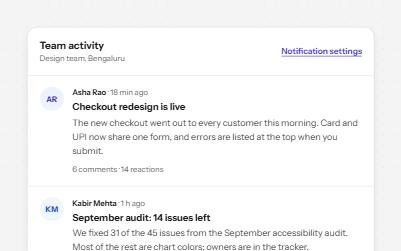
Feed with load more
A stream of posts people read in order, with keys to move post by post, a Load more button and new posts that wait.
-
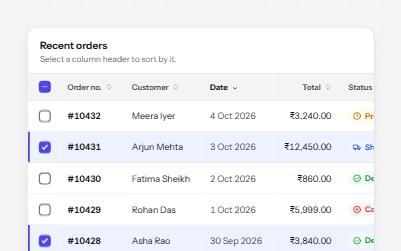
Sortable table
A data table with a caption, row headers, sort buttons that report the order, and row selection with a mixed Select all.
-
Status message
Results, confirmations and saves told to screen readers through role=status, without moving focus, once each time.
-
Breadcrumb
A trail of links from the home page to the current one, so people can see where they are and step back up.